

Amazon RDS
Find your Amazon RDS connection URL.
- Sign in to the AWS Management Console and open the Amazon RDS console at
https://console.aws.amazon.com/rds/ - In the navigation panel, choose Databases to display a list of your DB instances.
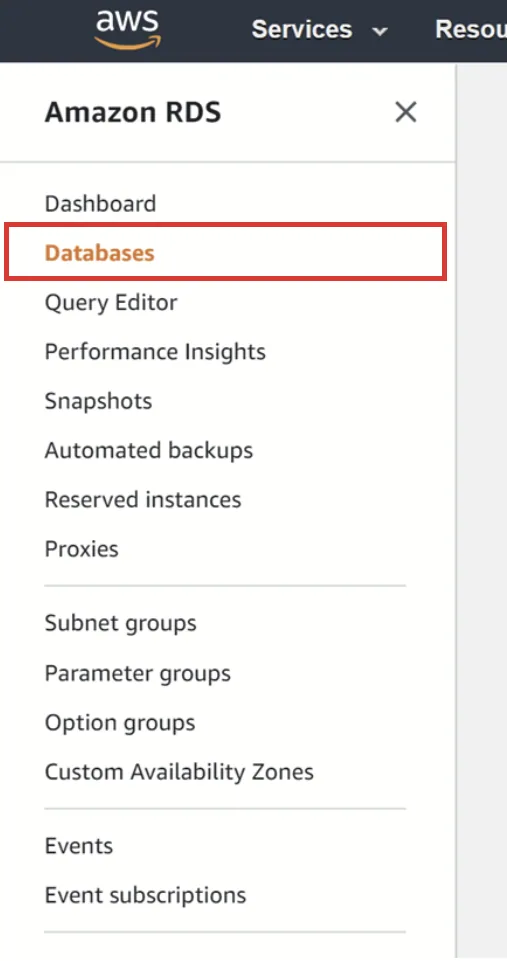
Navigation panel
- Click on the DB you want to sync.
- On the Connectivity & security tab, copy the endpoint and the port number.
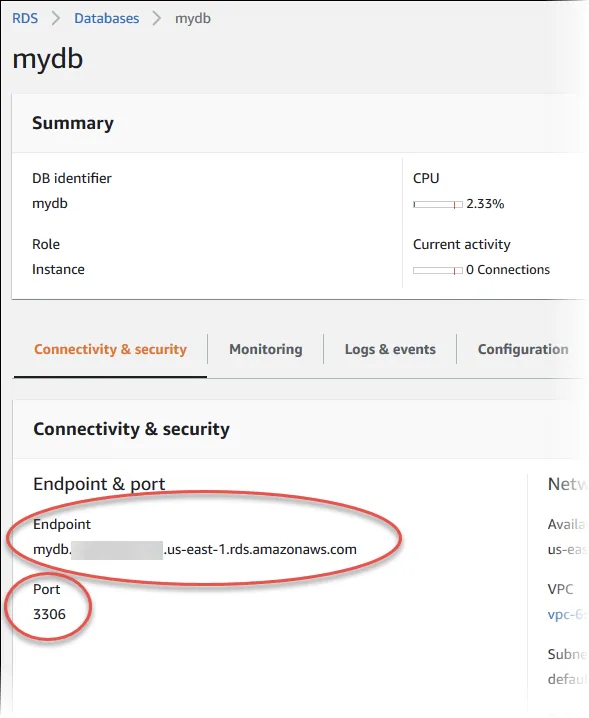
RDS endpoint and port number
- Then click on the Configuration tab and view the Master username and DB name values.
If the DB name is empty as it is the case here, then use 'postgres' as DB name.
The password was set when the database was originally created. Please ask whoever set up the database for the connection password.
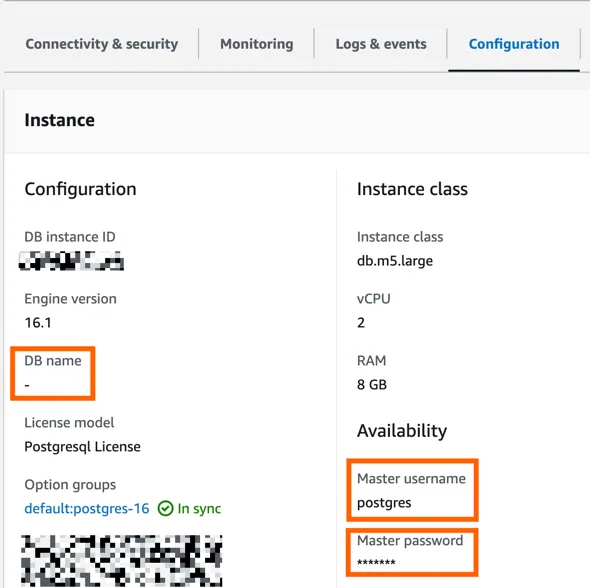
- Use this template for the connection string and replace the element with your values
postgresql://USERNAME:YOUR_PASSWORD@ENDPOINT:PORT/DB_NAME- Paste the connection string into Stacksync
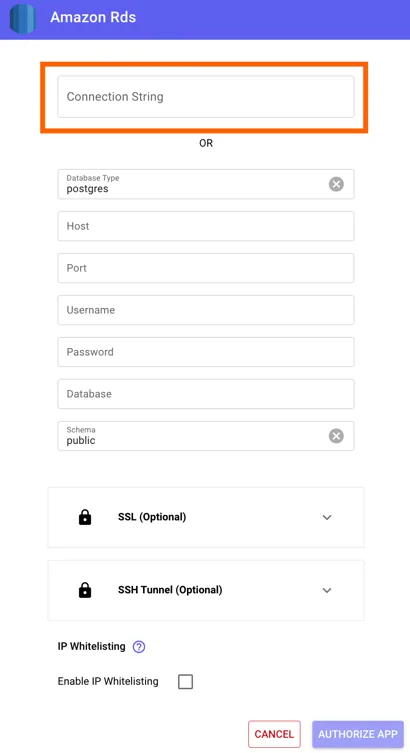
If your database is in a private subnet and doesn't have any way to access it from internet currently, you can set up a jumpbox / bastion host to allow Stacksync to access your database using this tutorial: