

Manage workspace users
Invite users to collaborate in a workspace with Role-Based Access Control (RBAC)
You can invite users to collaborate on a Stacksync workspace.
Stacksync uses Role-Based Access Control (RBAC) to let you manage permissions and access. Users can have the following roles:
- Owner (Can create and use all workspace resources except private resources owned by other users and manages the workspace billing).
- Editor (Can create and use all workspace resources except private resources owned by other users. Editors can also invite other users to join a workspace).
- Viewer (Can ONLY view non-private workspace resources. Viewers cannot create, update or delete any workspace resources).
Invite users to a workspace
- Go to "Workspace settings"
- Insert email to invite and choose user role
- Click "Send invite"
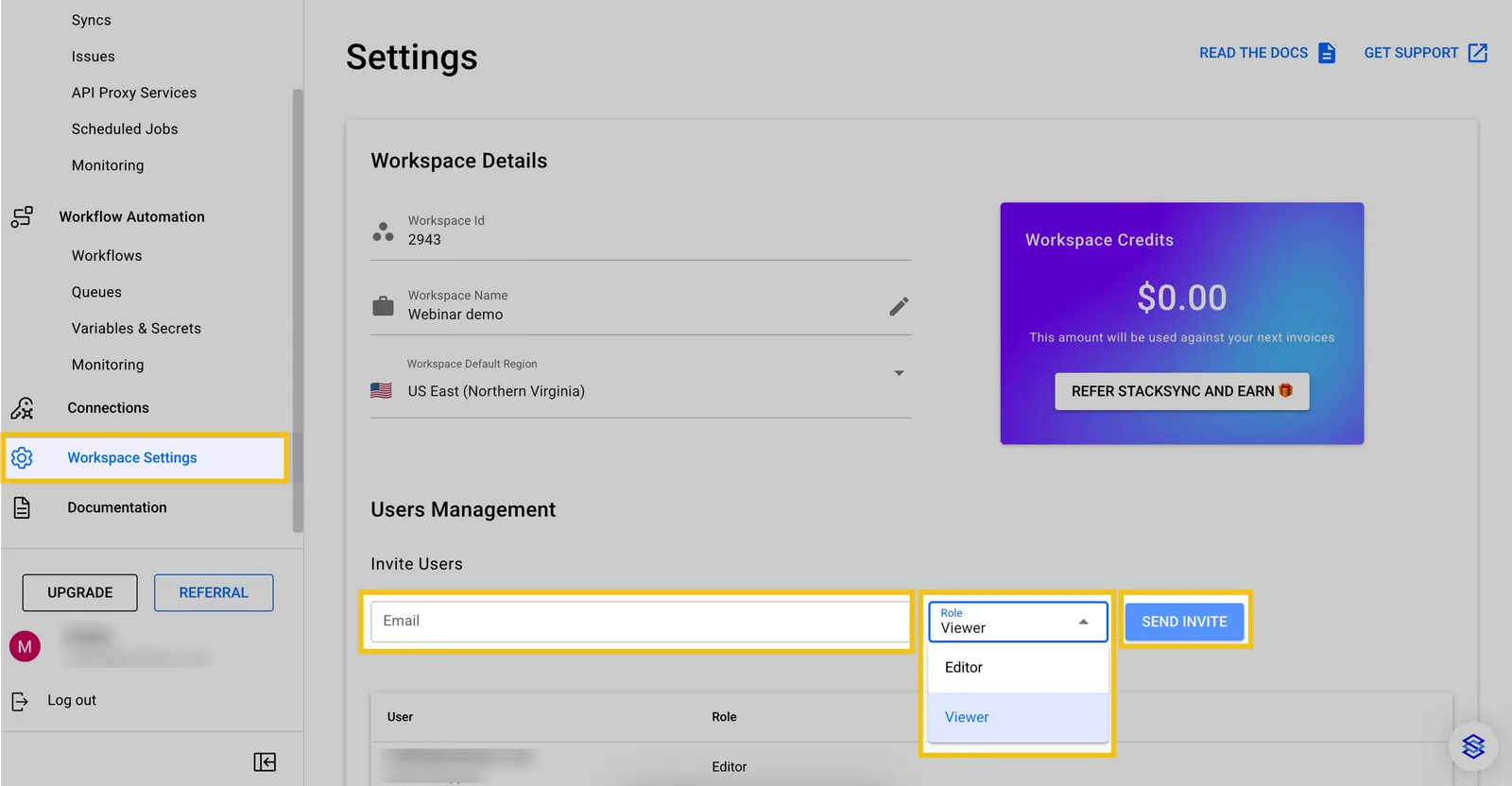
Invite users to a Stacksync workspace
Invitations can be revoked at any time. You can also add, update and remove workspace collaborators.
To join the workspace, the invited collaborator will receive an email with a link to join the workspace. If they do not click on the link to accept the invite, they will not be able to join the workspace.
If you want to enforce MFA for all users in your workspace or need SAML & SSO, follow the tutorial below.
Switching between workspaces
You can see all the workspaces you own and the workspaces you have been invited to in the Workspace selection view.
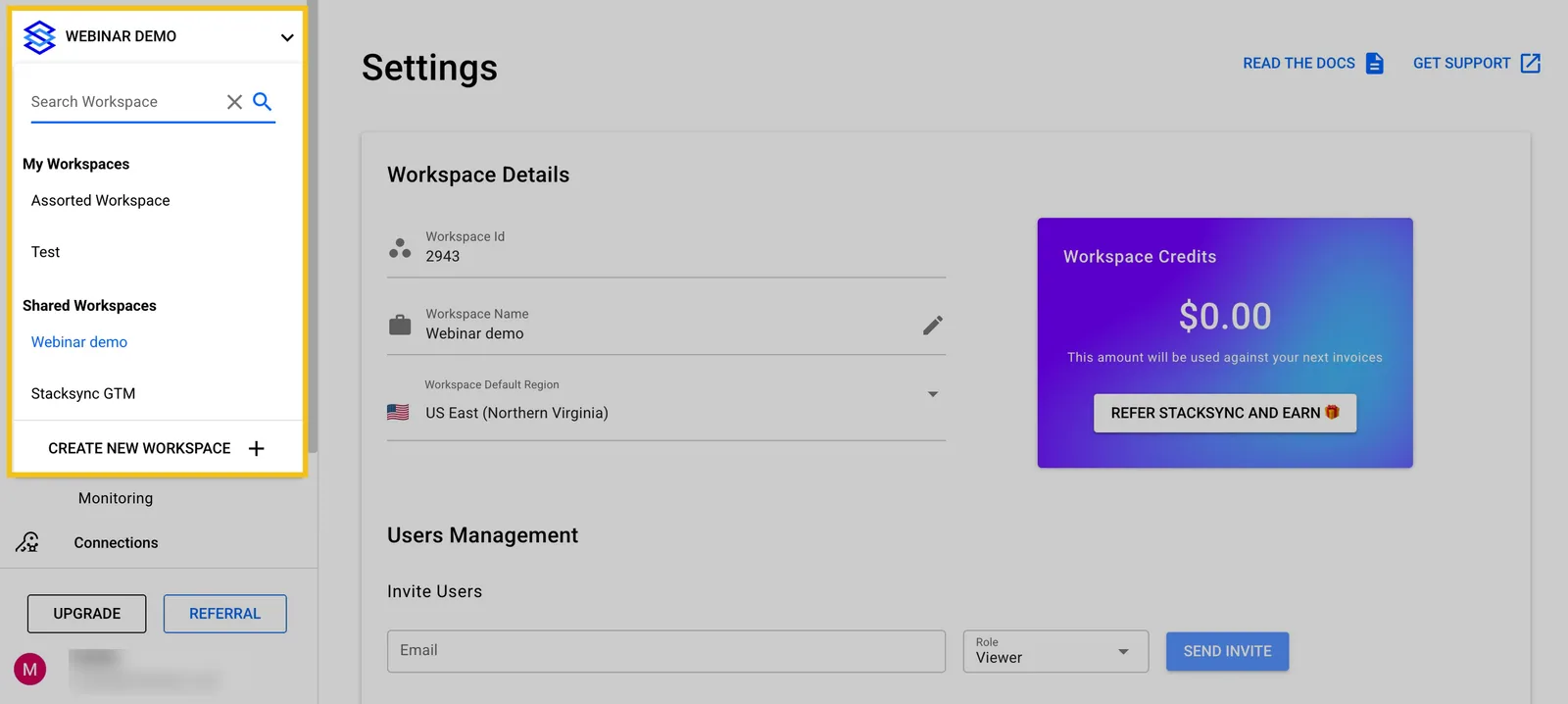
Switch between Stacksync workspaces and view the workspaces shared with you.