# Supabase

#### 1. Open your Supabase project

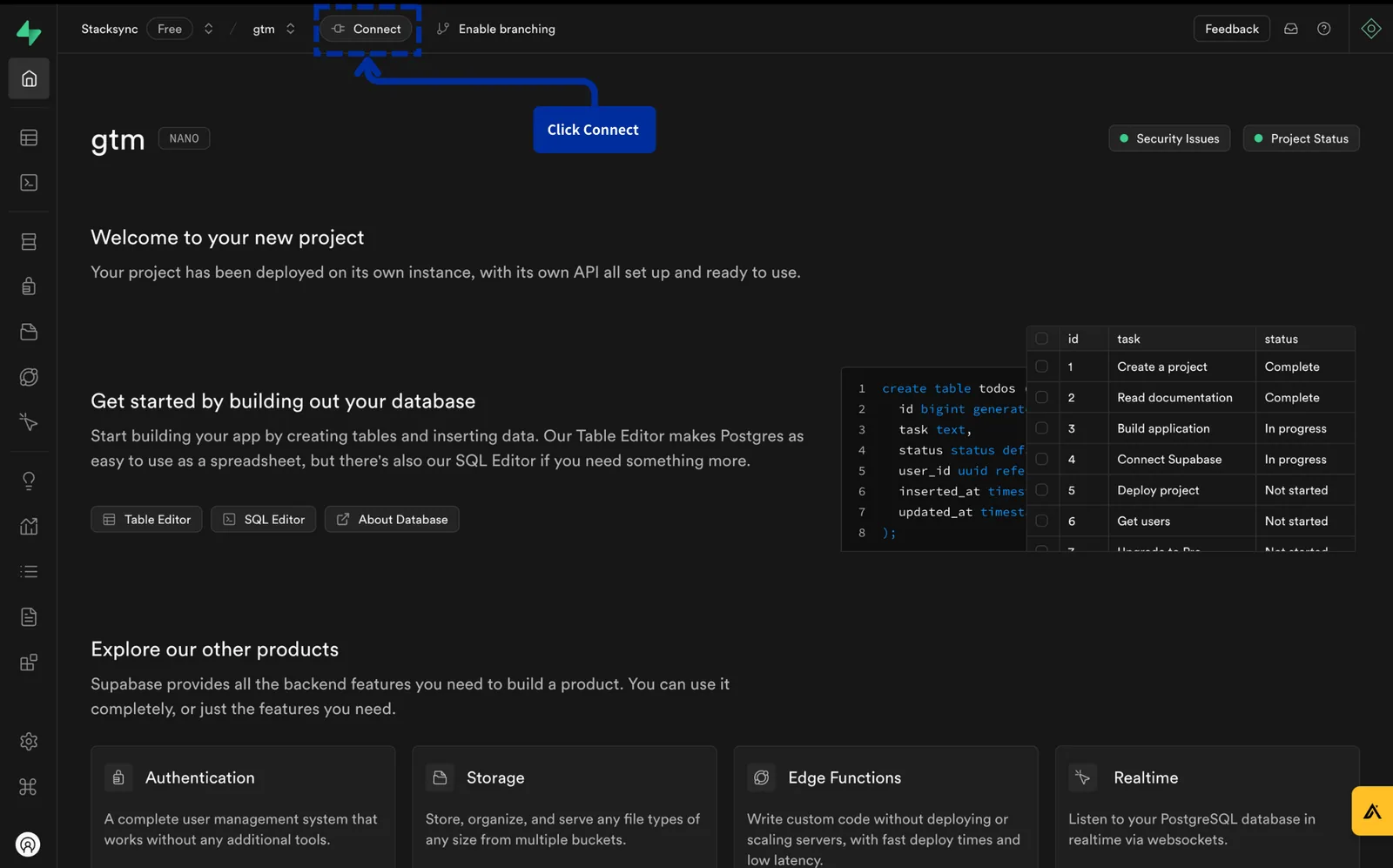
#### 2. Click "Connect"

<figure><img src="/files/vXld4mKdyb4XSiOB4oeO" alt=""><figcaption><p>Click "Connect"</p></figcaption></figure>

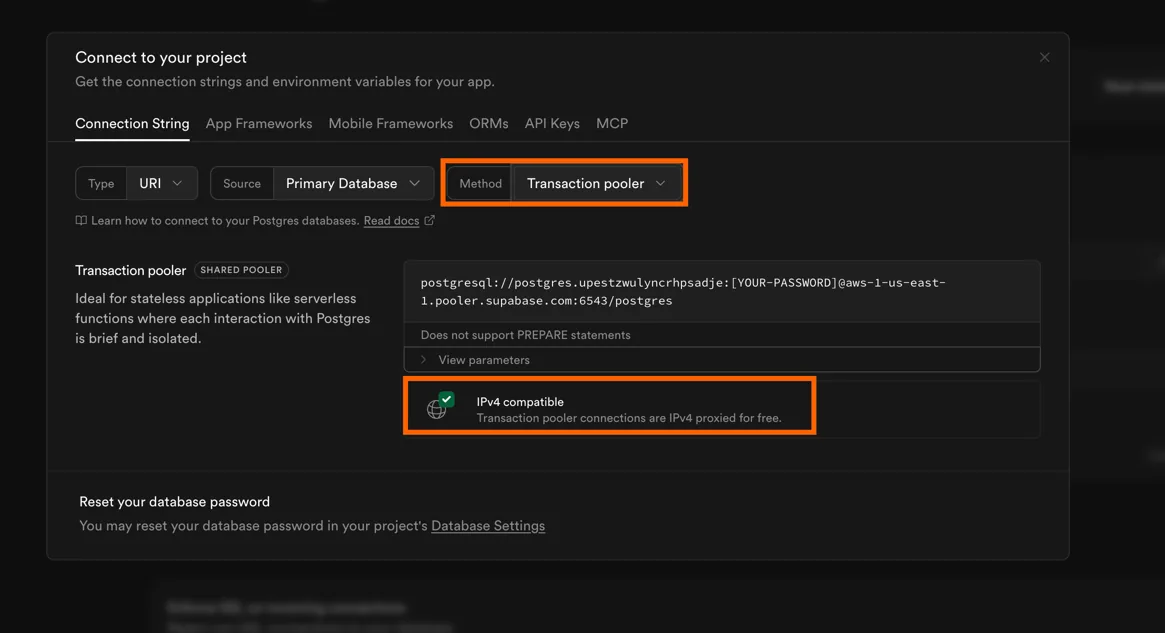
#### 3. Copy connection string

Make sure to:

1. use **Transaction Pooler**. Compared to direct connections, a transaction pooler enables higher connection concurrency without exhausting the database. It improves connection reuse, load isolation, and fault tolerance, ensuring stable performance under high throughput.
2. use **IPv4-compatible** connection string. Stacksync does not currently support IPv6. You must use an IPv4-compatible connection string.
<figure><img src="/files/uKltTcBtyGjGJSKg2Bmy" alt=""><figcaption></figcaption></figure>

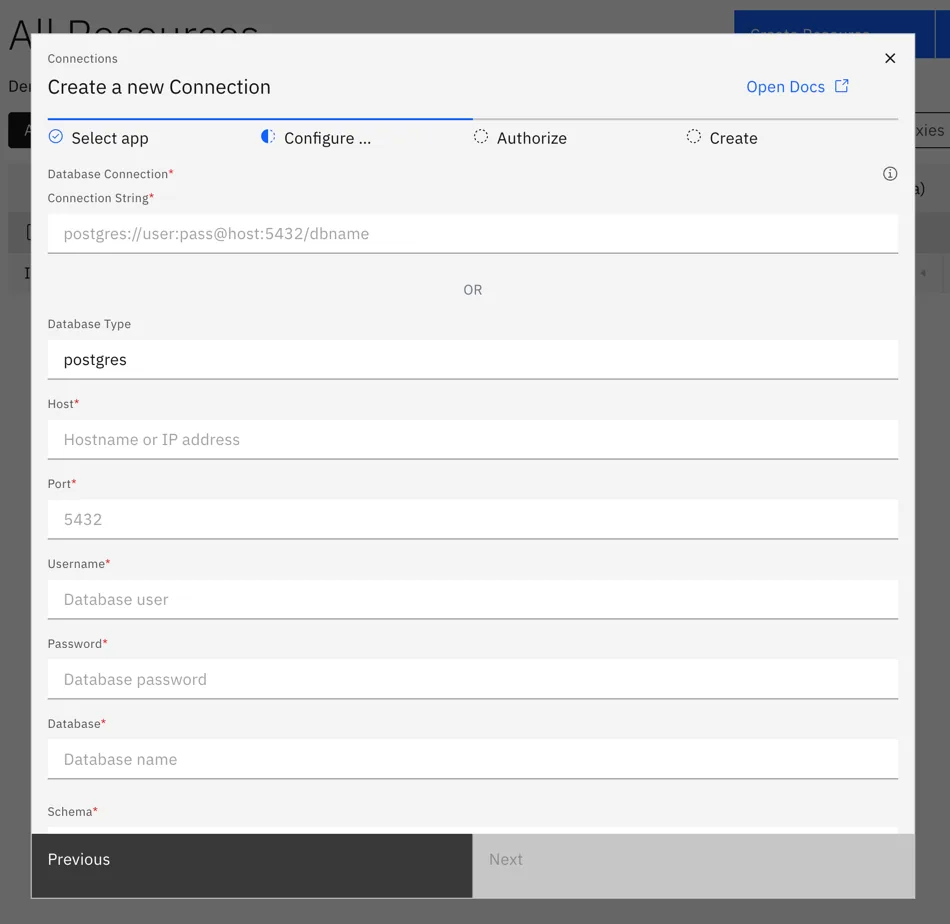
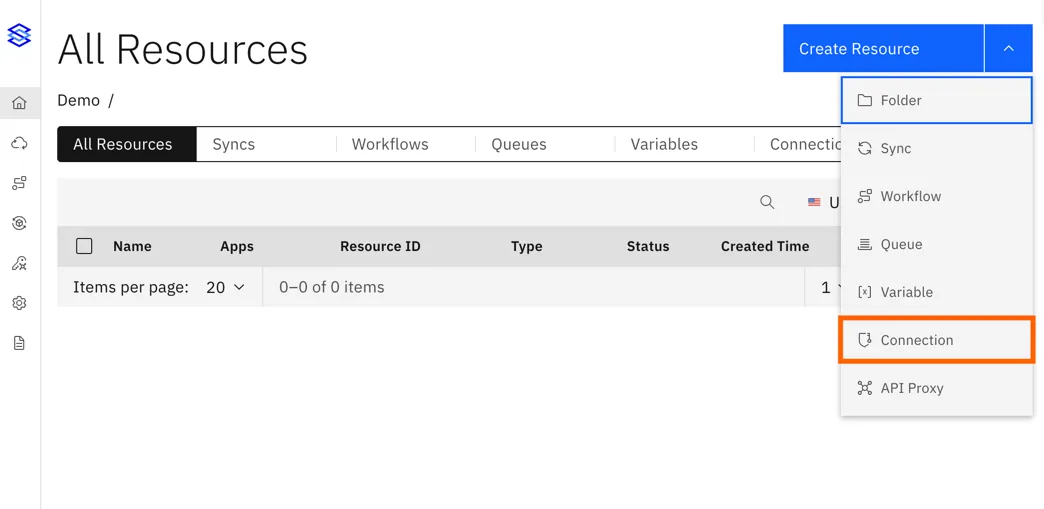
#### 4. Create the connection on Stacksync
<figure><img src="/files/UBy2If0XdjKdwHOw8uWi" alt=""><figcaption></figcaption></figure>

<figure><img src="/files/WH6kPgpZ14z95cIyQ4gg" alt=""><figcaption></figcaption></figure>

Make sure to fill in all fields, including the password as it may not be copied as part of the connection string.

{% hint style="info" %}
If you face the error `Please use IPv4 compatible supabase connection pooler` go back to Supabase app and make sure to use a connection string which is IPv4 compatible.
{% endhint %}


---

# Agent Instructions: Querying This Documentation

If you need additional information that is not directly available in this page, you can query the documentation dynamically by asking a question.

Perform an HTTP GET request on the current page URL with the `ask` query parameter:

```
GET https://docs.stacksync.com/two-way-sync/connectors/postgres/authorize-postgres/supabase.md?ask=<question>
```

The question should be specific, self-contained, and written in natural language.
The response will contain a direct answer to the question and relevant excerpts and sources from the documentation.

Use this mechanism when the answer is not explicitly present in the current page, you need clarification or additional context, or you want to retrieve related documentation sections.