# MotherDuck

Introduction

MotherDuck is a cloud analytics platform built on top of DuckDB, designed to deliver fast and efficient data analysis in the cloud. By combining the simplicity of DuckDB with the scalability of cloud infrastructure, MotherDuck allows teams to run complex queries on larger datasets without needing extensive infrastructure. It integrates seamlessly with popular data tools, offering a user-friendly experience for data engineers, analysts, and developers who seek powerful, scalable analytics in a lightweight platform.

## Authorize MotherDuck

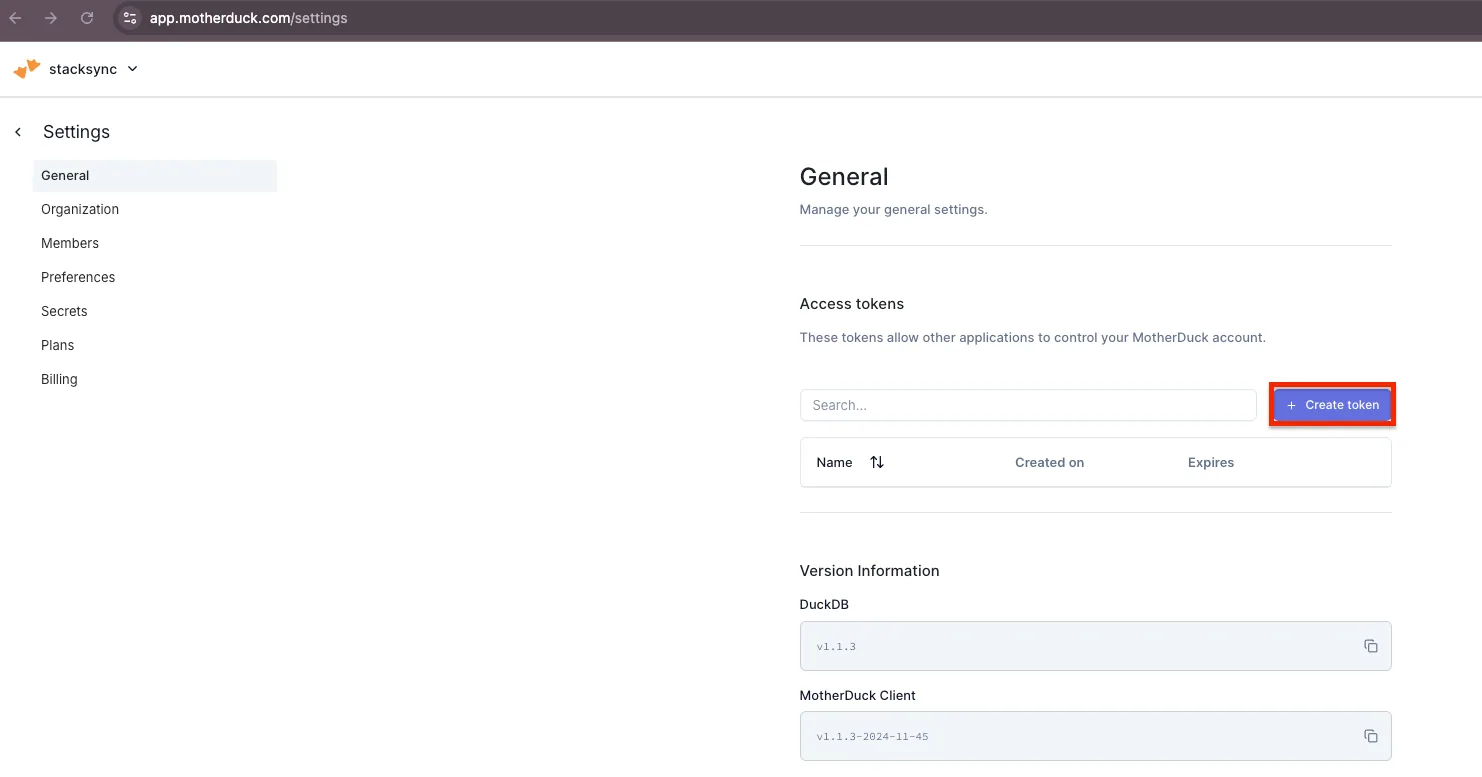
1. In MotherDuck, navigate to **Settings** > **General** and select **Create Token**.

<figure><img src="https://2867423571-files.gitbook.io/~/files/v0/b/gitbook-x-prod.appspot.com/o/spaces%2FfJjIdV9cuW6K8asJjTPJ%2Fuploads%2FsFjtrG1yiDuaYpLmXbEK%2Fmotherduck_step_1.png?alt=media&#x26;token=42d1399f-7190-41a2-b759-4f39e1fcded9" alt=""><figcaption></figcaption></figure>

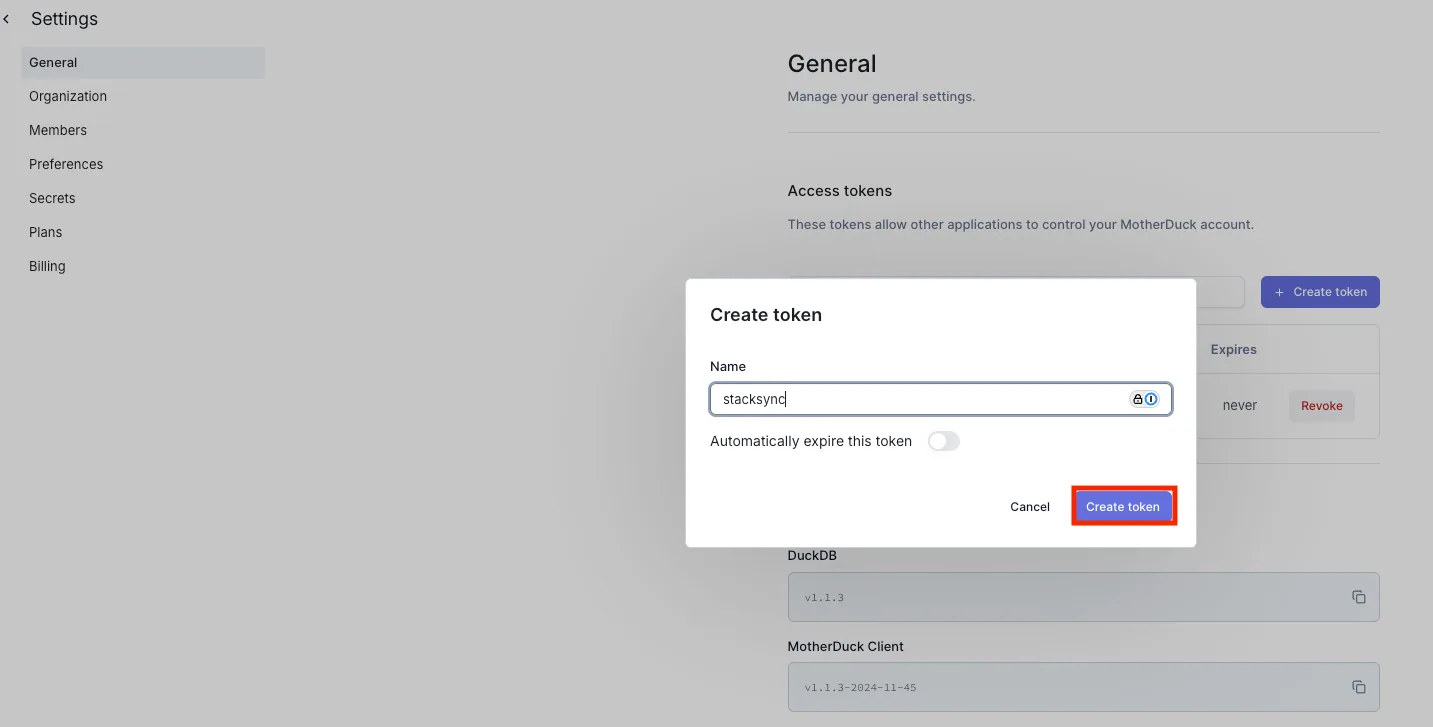
2. Enter a name for your token, then click Create.
<figure><img src="https://2867423571-files.gitbook.io/~/files/v0/b/gitbook-x-prod.appspot.com/o/spaces%2FfJjIdV9cuW6K8asJjTPJ%2Fuploads%2Fkt84MyF7FnuiDSRLeFfV%2Fmotherduck_step_2.png?alt=media&#x26;token=1df603a1-fa78-46e2-8255-a32778bed06f" alt=""><figcaption></figcaption></figure>

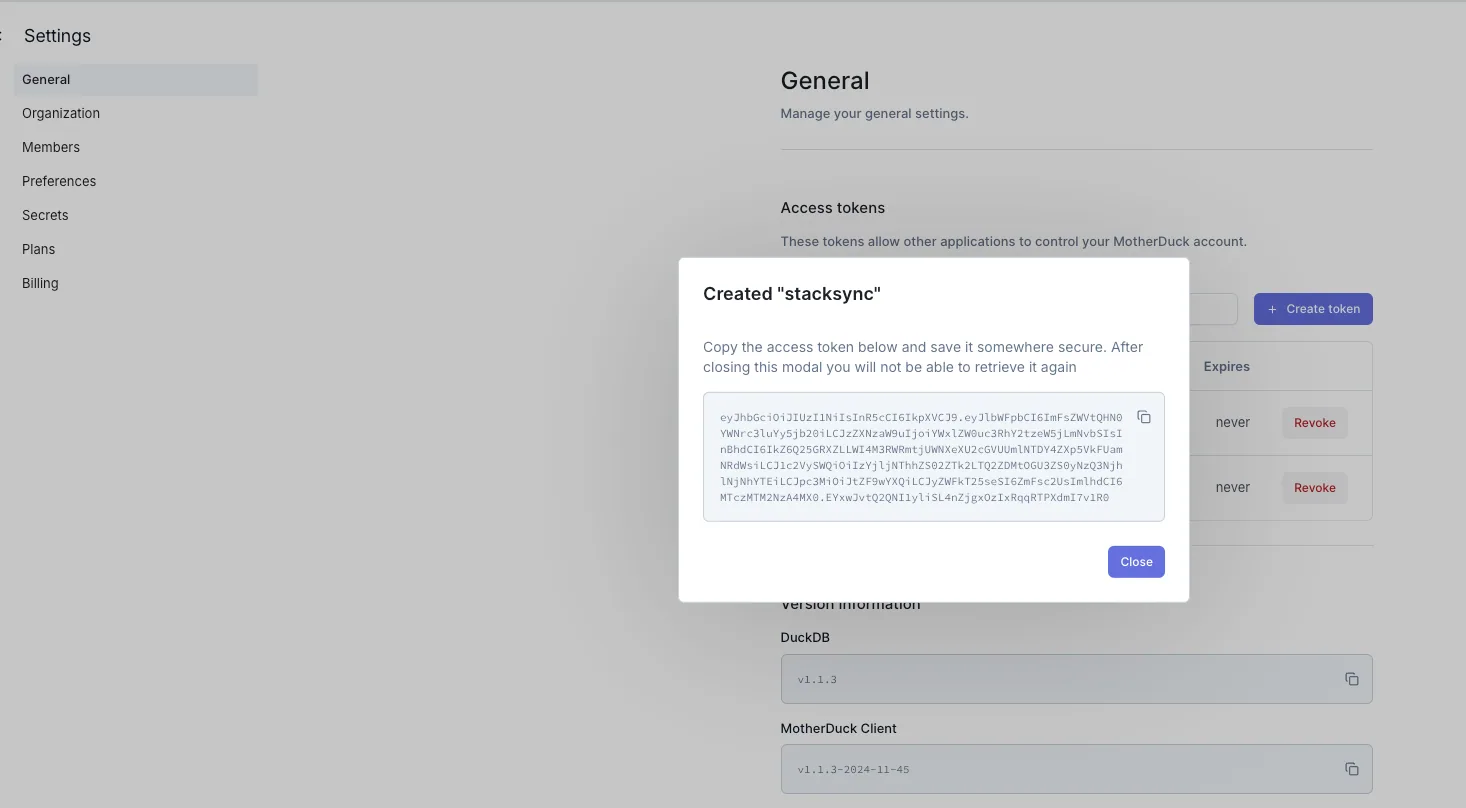
3. Copy the generated access token.

<figure><img src="https://2867423571-files.gitbook.io/~/files/v0/b/gitbook-x-prod.appspot.com/o/spaces%2FfJjIdV9cuW6K8asJjTPJ%2Fuploads%2FxVk04xBpLFS6zXSUs1rQ%2Fmotherduck_step_3.png?alt=media&#x26;token=c437b563-dceb-492c-b14e-4002504a3764" alt=""><figcaption></figcaption></figure>

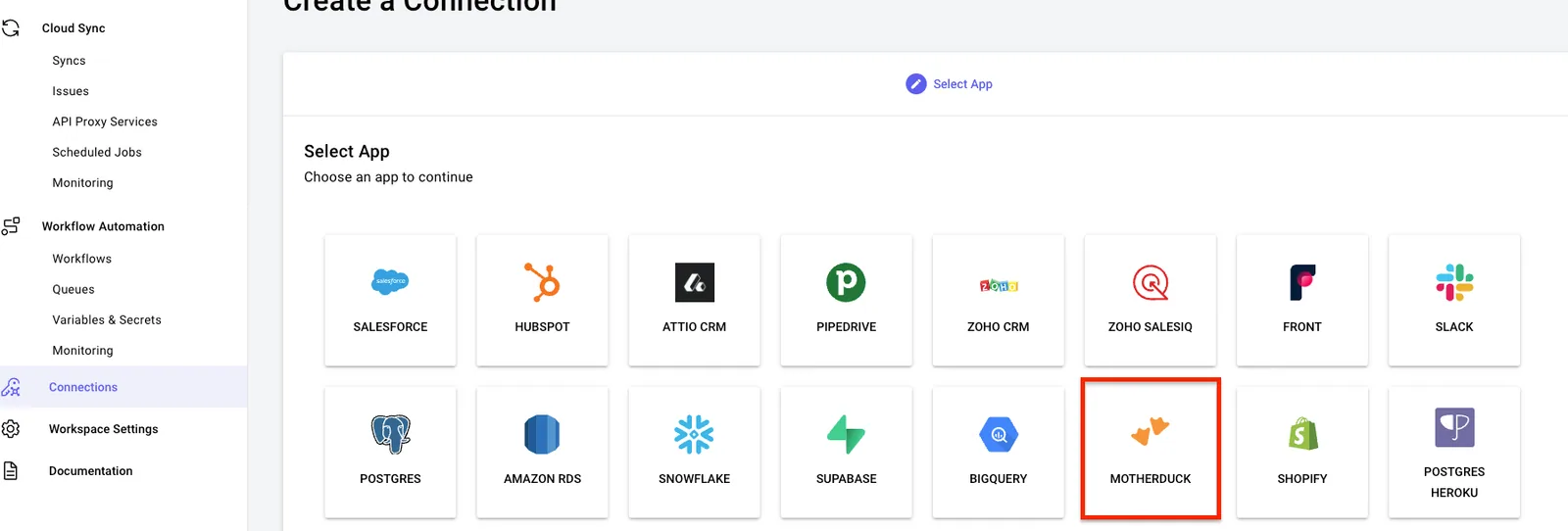
4. Log in to Stacksync and click on **Connections** > **Create new connection**.&#x20;
5. Search for MotherDuck and select it.

<figure><img src="https://2867423571-files.gitbook.io/~/files/v0/b/gitbook-x-prod.appspot.com/o/spaces%2FfJjIdV9cuW6K8asJjTPJ%2Fuploads%2Flqj994iuRQNcT2hsgbbb%2Fmotherduck_step_4.png?alt=media&#x26;token=ec9e9090-4fc8-4e9a-b4c8-935e91920746" alt=""><figcaption></figcaption></figure>

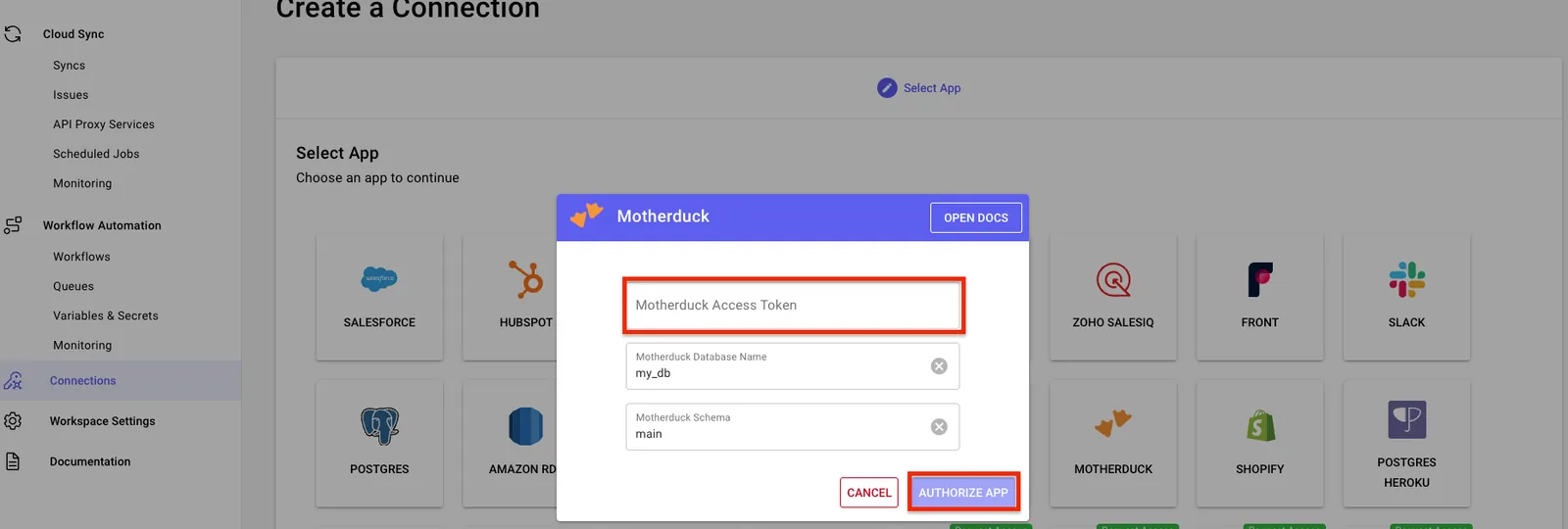
6. Paste the access token here. If you're using a database name or schema other than the default, update those settings accordingly.
<figure><img src="https://2867423571-files.gitbook.io/~/files/v0/b/gitbook-x-prod.appspot.com/o/spaces%2FfJjIdV9cuW6K8asJjTPJ%2Fuploads%2FqW4KlbDCQKJkQ9UXovxy%2Fmotherduck_step_5.png?alt=media&#x26;token=53fc81bf-cd13-462b-b9d5-1becd1a3f3fb" alt=""><figcaption></figcaption></figure>

You can now use your MotherDuck connection in a sync!