

Issues dashboard
The issues dashboard helps you identify and fix all syncing issues potentially affecting your syncs. Your pipelines will never incur silent failures again.
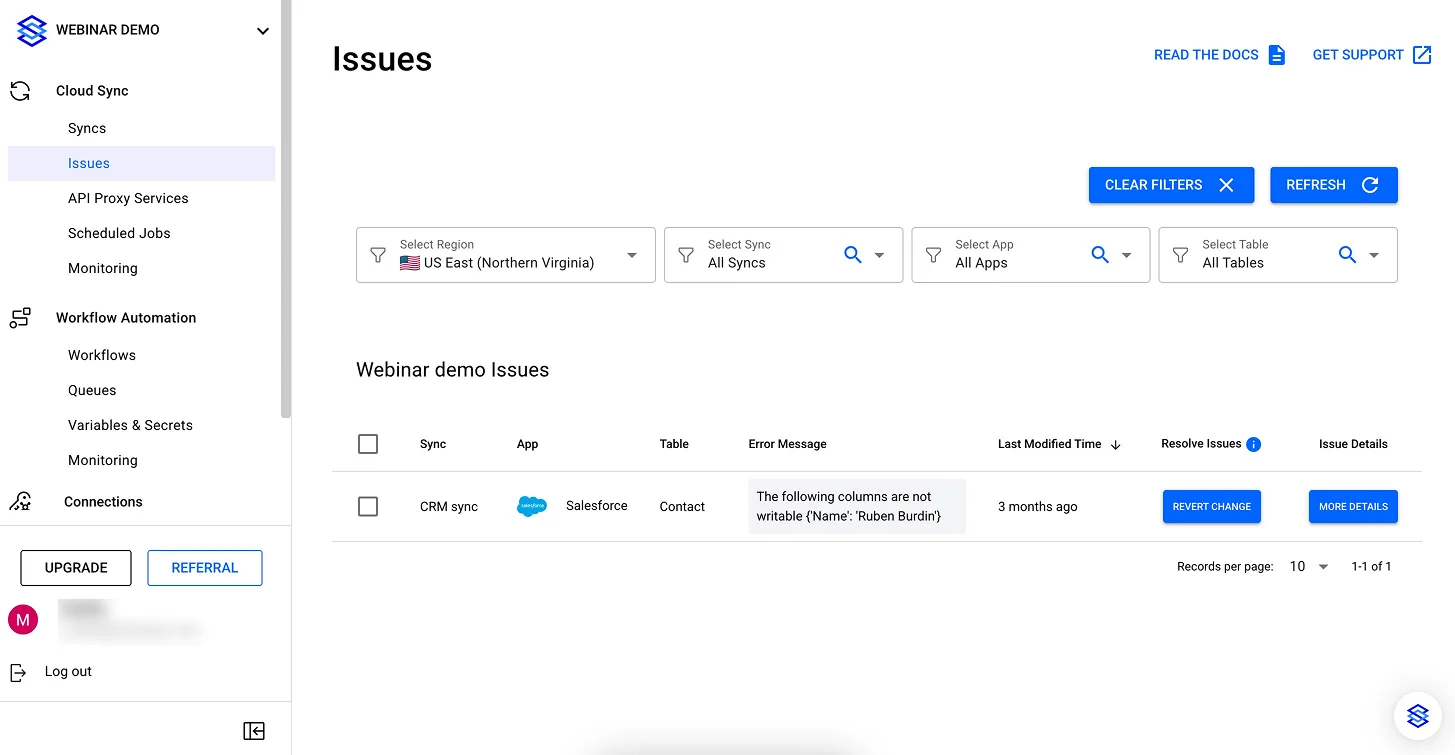
Issues Dashboard in the Stacksync app
The issues dashboard helps you:
- get alerted in real-time about syncing issues
- identify syncing issues for any record
- fix the issue with one-click action options
When any of your systems is down or is in maintenance, or when some data updated in one system and cannot be updated in the other system for example due to datatype issues, custom validation rules (e.g. invalid phone number in a CRM), etc., the record won't be able to sync. When a record cannot sync, it will be displayed in the record issues dashboard.
Unlike other solutions that let your pipelines silently fail or switch off entirely, Stacksync keeps your mission-critical services up and running all the time and flags you which records had syncing issues so you can investigate and fix the issue with a single click.
For each issue, a detailed report and recommendation on how to fix it is included in the Issues details panel.
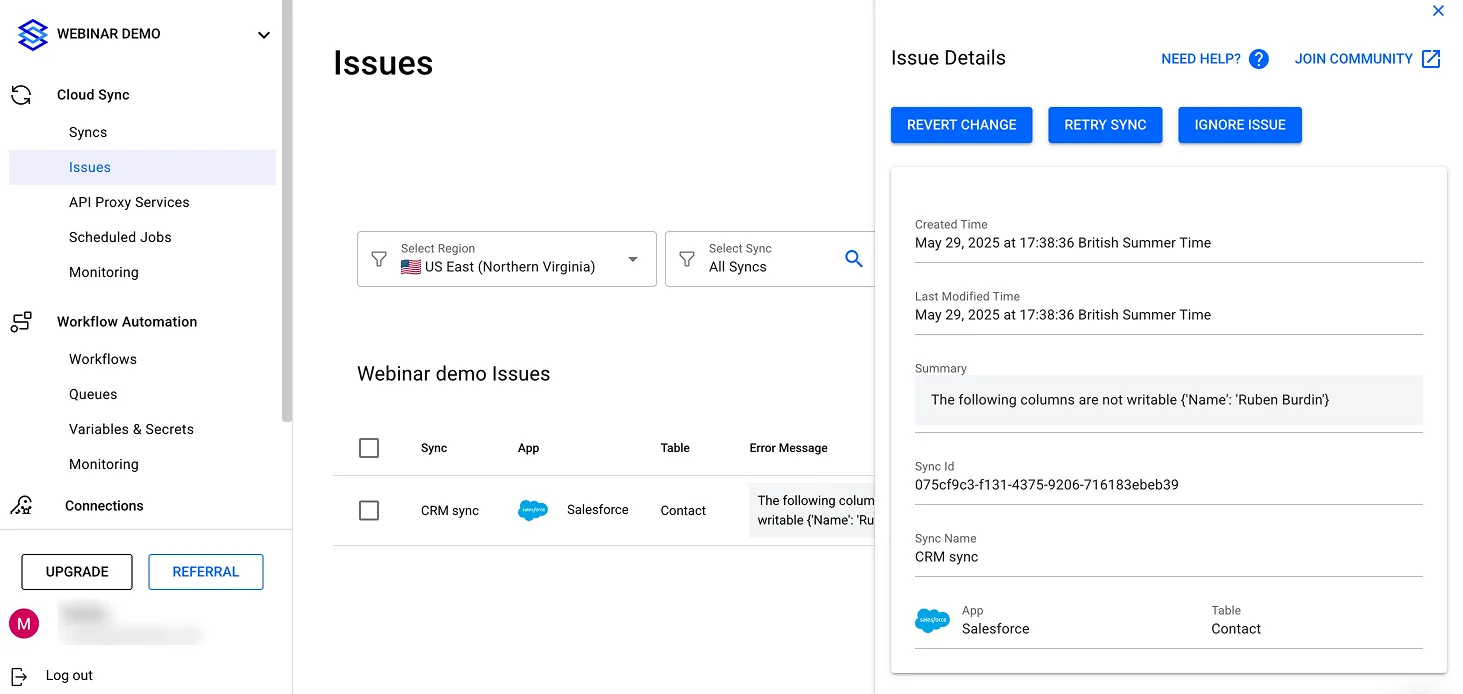
Issues Dashboard in the Stacksync app, with the Issue Details panel open.
Consider the following situation to illustrate the following examples:
System_A and system_B are in bidirectional sync. If a record in system_A was updated with a value that cannot sync to system_B (e.g. invalid phone number, or modification in system_A of a read-only column in system_B), the data update will not sync and will result in an issue in the Issues dashboard for that given record.
Issue resolution options are:
- Revert change
Reverts the erroneous value in system_A with its previous value still stored in system_B (since the value update from system_A did not sync properly and ended up in the Issues dashboard). Since Stacksync does not store any of your data, Stacksync will query system_B for the exact record and fields concerned by the issue (cherry-pick the exact values) and sync it back to system_A. The end result is that system_A is reverted to its previous value, and system_A and system_B are again consistent. - Retry to sync
Attempts to sync again the same value from system_A to system_B. For instance, if the issue was caused by an "invalid phone number" error in your CRM (system_B in our example), and that the validation rule was removed, then retrying to sync the same value again from system_A to system_B should now successfully write the value to system_B. The end result is that system_B is updated with the value from system_A, system_A and system_B are again consistent.
Since Stacksync does not store any of your data, Stacksync will query system_A again to get the record's latest values and sync these values to system_B. - Ignore issue
Ignores the issue and removes it from the Issues dashboard. If your business use case requires system_A and system_B to have different states and tolerates inconsistencies between your systems, you can clean up your Issues dashboard by ignoring issues. The end result is that system_A and system_B will each contain different values for the given fields affected in the issue for that given record.
It is in general not recommended to ignore issues as the business use cases are limited. If you have any doubt, talk with the Stacksync support team to confirm before taking action. If you ignore Issues by mistake and would like to restore them, contact the Stacksync support team to restore the Issues in your Issues dashboard. Stacksync saves ignored Issues for a duration equal to the log retention policy associated with your pricing plan.
You can resolve issues with any of the 3 options above at scale with bulk actions. Select which records you want to resolve the issue for, and resolve them in bulk. Issue management and resolution can also be handled programmatically via API. Please contact the Stacksync support team to get access to the Stacksync management API.
When an Issue is resolved, it is removed from the Issues dashboard. When your Issues dashboard is empty, your systems are fully consistent and in sync!
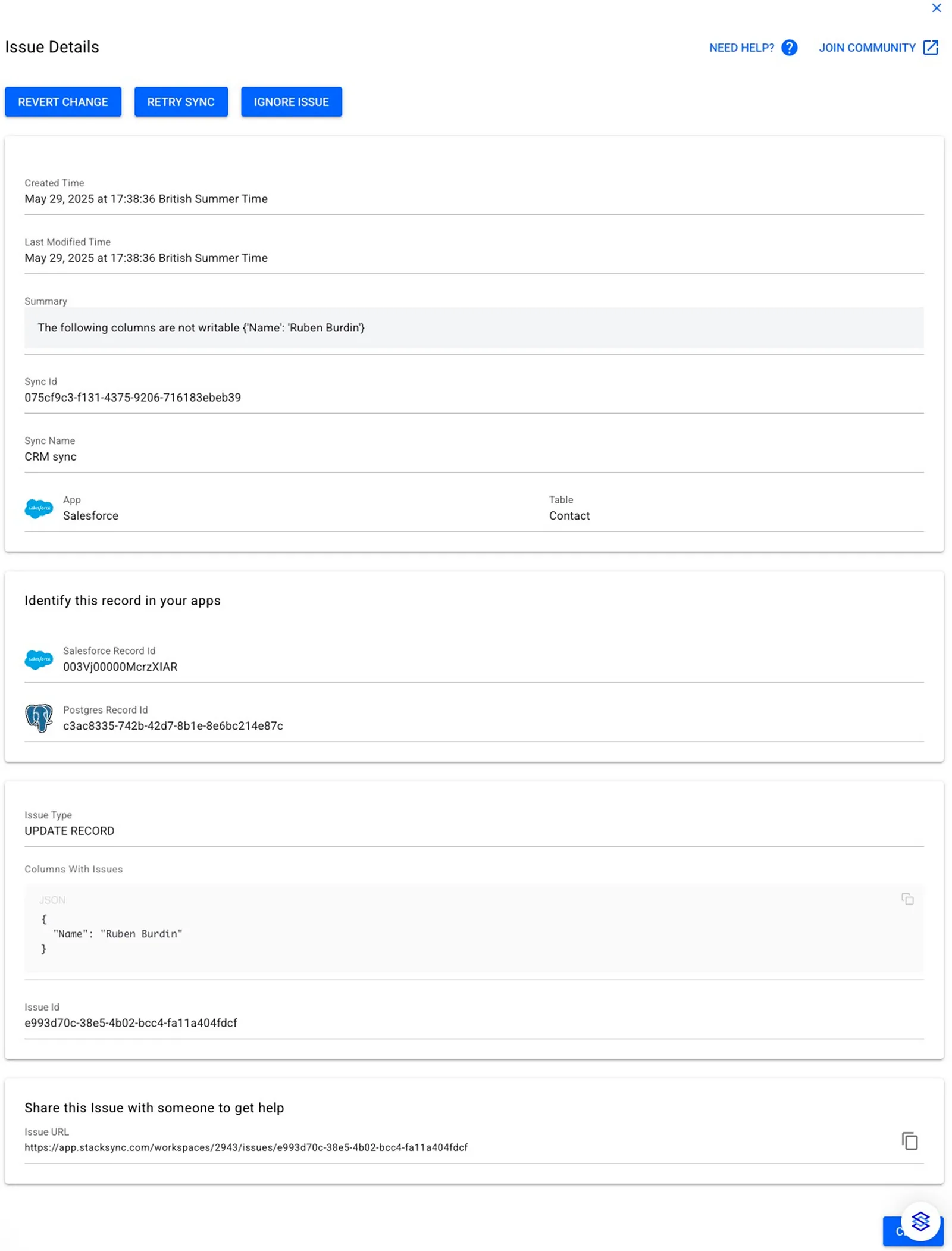
Issue Details panel