

Ensuring Secure RDS Connections with SSL Certificate
Providing the database's SSL certificate when connecting to the RDS database is important to verify the server's identity and prevent man-in-the-middle (MITM) attacks. Without specifying the certificate, the client cannot be sure it is connecting to the intended server, leaving the connection vulnerable to interception by malicious actors. By supplying the SSL certificate, the client can authenticate the server's identity, ensuring that the data exchange happens only with the legitimate database server. This verification step adds a critical layer of trust and security in database connections.
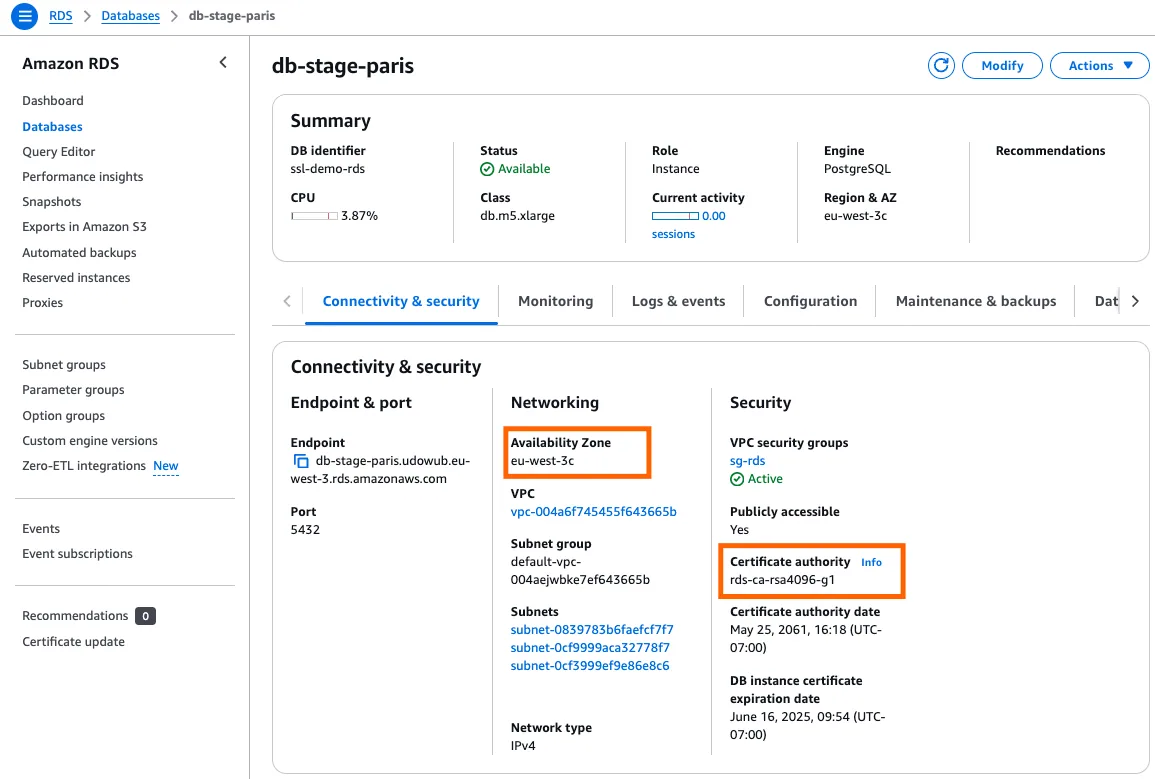
1. Identify the SSL Certificate used by your RDS
- Access the AWS Console:
- Log in to the AWS Management Console and navigate to the RDS service.
- Select the target database instance.
- Determine Certificate Details:
- Identify the Certificate Authority (CA) your database uses.
- Confirm the AWS Region where your database is hosted.
2. Download the SSL Certificate
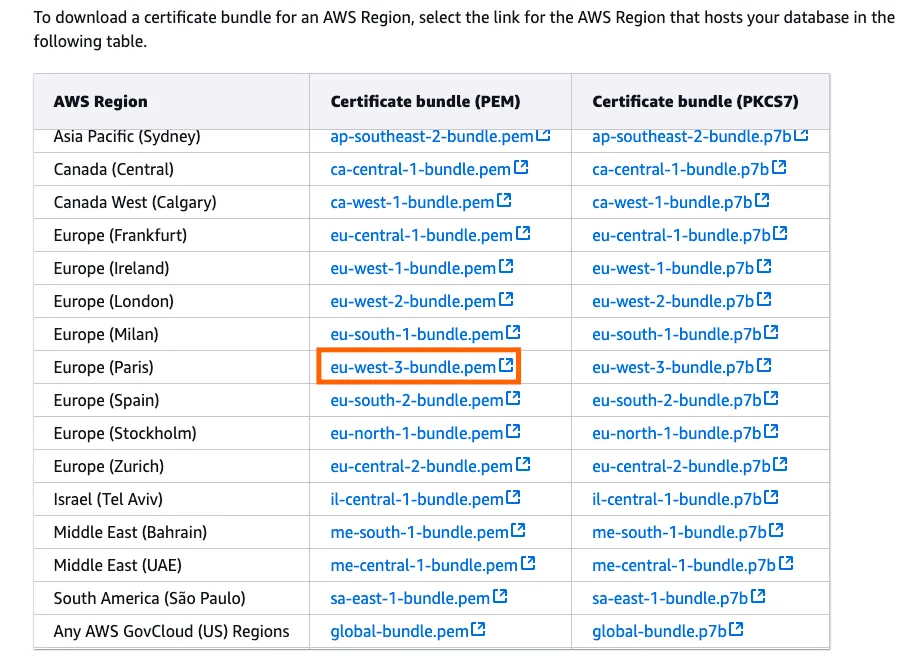
- Download from AWS Documentation:
- Visit the AWS RDS SSL Documentation and locate the appropriate certificate bundle based on your database’s region (e.g.,
eu-west-3).
- Visit the AWS RDS SSL Documentation and locate the appropriate certificate bundle based on your database’s region (e.g.,
- Extract the Correct Key:
- The downloaded certificate file includes three keys for supported encryption methods:
rsa2048,rsa4096, andecc384. - Use a text editor like VSCode to open the file.
- Select the appropriate certificate based on your database’s encryption method:
- Shortest key:
ecc384 - Longest key:
rsa4096(commonly used for enterprise-grade databases).
- Shortest key:
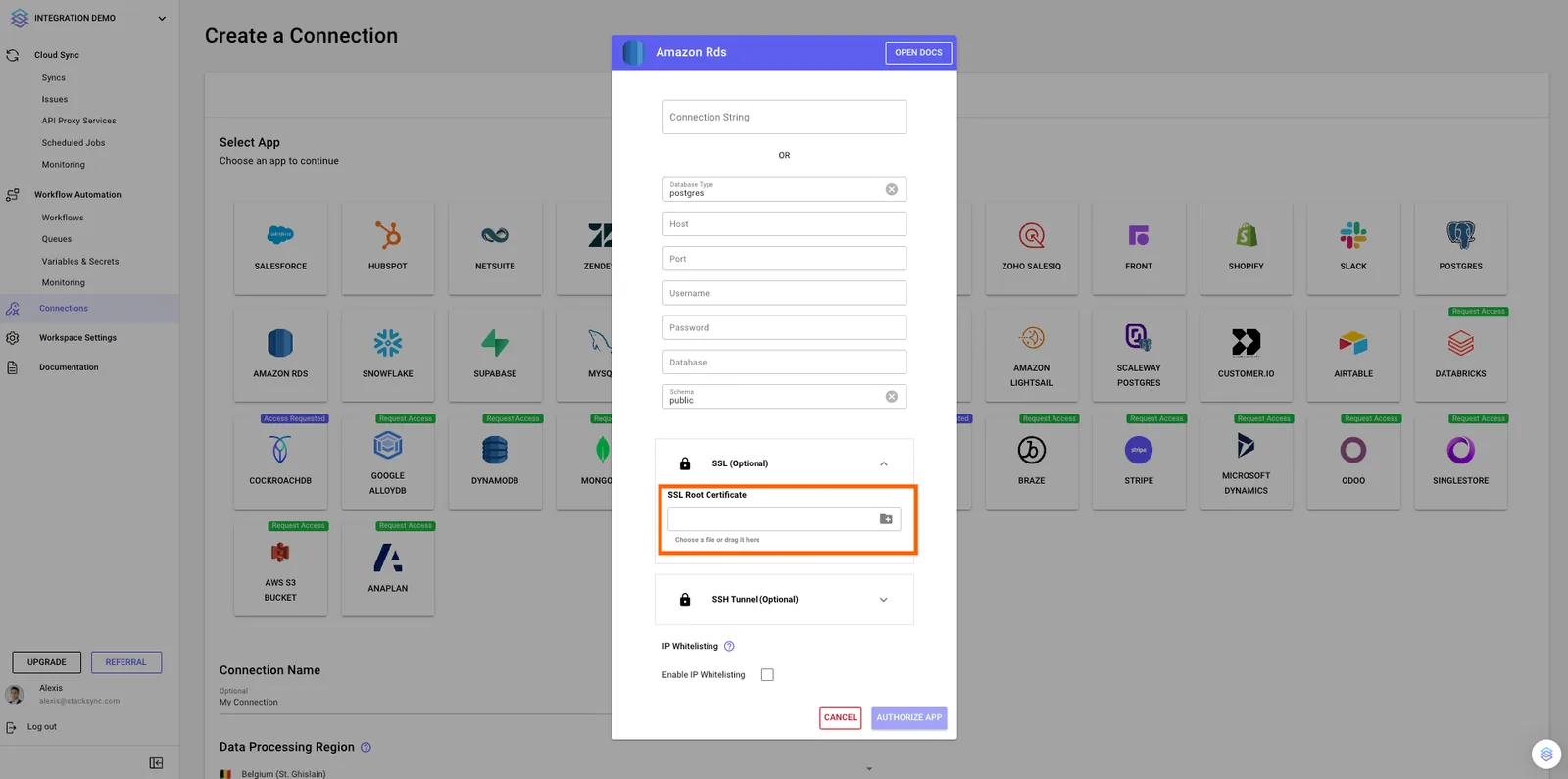
Upload the SSL certificate to Stacksync
When creating a new database connection in the Stacksync app, upload the selected SSL certificate to complete the secure configuration.
If you have any questions or need further assistance, reach out to us at hello@stacksync.com. We’re here to help ensure a seamless and secure database connection setup.