

Event triggers
Trigger some Webhook call or Database queries when some data events happen in your sync (e.g. a contact is created in your CRM).
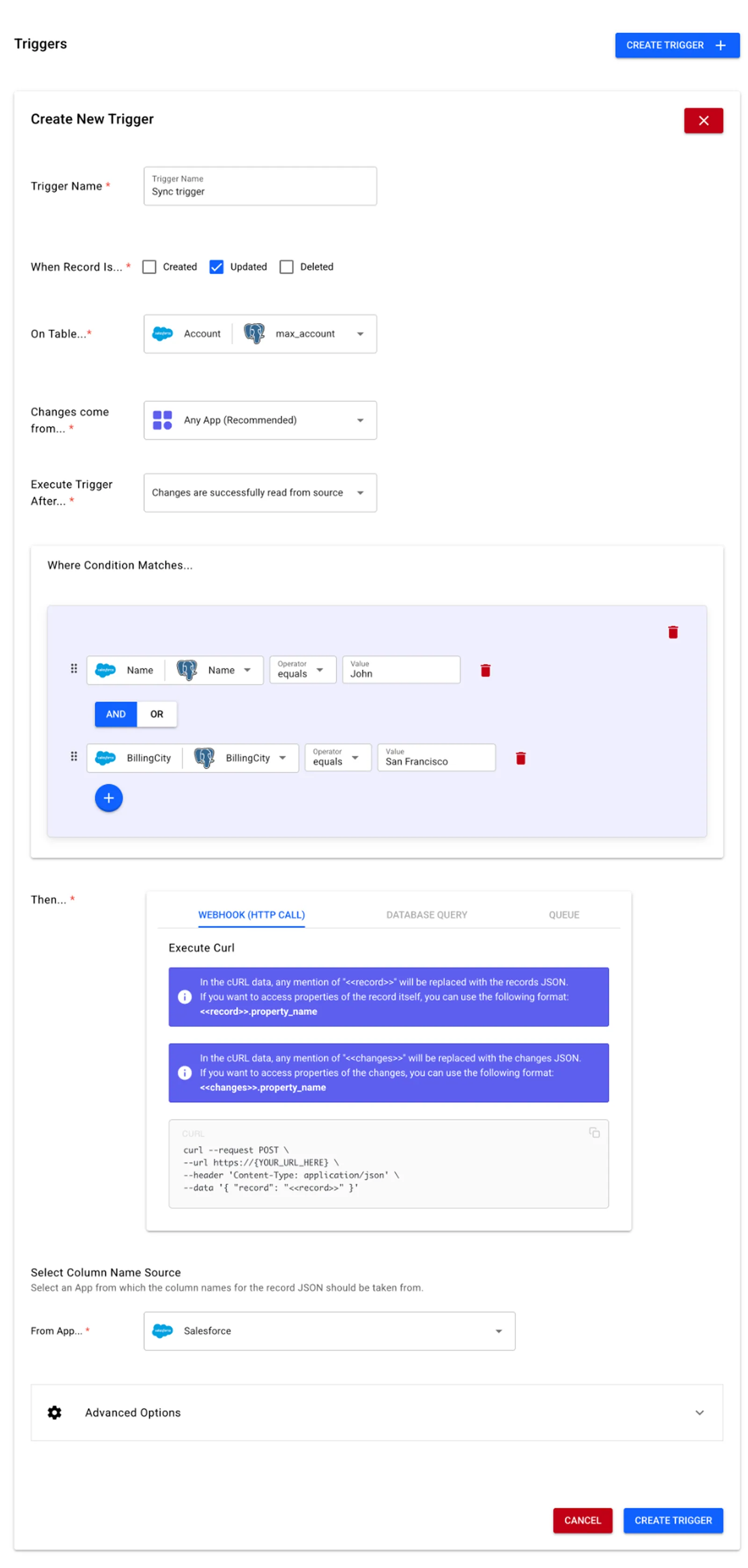
Guides
Check our setup guide at
FAQ
How many triggers can I create?
You can create as many triggers as you want, there are no limits as per how many triggers you can create. 🚀
Is there a maximum number of nested conditions for filtering?
No, there are no limits. You can create deep nested conditions as you please. Feel free to use the no-code editor as you please!
Even if there are no limits, a good practice is to keep the number of nested levels below 5 for readability and maintainability. However, going deeper than 5 nested levels will not negatively impact the system performance, so rest assured and feel free to proceed!
What data can I access from the changes in a trigger?
We provide the <<record>> placeholder which will be replaced by a JSON string containing the columns of the record that was changed. Depending on the operation done to the record, certain columns will be available.
INSERTS: Only the columns which were added during the creation of the record will be available.
UPDATES: All columns which have a value will be available. Even if a single column was updated for the record, all other non-null columns will appear in the <<record>> JSON string.
DELETES: Only the primary key of the table from where the record was deleted will be available. For example, in a sync between Salesforce and Postgres, if a record is deleted in Salesforce, the Id column will be available in the <<record>> JSON string. If the record is deleted in Postgres, the primary key of that table, for instance stacksync_record_id_Aokoxe will be available in the <<record>> JSON string.
Need help?
We are happy to give you a helping hand! Contact us directly in our Slack community chat or via email at hello@stacksync.com
Feel free to drop us any feedback or feature request if you need something, we're glad to make it happen 😉