> For the complete documentation index, see [llms.txt](https://docs.stacksync.com/llms.txt). Markdown versions of documentation pages are available by appending `.md` to page URLs; this page is available as [Markdown](https://docs.stacksync.com/two-way-sync/features/two-way-sync.md).
# Two-way sync
Stacksync lets you sync your apps in real time and two-way! Really! 🥳✨
Stacksync offers true bidirectional sync. Once set up, you can update data in either connected app and it will sync to the other in real time.
Enabling two-way sync for a new Stacksync base is a straightforward process. Just switch the direction arrows to the two-way mode:
Toggle table sync to two-way sync
### Choosing which tables and fields to sync
You can choose which tables and which fields you want to sync. You can choose to sync all the data available in your App (e.g. CRM, ERP, Database,...) if needed, or you can select a subset of data if you only need that for your business use case. By default, Stacksync syncs the most popular tables and fields automatically so you can complete a basic sync setup in a few minutes. You can customize the sync configuration to fit your needs right from the beginning, or [update the sync configuration](/two-way-sync/features/update-sync-configuration.md) anytime as your business use case and data evolve later on.
### Read-only fields
Some tables contain fields that can only be read, but not written to. We call these **managed fields** which are **read-only.**
If you choose two-way sync, the read-only fields will only sync in one direction while the **other fields will still sync two-way**.
Example of a read-only field in a base setup.
Some examples of read-only fields can be:
* the record `id` managed by your CRM
* `last_modified_time` managed by your CRM
* formula or computed fields managed by a certain platform
* read-only columns defined for a certain database user
### Limitations
{% hint style="danger" %}
**Two-way sync is not compatible with Database view sync**\
If you are using a database view sync, you can only sync one way from your database to your other app. This is because it is not possible to write data to a view.
{% endhint %}
{% hint style="danger" %}
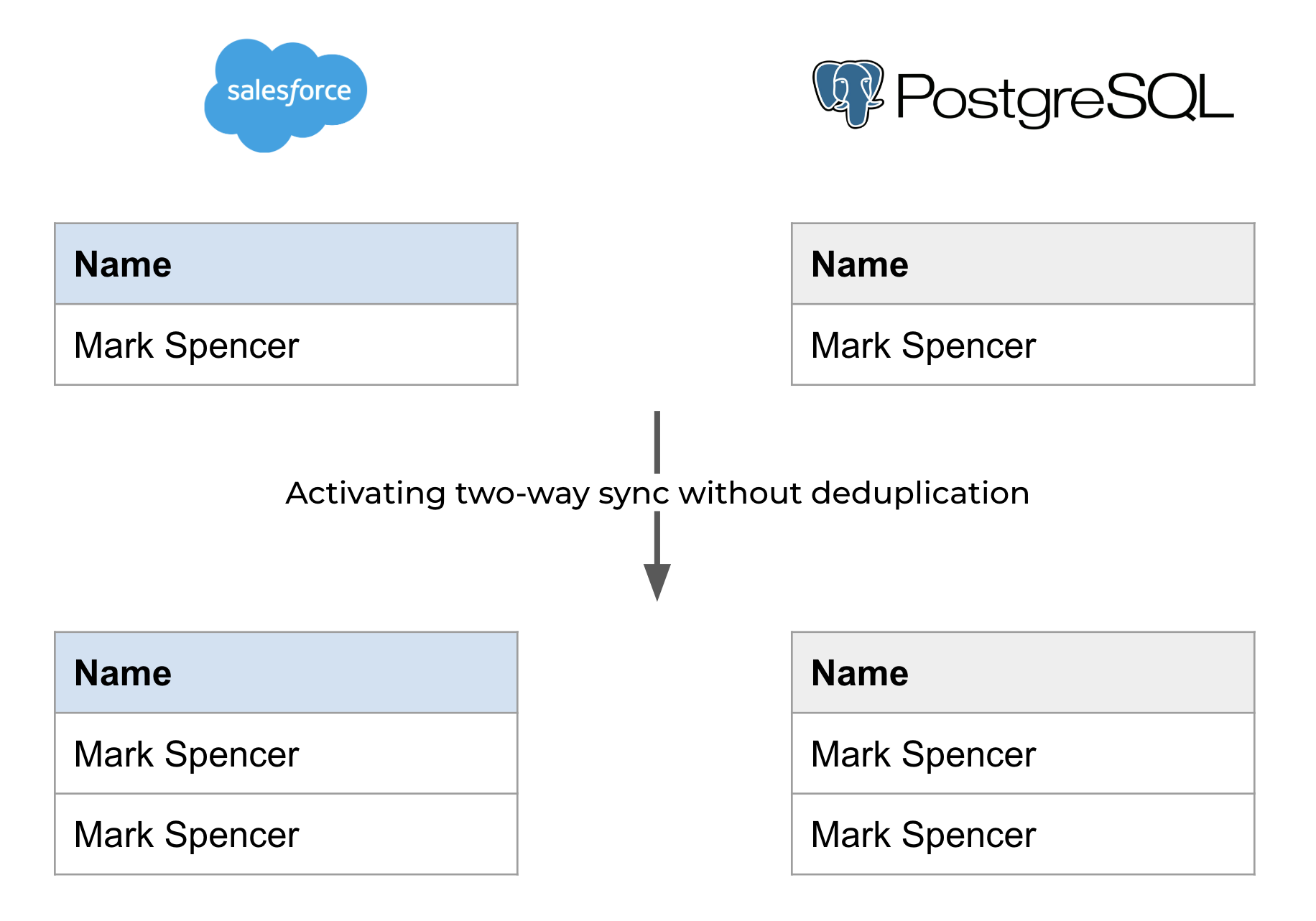
**Stacksync does not "merge" duplicate records when you first turn on two-way sync**
When initially activating two-way sync, duplicate data is not automatically merged. For a smoother experience, we recommend starting with one of your Apps to be empty (e.g. start with an empty database when syncing Postgres and Salesforce, or vice versa). Once the synchronization is started, subsequent updates will seamlessly sync in both directions. Please refer to the details below for further information:
{% endhint %}
.png?alt=media&token=a23a5bc9-f96f-48d9-ad42-3caec1e260ba)
.png?alt=media&token=5c8afb02-8443-4733-9575-c9de74906a68)