

Automatic Sync Configuration Update
Overview
Schema Updates Propagation keeps your sync running as source schemas evolve. You control whether new tables/columns are auto-added and whether deleted tables/columns are automatically removed from the sync mapping. This prevents sync pauses and reduces manual maintenance.
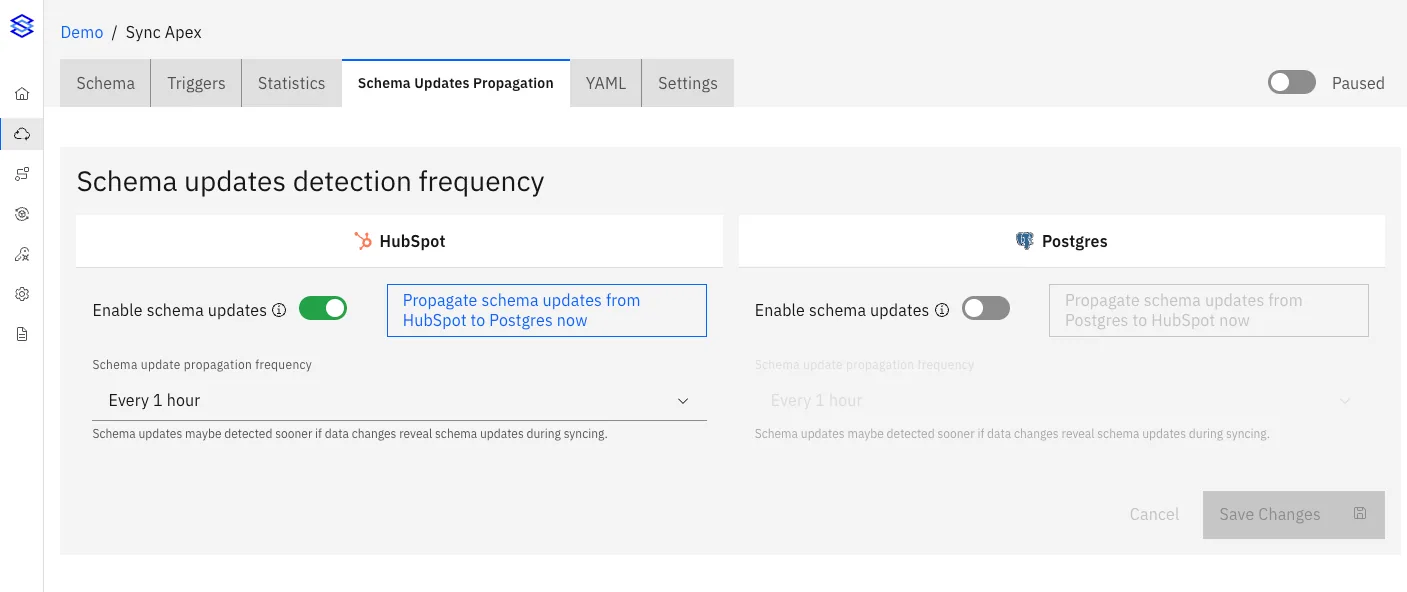
I. Schema Change Detection Frequency (Per App)
- Enable schema updates: turns detection on/off for that app.
- Frequency: how often Stacksync checks for schema changes (1 hour to 24 hours).
- Propagate now: triggers an immediate detection run for that app. Useful when you just made a schema change in an app and want it to be propagated right now.
Notes:
- Detection can occur sooner if schema changes are observed during normal sync runs. This will enable the sync to keep running while otherwise the sync would pause in case a column or table it needs to sync does not exist anymore.
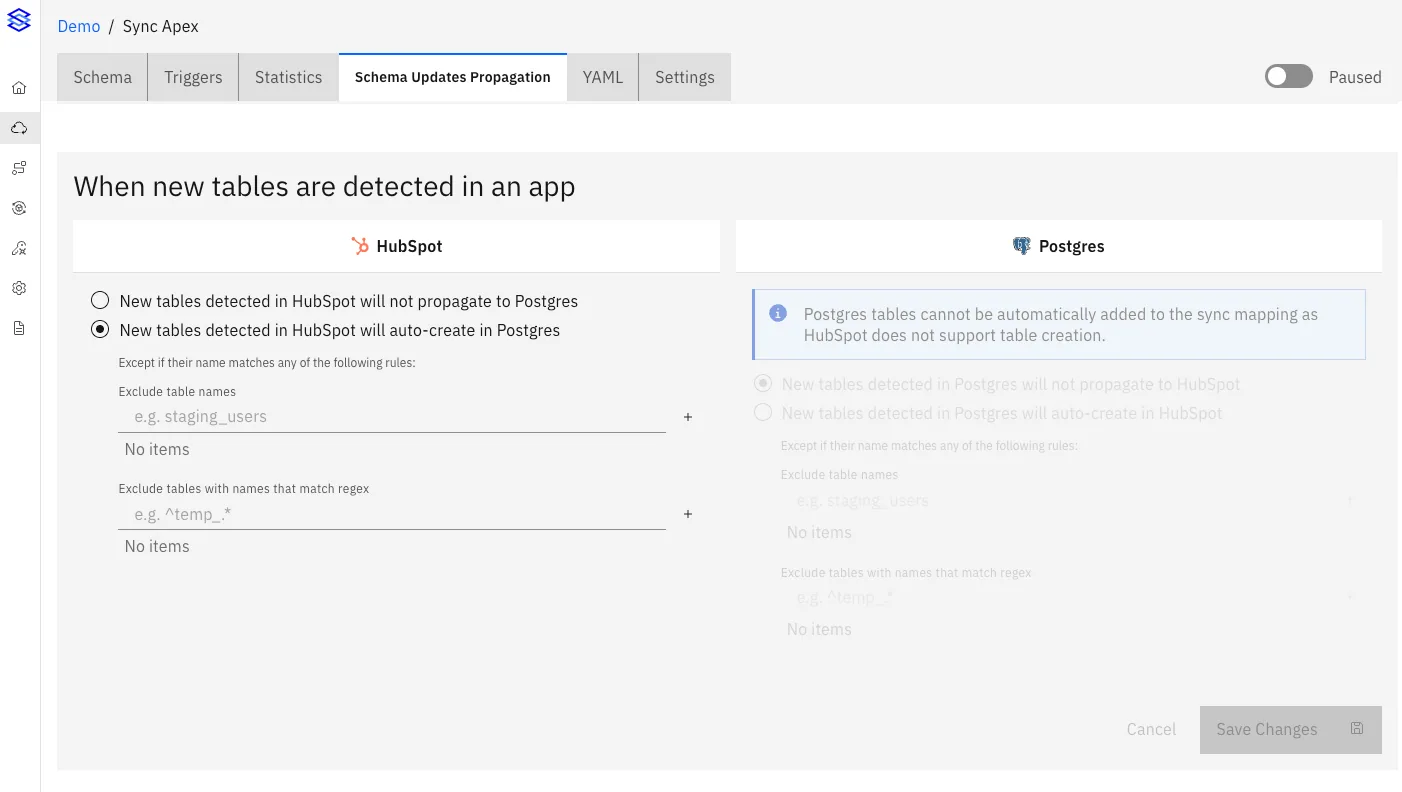
II. When New Tables Are Detected
In When the schema of tables already in sync is updated, configure column-level behavior per table:
- Do not propagate: new tables are ignored (recommended if you manage schemas via migrations).
- Auto-create in target: new tables detected in the source are created in the target and added to the sync.
You can also add exclusions:
- Exclude table names by exact name.
- Exclude by regex for patterns (e.g.,
^temp_.*).
Notes:
- Auto-creation is only available if the target system supports creating tables and if the necessary permissions have been set to the user / service account granted access to Stacksync.
III. When Existing Tables Change (Columns)
In When the schema of tables already in sync is updated, configure column-level behavior per table:
- Add New Columns: if enabled, a newly detected column in the source is created in the target and added to the sync.
- Unsync Deleted Columns: if enabled, deleted source columns are removed from the sync mapping.
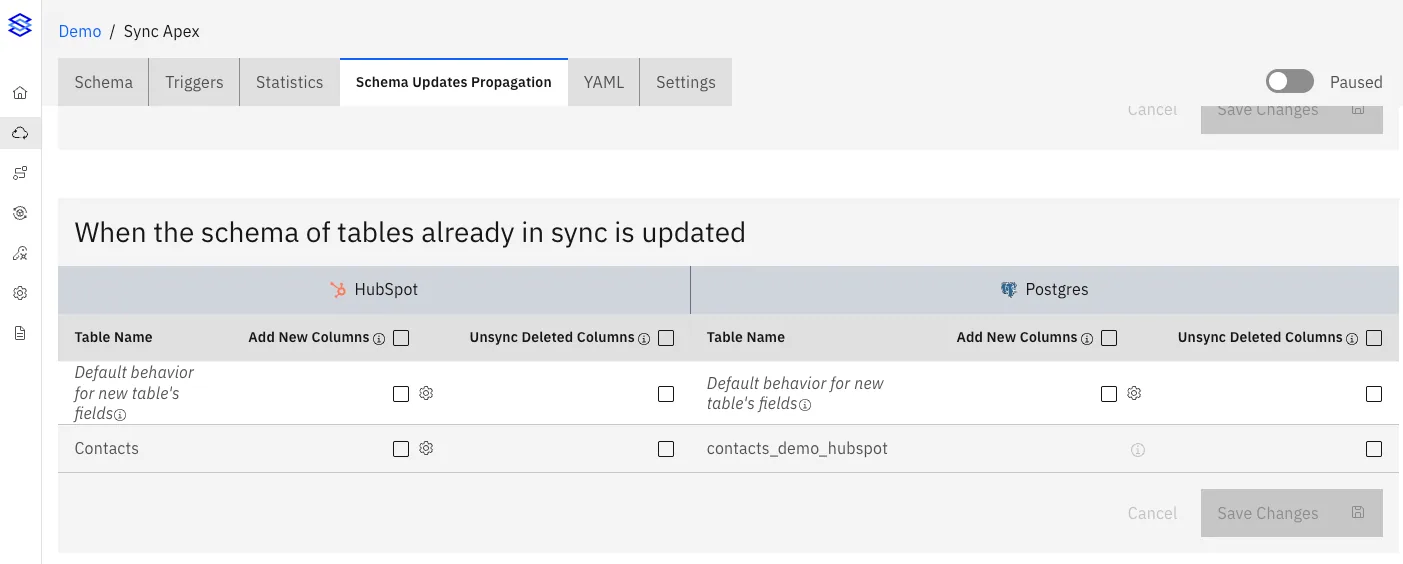
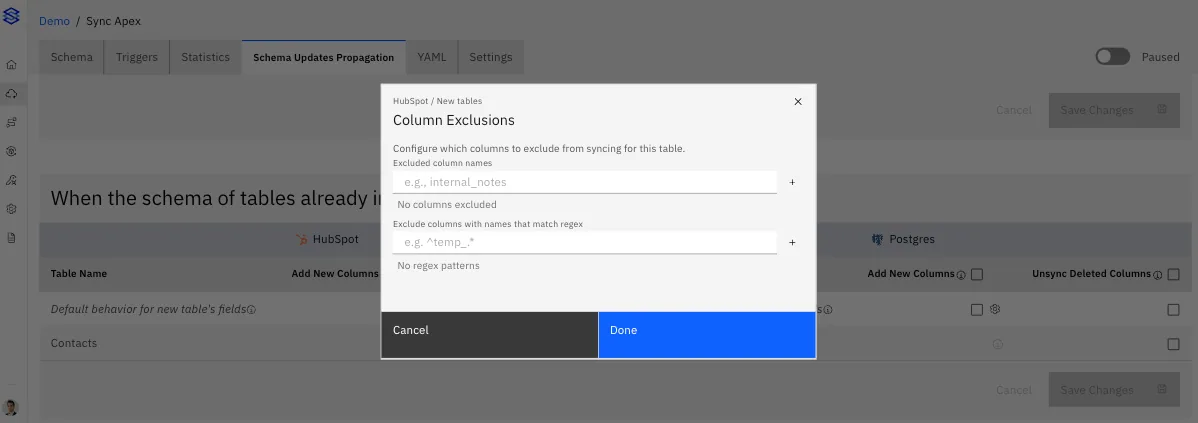
Additional controls by clicking on the gear icon:
- Column exclusions: per table, exclude columns by exact name or regex.
- Default behavior for new tables’ fields: a default row sets how columns should be handled for tables added later.
Important:
- Removing a column from the sync does not delete the column in the target app; it simply stops syncing it.
Column Renames (Automatic Mapping)
When a column is renamed in the source app, Stacksync attempts to preserve the sync by matching the column using the app’s immutable field identifiers (when available). This means a rename is treated as the same column with a new name, not as a deletion plus a new column.
What this does:
- Keeps the sync running without manual remapping.
- Avoids creating duplicate columns when only the name changed.
- Applies to apps that expose stable, immutable field IDs.
Notes:
- If the app does not provide immutable field IDs, a rename may be interpreted as “deleted + new” and will follow your column add/remove rules.
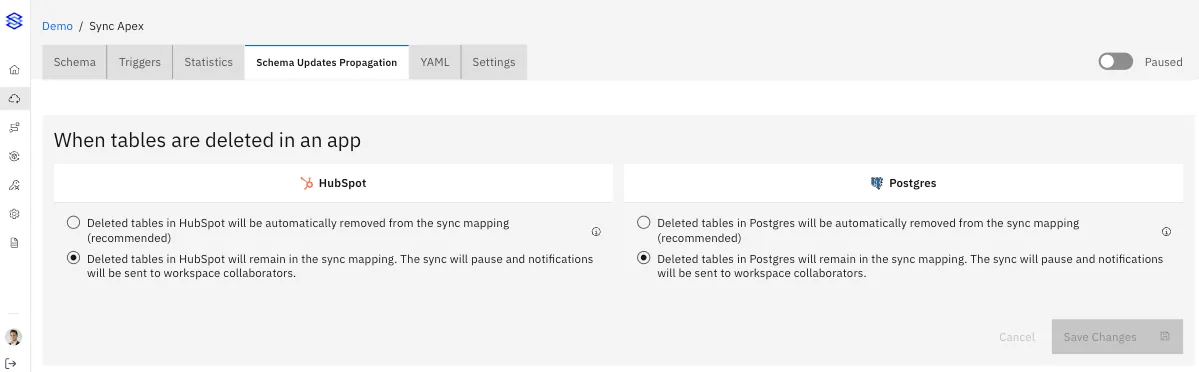
IV. When Tables Are Deleted
In When tables are deleted in an app, choose the behavior:
- Auto-unsync deleted tables (recommended): removes the table from the sync mapping and keeps the sync running.
- Keep in mapping: the sync pauses and notifications are sent to workspace collaborators.
Important:
- Auto-unsync does not delete the target table in the app. It only stops syncing it.
If you have any questions, feel free to reach out at hello@stacksync.com, we are happy to help!