# Enable API Access in Salesforce

API access needs to be enabled in Salesforce for the user connecting Stacksync to its Salesforce instance.

Follow the steps below to:

* Enable API access in Salesforce by Profile
* Enable API access in Salesforce by Permission Set

{% tabs %}
{% tab title="Enable API access by Profile" %}
**Enable API access in Salesforce by Profile**

\
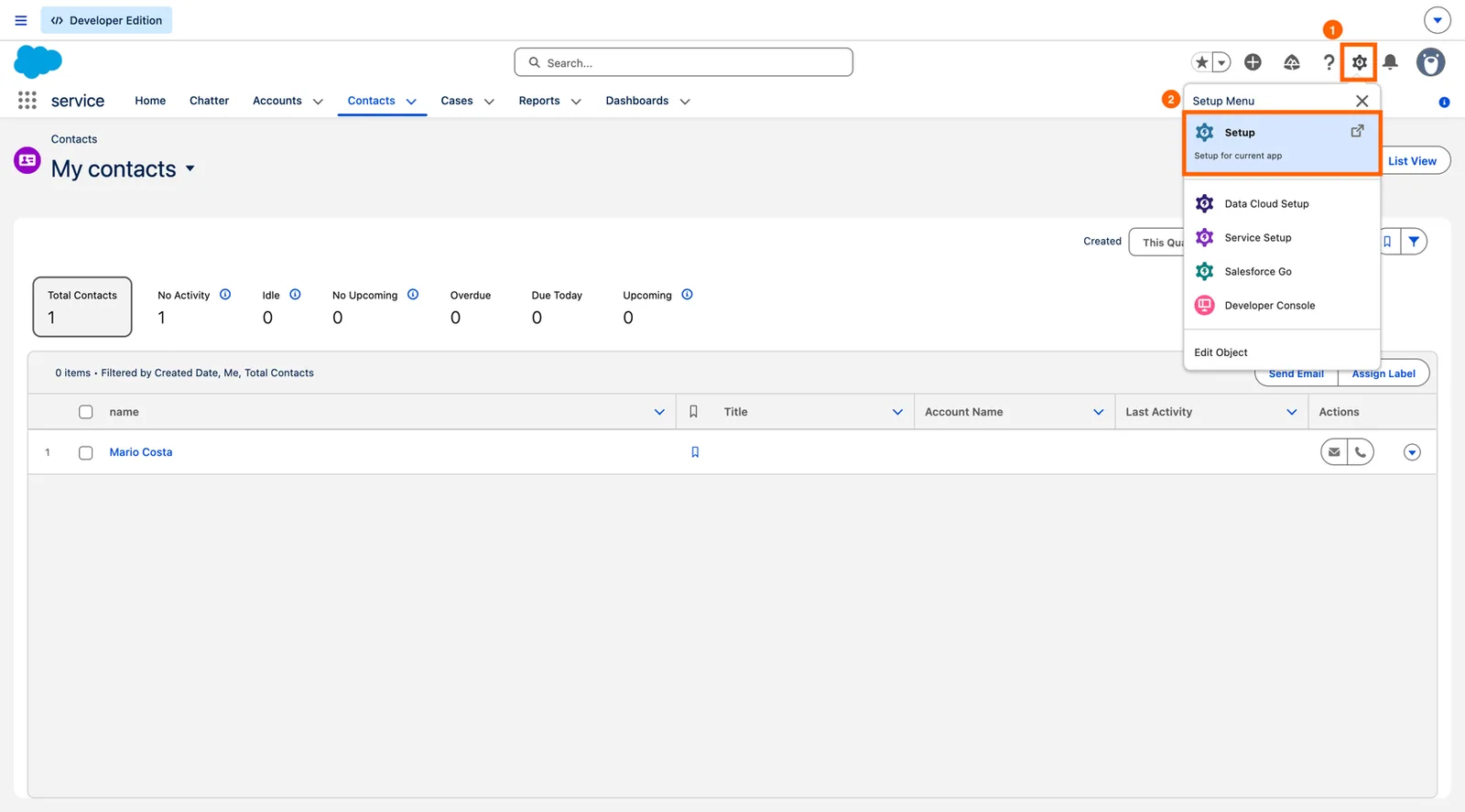
1\. Click the Gear icon and click **Setup.**

![](https://ebstalimited.zendesk.com/hc/article_attachments/360009817457/SFSetup.jpg)

\
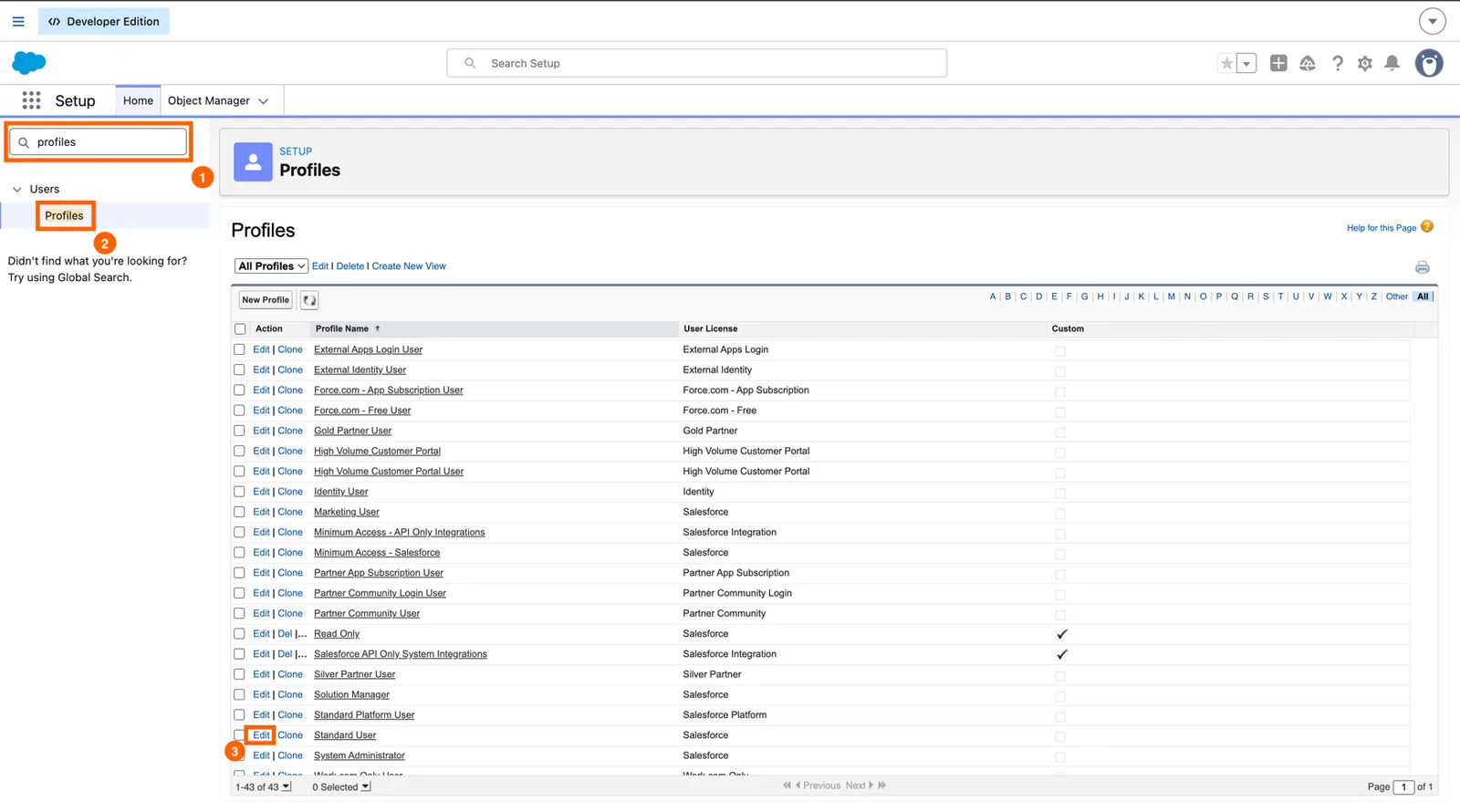
2\. Type **profiles** into the Quick Find box and select **Profiles.**

![](https://ebstalimited.zendesk.com/hc/article_attachments/360011640917/api1.jpg)

\
3\. Click **Edit** against the Profile you wish to enable API access for.
![](https://ebstalimited.zendesk.com/hc/article_attachments/360007927498/SFExampleProfileEdit.jpg)

&#x20;

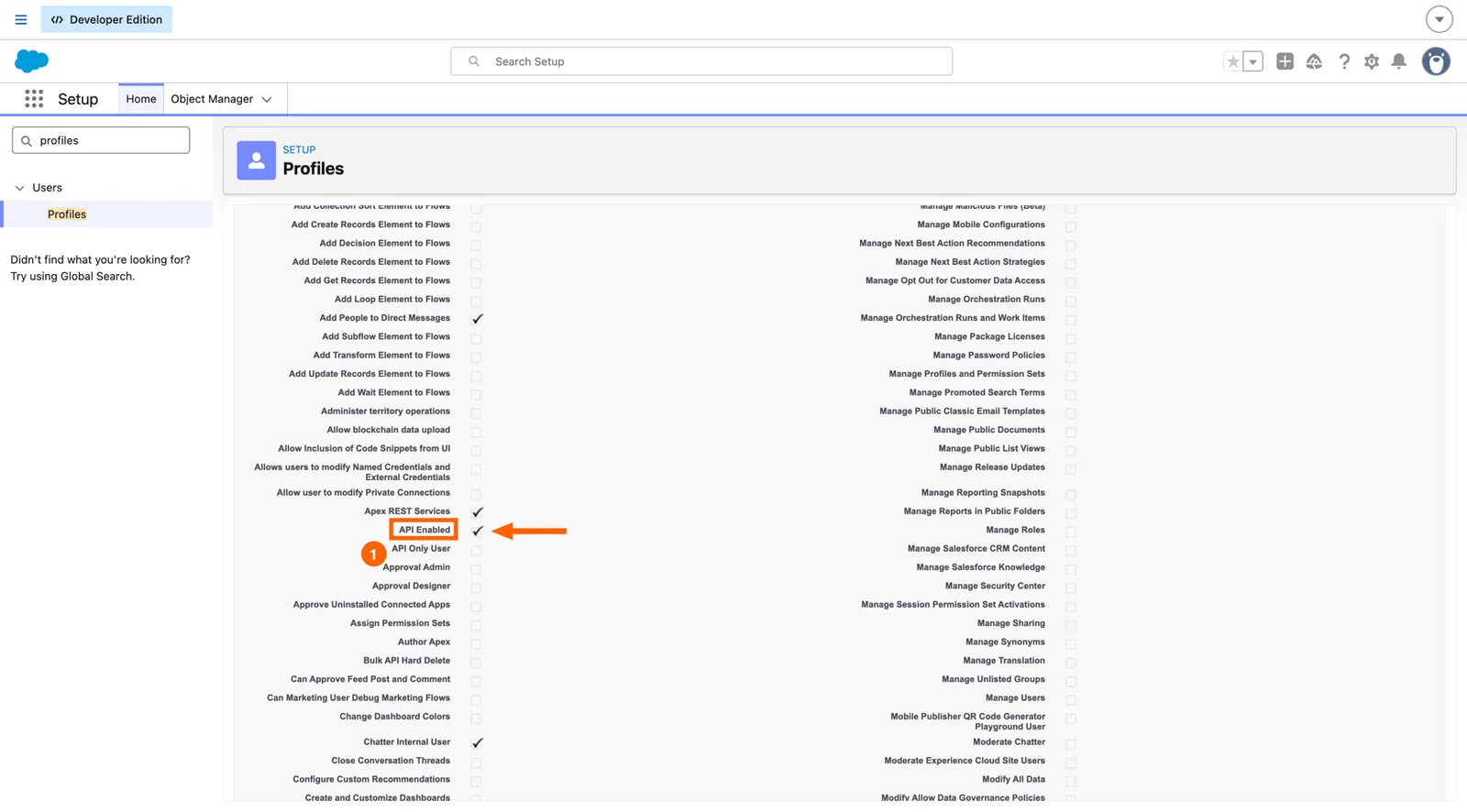
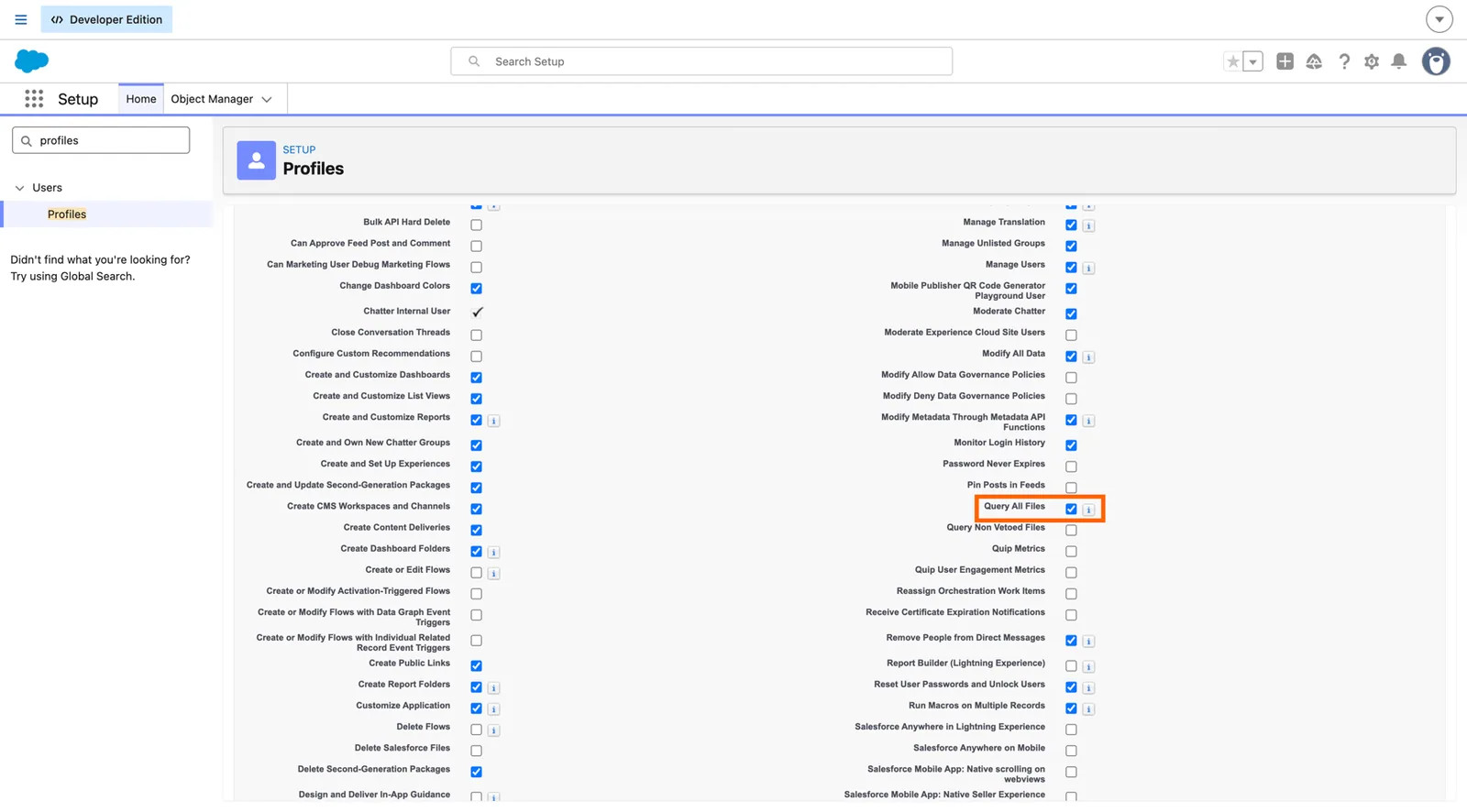
4\. Scroll down to **Administrative Permissions** and check the **API Enabled** box and click **Save**.

![](https://ebstalimited.zendesk.com/hc/article_attachments/360007843937/SFProfileAPIEnabled.jpg)

The API in Salesforce is now enabled for the modified profile. All users with this profile now have API enabled permissions.&#x20;
{% endtab %}

{% tab title="Enable API access by Permission Set" %}

#### Enable API Access in Salesforce by Permission Set

&#x20;\
1\. Click the Gear icon and click **Setup.**

![](https://ebstalimited.zendesk.com/hc/article_attachments/360009817457/SFSetup.jpg)

\
2\. Type **permission** into the Quick Find box and select **Permission Sets.**

![api2.jpg](https://ebstalimited.zendesk.com/hc/article_attachments/360011640957/api2.jpg)

&#x20;

3\. Select the Permission Set you wish to enable API access for. (Or click "NEW" if you want to create a new one).

![](https://ebstalimited.zendesk.com/hc/article_attachments/360007927718/SFExamplePermissionSet.jpg)

&#x20;\
4\. Scroll down to **System** and click **System Permissions.**

![](https://ebstalimited.zendesk.com/hc/article_attachments/360007927778/SFSystemPermissions.jpg)

5\. Click **Edit**

![](https://ebstalimited.zendesk.com/hc/article_attachments/360007927918/SFPermissionSetEdit.jpg)

&#x20;

6\. Check the **API Enabled** box and click **Save.**

![](https://ebstalimited.zendesk.com/hc/article_attachments/360007928118/Permission_Sets___SalesforceAPI.jpg)

The permission set now has the API Enabled permission. The permission set should be applied to the user connecting Salesforce to Stacksync.

7. Select the permission set and click **Manage Assignments** and then **Add Assignments**.
8. Select the check boxes next the names of the users you want assigned to the permission set, and click **Assign**.
   {% endtab %}
   {% endtabs %}

Learn more in [this Salesforce documentation](https://help.salesforce.com/s/articleView?id=sf.branded_apps_commun_api_permset.htm\&type=5).