# Create a Postgres Database with Supabase (free forever)

Supabase is an open-source backend-as-a-service that provides developers with a database built on top of PostgreSQL. This guide shows you how to create your database for free in the Supabase cloud.
<figure><img src="https://2867423571-files.gitbook.io/~/files/v0/b/gitbook-x-prod.appspot.com/o/spaces%2FfJjIdV9cuW6K8asJjTPJ%2Fuploads%2FekM6PdpGPiCgiiDaD0NX%2FCreate%20a%20Postgres%20Database%20with%20Supabase.jpg?alt=media&#x26;token=1506169b-5df5-4ede-8645-fe5e8c10e19b" alt=""><figcaption><p>Create a Postgres Database with Supabase Cloud in 4 minutes!</p></figcaption></figure>

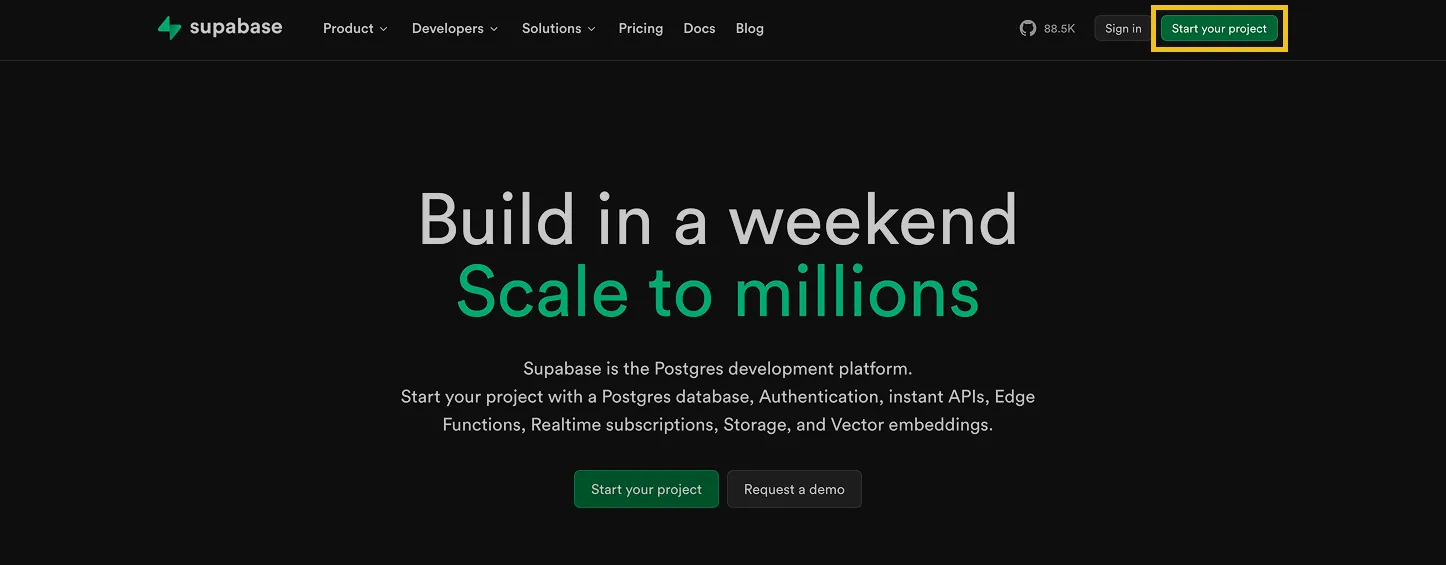
Let's first go to [**supabase.com**](https://supabase.com/)&#x20;

#### 1. Click "Start your project"

<figure><img src="https://2867423571-files.gitbook.io/~/files/v0/b/gitbook-x-prod.appspot.com/o/spaces%2FfJjIdV9cuW6K8asJjTPJ%2Fuploads%2FnivBvYKmZkFYAfbTl2xy%2F2%20(2).png?alt=media&#x26;token=b55933bb-a36c-4ca7-919f-d9581e2dbce5" alt=""><figcaption></figcaption></figure>

#### 2. Click "Sign Up Now" to create a new account or "Sign in" to log in to an existing account
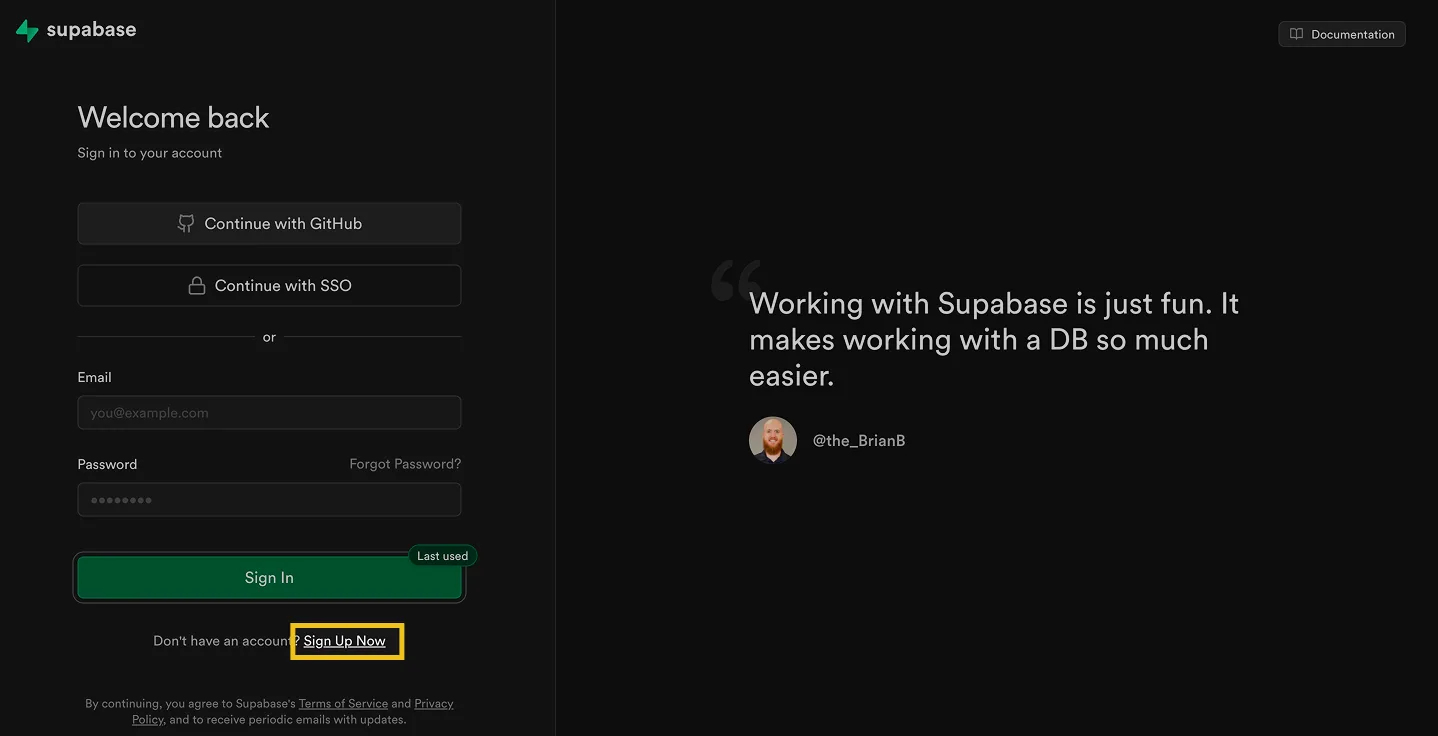
<figure><img src="https://2867423571-files.gitbook.io/~/files/v0/b/gitbook-x-prod.appspot.com/o/spaces%2FfJjIdV9cuW6K8asJjTPJ%2Fuploads%2Fu4fRmIpcamAEJBMUriTL%2F3%20(3).png?alt=media&#x26;token=2a6c4bcd-1faf-448d-b8b1-0fca7bb43606" alt=""><figcaption></figcaption></figure>

#### 3. Switch to [app.supabase.com](https://app.supabase.com/projects)

#### 4. Click "New project" and select your organization (typically the default one)
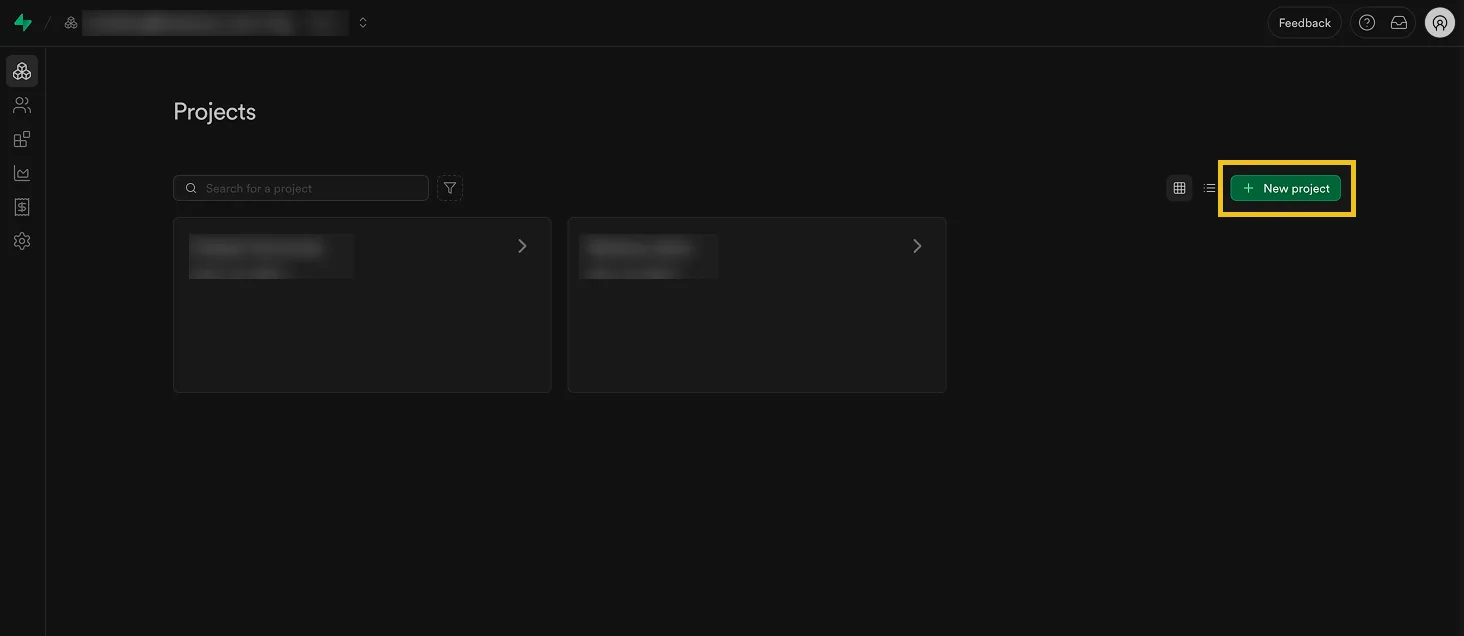
<figure><img src="https://2867423571-files.gitbook.io/~/files/v0/b/gitbook-x-prod.appspot.com/o/spaces%2FfJjIdV9cuW6K8asJjTPJ%2Fuploads%2FEHzob3r0NBSDW4yLEetW%2F4%20(1).png?alt=media&#x26;token=031d4618-df56-4e26-b2f9-30991a542804" alt=""><figcaption></figcaption></figure>

#### 5. Fill in "Project name"

This can be any name such as "Stacksync pilot project"
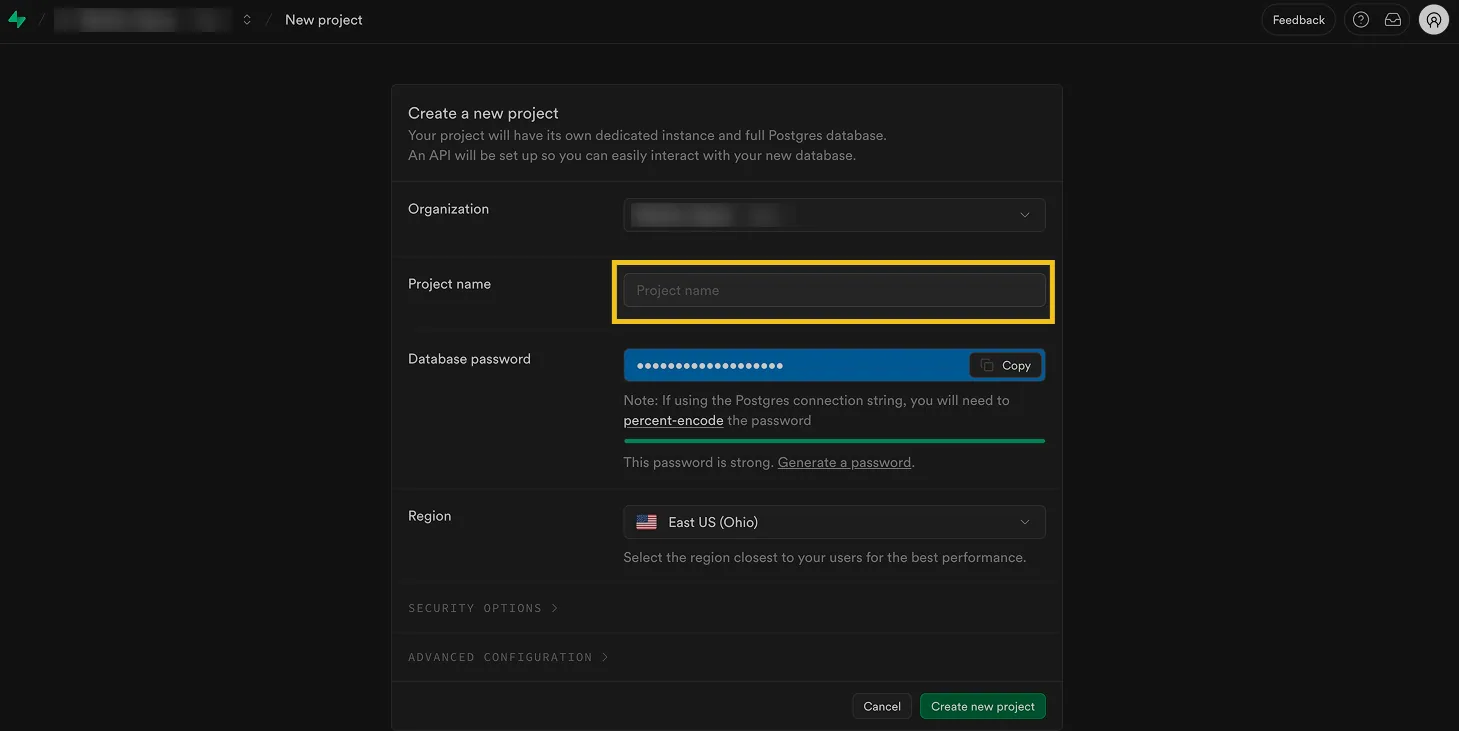
<figure><img src="https://2867423571-files.gitbook.io/~/files/v0/b/gitbook-x-prod.appspot.com/o/spaces%2FfJjIdV9cuW6K8asJjTPJ%2Fuploads%2FMwcUeqSEY9FH4RkZuxLh%2F5%20(1).png?alt=media&#x26;token=562b6d39-3052-4ed9-b413-74fd098bc126" alt=""><figcaption></figcaption></figure>

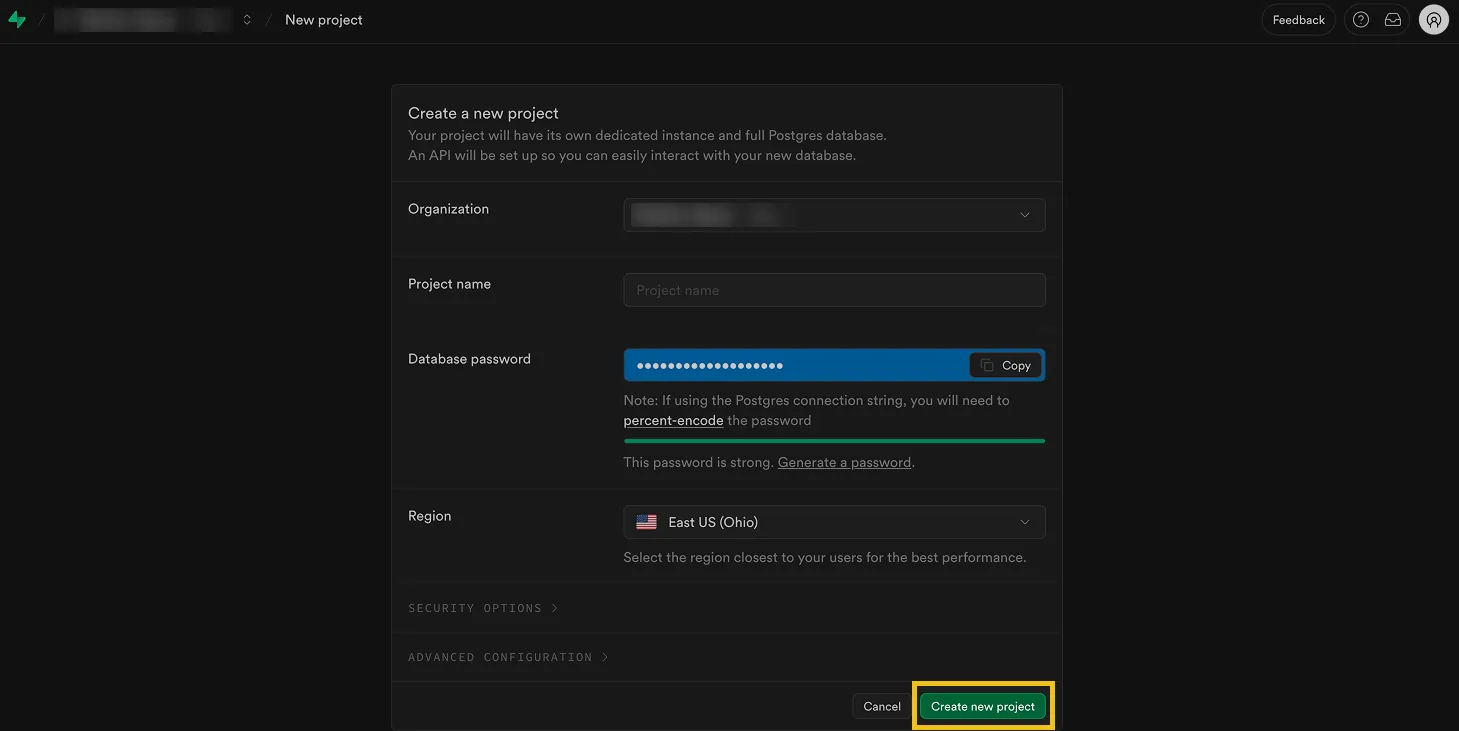
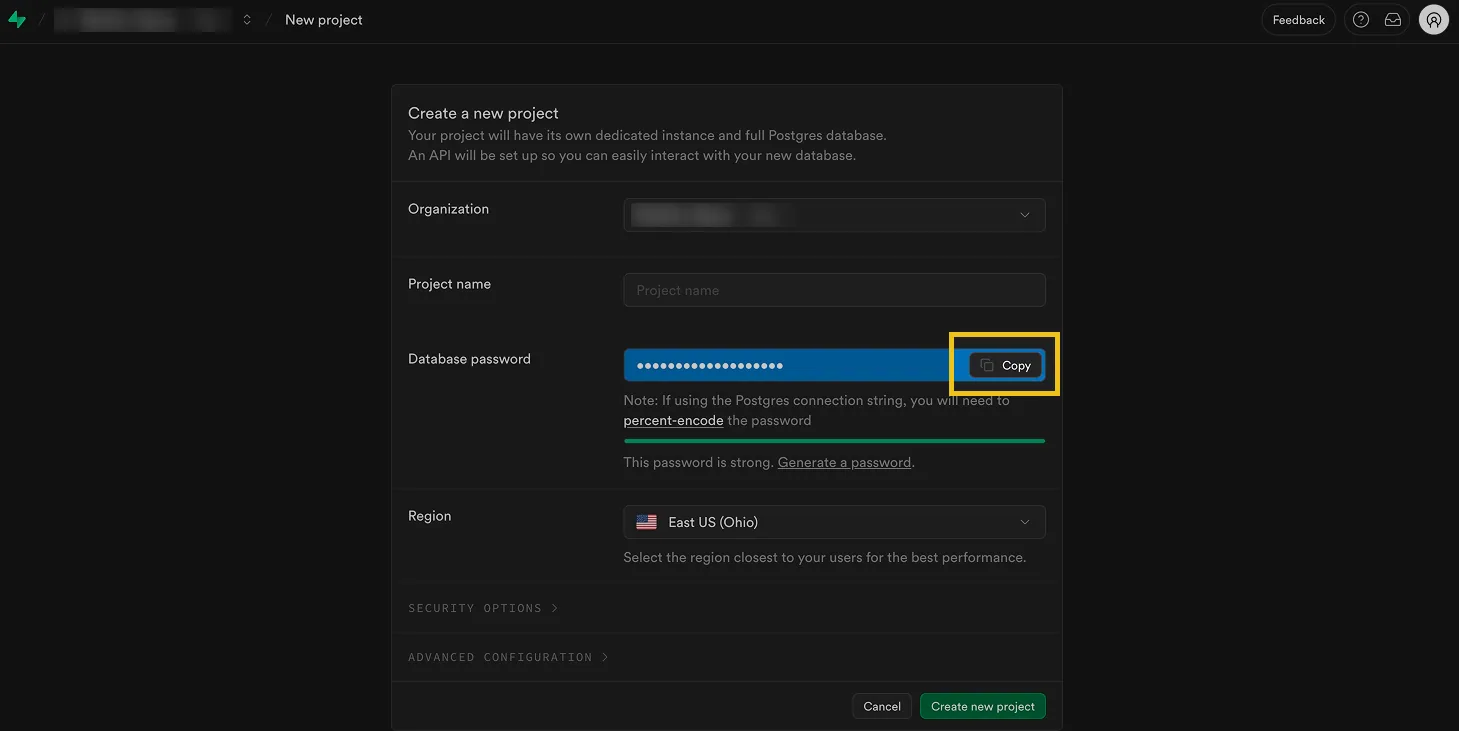
#### 6. Click "Copy the suggested strong password"

☝ Before creating a new project, it is crucial to COPY the database password, as it will not be accessible again. The only way to retrieve your database password later is by regenerating it, which will invalidate previous passwords (potentially breaking existing database connections).
<figure><img src="https://2867423571-files.gitbook.io/~/files/v0/b/gitbook-x-prod.appspot.com/o/spaces%2FfJjIdV9cuW6K8asJjTPJ%2Fuploads%2F8aAS2lOZuBoOFNl8lF4R%2F6.png?alt=media&#x26;token=56b7b7e9-d1e0-422b-b023-634c1672e3b8" alt=""><figcaption></figcaption></figure>

#### 7. Click "Create new project"

<figure><img src="https://2867423571-files.gitbook.io/~/files/v0/b/gitbook-x-prod.appspot.com/o/spaces%2FfJjIdV9cuW6K8asJjTPJ%2Fuploads%2FaPWToNczceF5qPiiqJrZ%2F7%20(1).png?alt=media&#x26;token=a972203d-7fd3-44ab-8554-18e377d9865d" alt=""><figcaption></figcaption></figure>

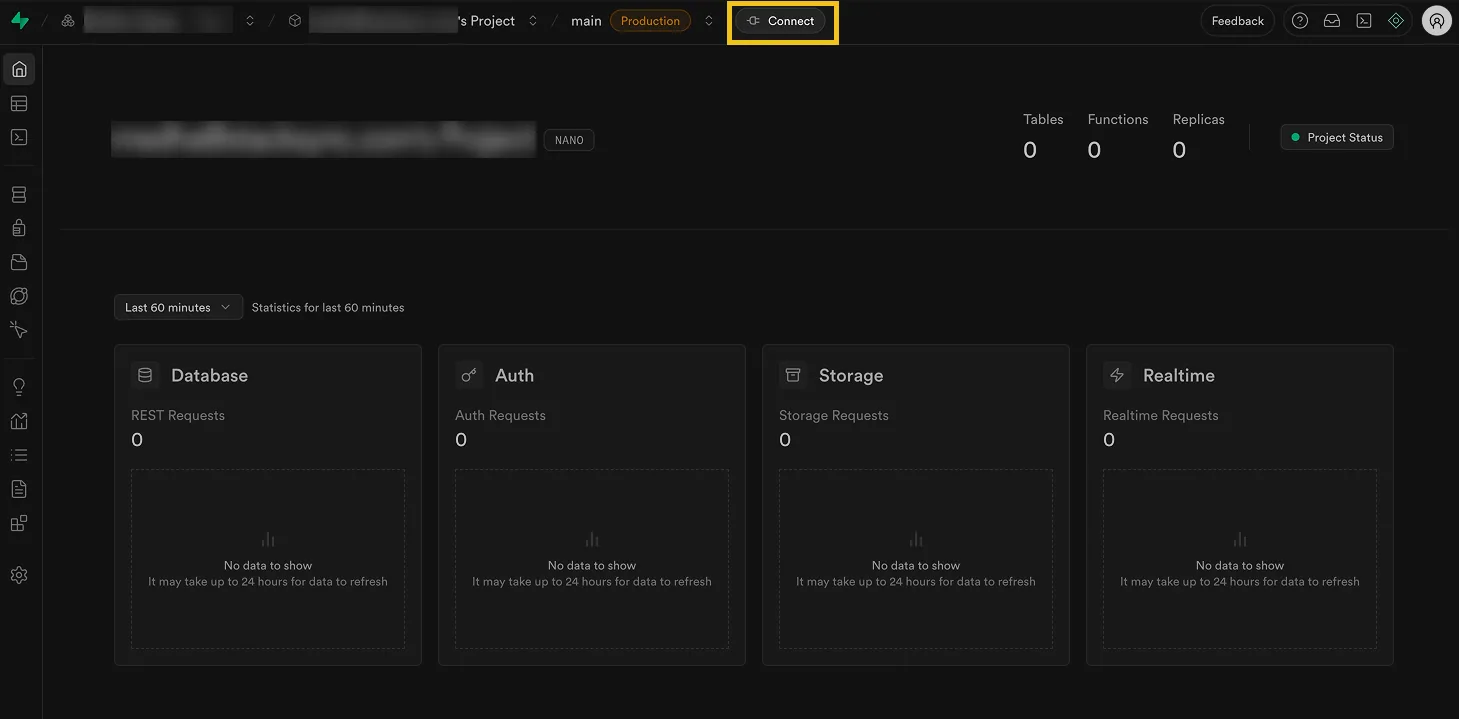
#### 8. Click on "Connect"

<figure><img src="https://2867423571-files.gitbook.io/~/files/v0/b/gitbook-x-prod.appspot.com/o/spaces%2FfJjIdV9cuW6K8asJjTPJ%2Fuploads%2FAgsmg9MG2JpUhVPO60x9%2F8.png?alt=media&#x26;token=6e2e7c7a-6374-4c90-affe-5d525c1f850d" alt=""><figcaption></figcaption></figure>

You just created your first database project in Supabase! 🎉

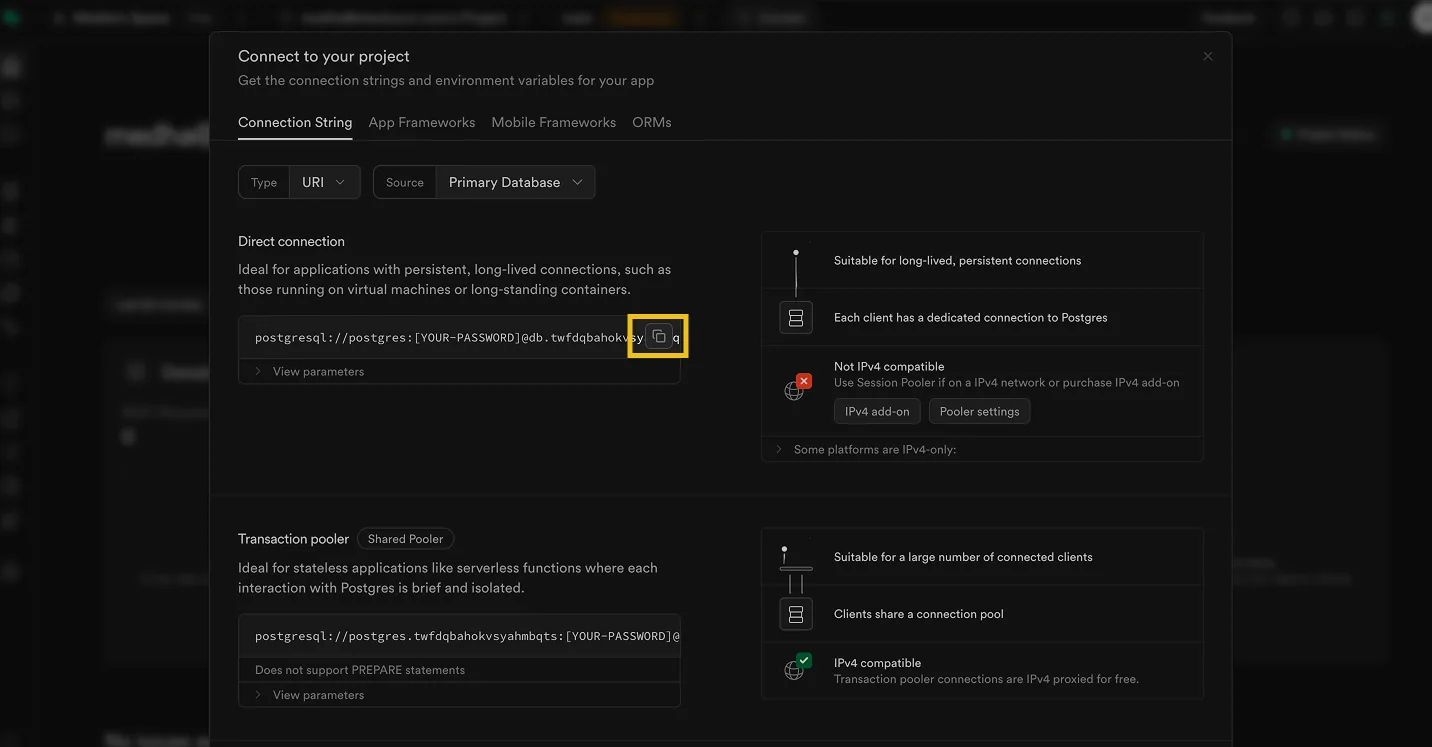
Now let's get the <mark style="color:purple;">**Database Connection URL**</mark> which is the fastest way to connect your Supabase instance to Stacksync.

#### 9. Click "URI" and copy the connection URL
<figure><img src="https://2867423571-files.gitbook.io/~/files/v0/b/gitbook-x-prod.appspot.com/o/spaces%2FfJjIdV9cuW6K8asJjTPJ%2Fuploads%2Fyn6Yig5wABsh3yYCk3dN%2F9%20(2).png?alt=media&#x26;token=68787628-094d-4ae3-b726-48f346511894" alt=""><figcaption></figcaption></figure>

## That's it! 🥳

Now that you have created your Postgres Database with Supabase, you can connect it to your existing Salesforce CRM (if you don't have a Salesforce CRM instance yet, check out this guide to [create a new Salesforce CRM developer instance, free forever!](https://docs.stacksync.cloud/guides/two-way-sync-salesforce-and-postgres/create-a-salesforce-developer-instance-free-forever)