

Authorize NetSuite
9 min read
If you do not see the following screens to create your API token, it means that you do not have the necessary access rights to authorize your NetSuite instance. An admin role is necessary to perform the connection setup.
-
Log in to your NetSuite account and navigate to Setup > Company > Enable Features.
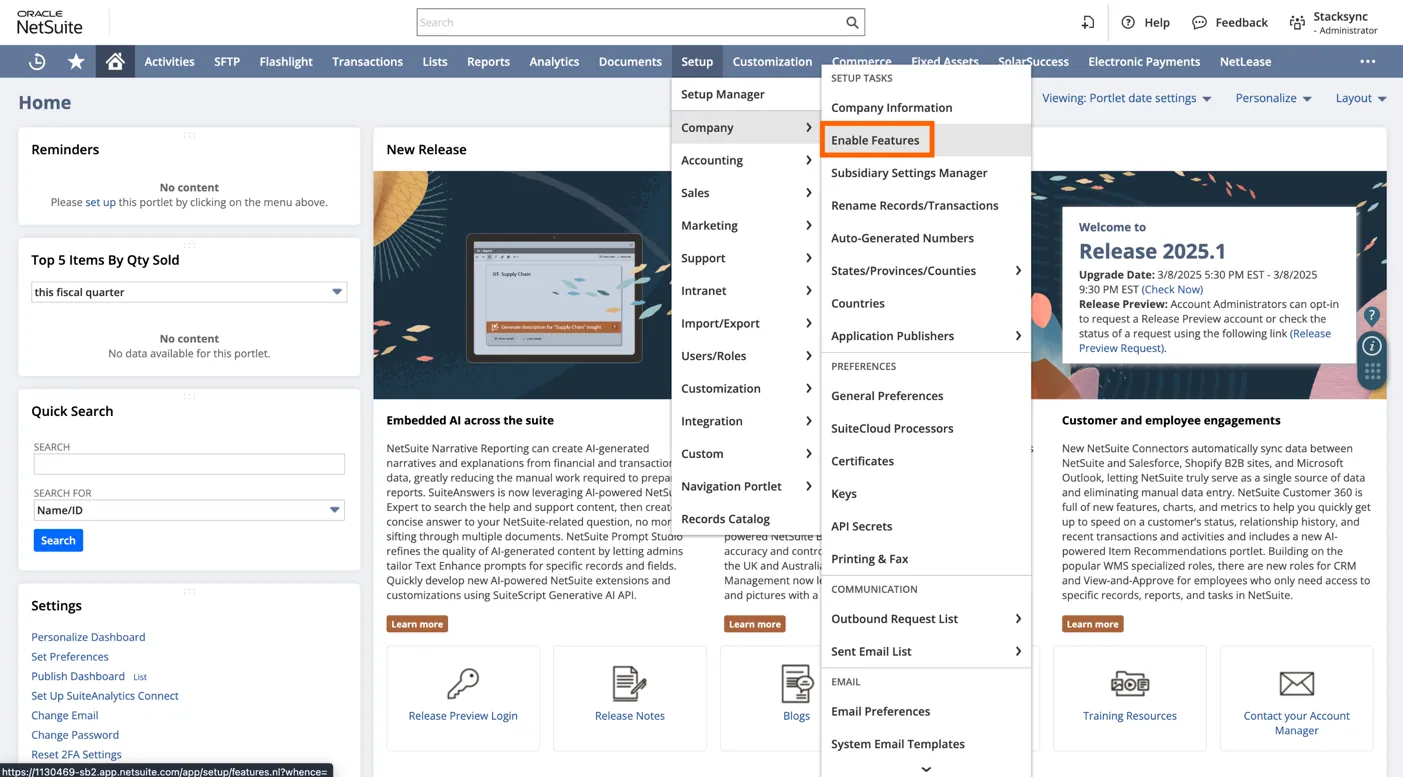
Navigate to the NetSuite features configuration panel
-
Under the ”SuiteCloud” header make sure the REST WEB SERVICES checkbox is checked.
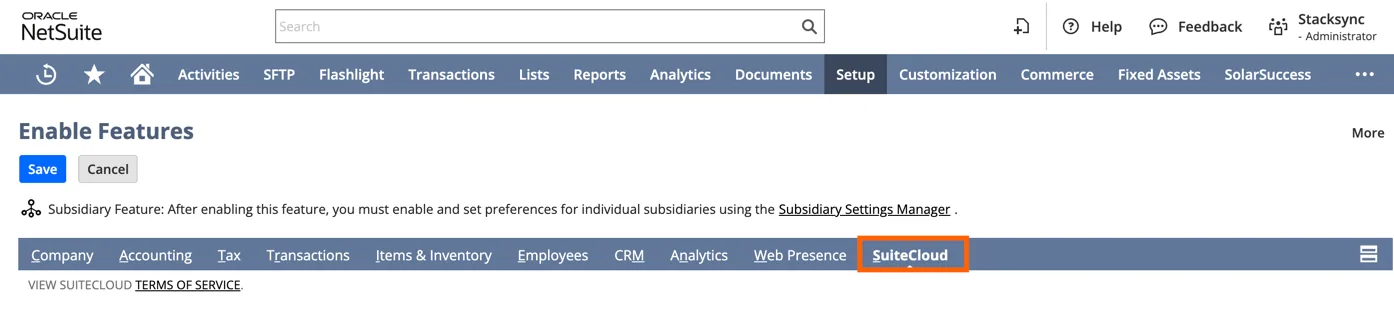
Click "SuiteCloud"
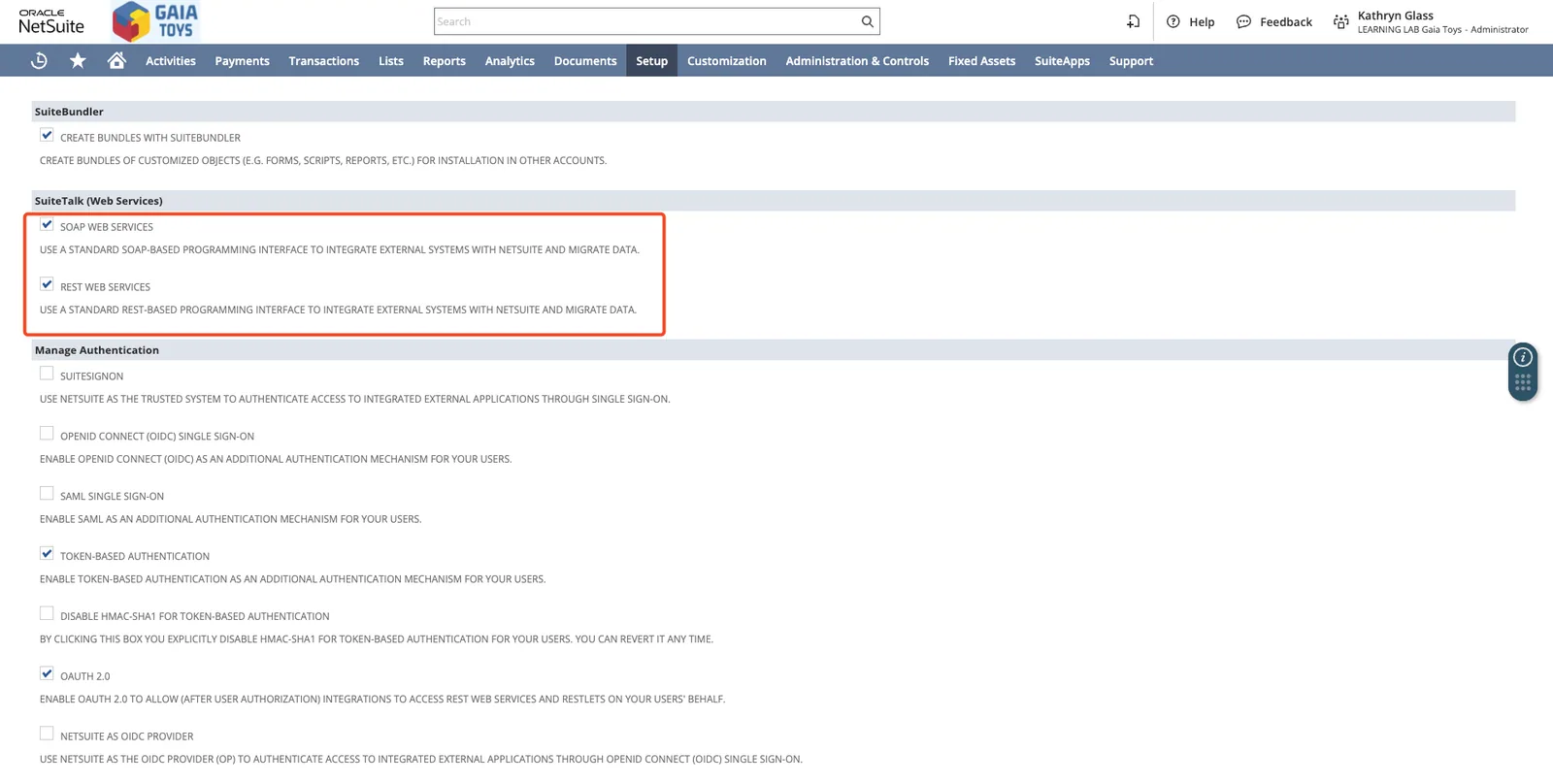
In the SuiteTalk section, enable SOAP WEB SERVICES and REST WEB SERVICES.
-
Under the ”Manage Authentication” header make sure the TOKEN-BASED AUTHENTICATION checkbox is checked.
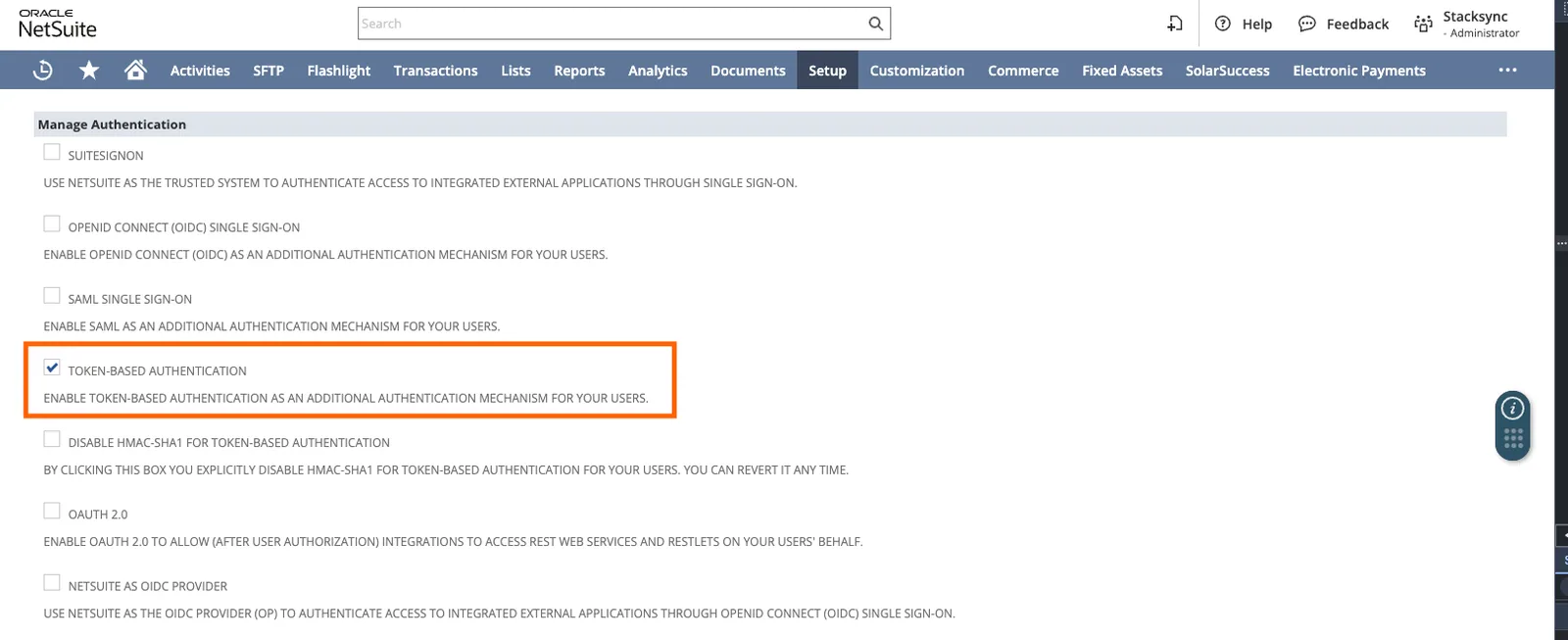
Activate Token-Based Authentication
-
Click the save button at the bottom of the page.
-
-
Navigate to Setup > Integration > Manage Integrations > New.
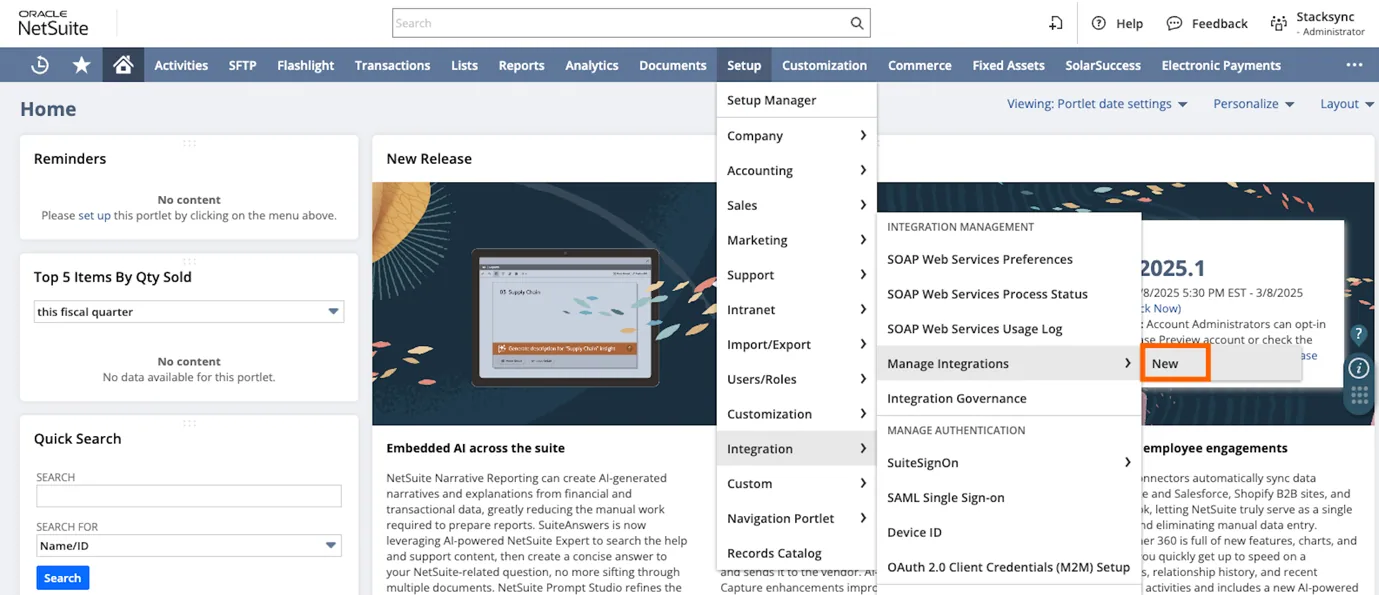
Create a new integration in NetSuite
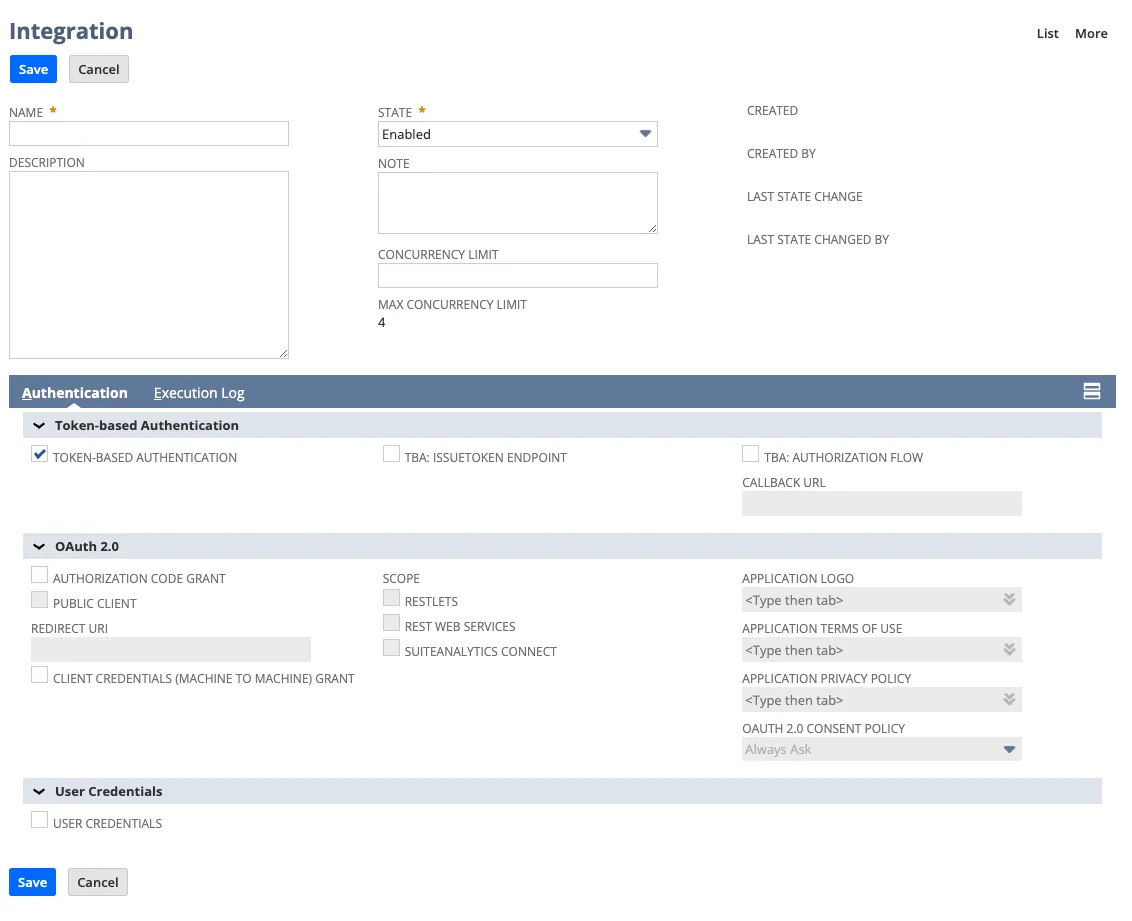
Configure the new Stacksync integration in NetSuite
-
Select
Token-based Authenticationonly -
Click the save button.
-
The client credentials will now be displayed and be sure to copy the Consumer ID and Consumer Secret.
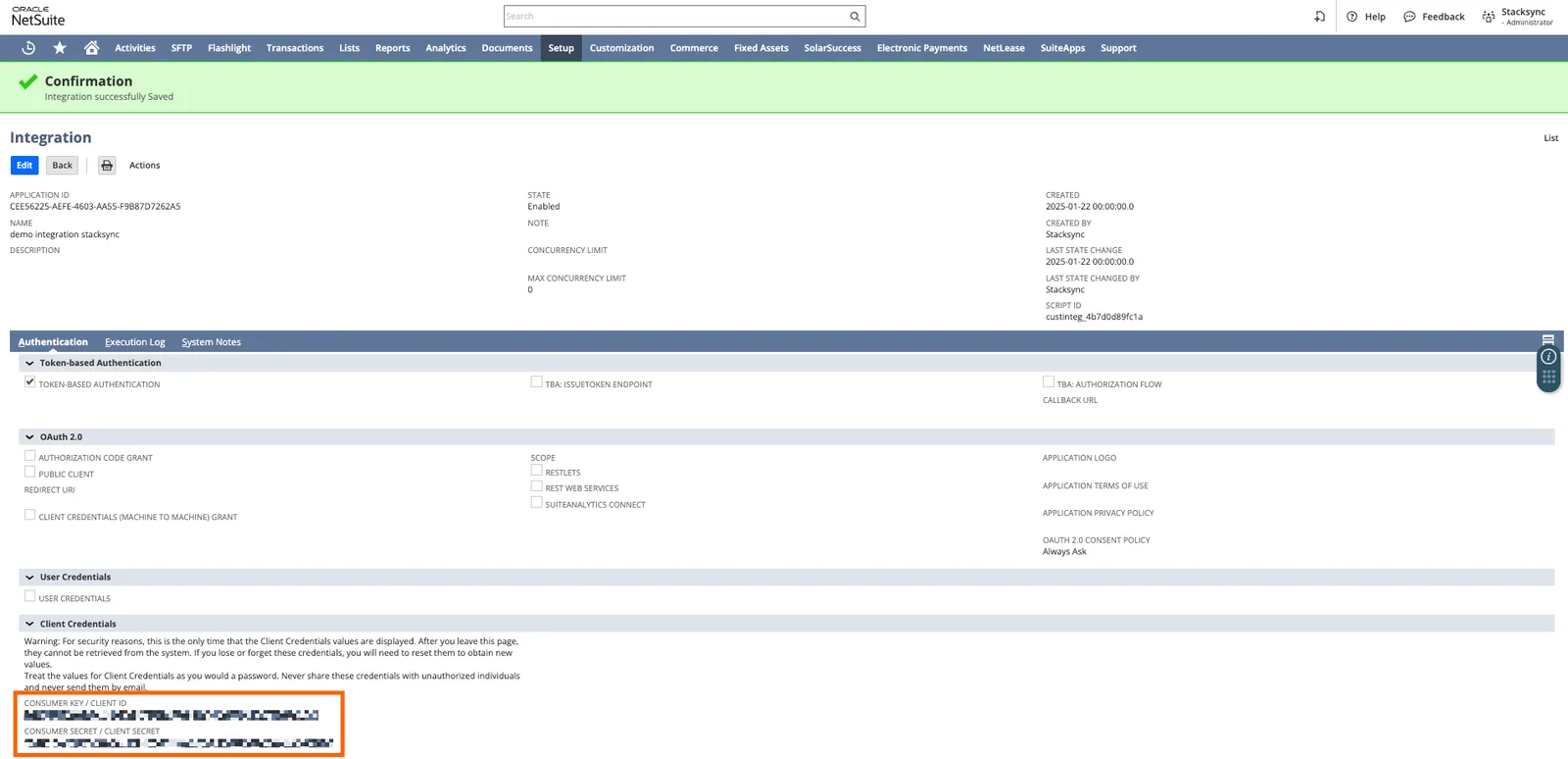
Save the "Consumer ID" and "Consumer Secret" values safely (to be used in the next steps of this tutorial).
-
-
Navigate to the homepage by clicking the home icon.
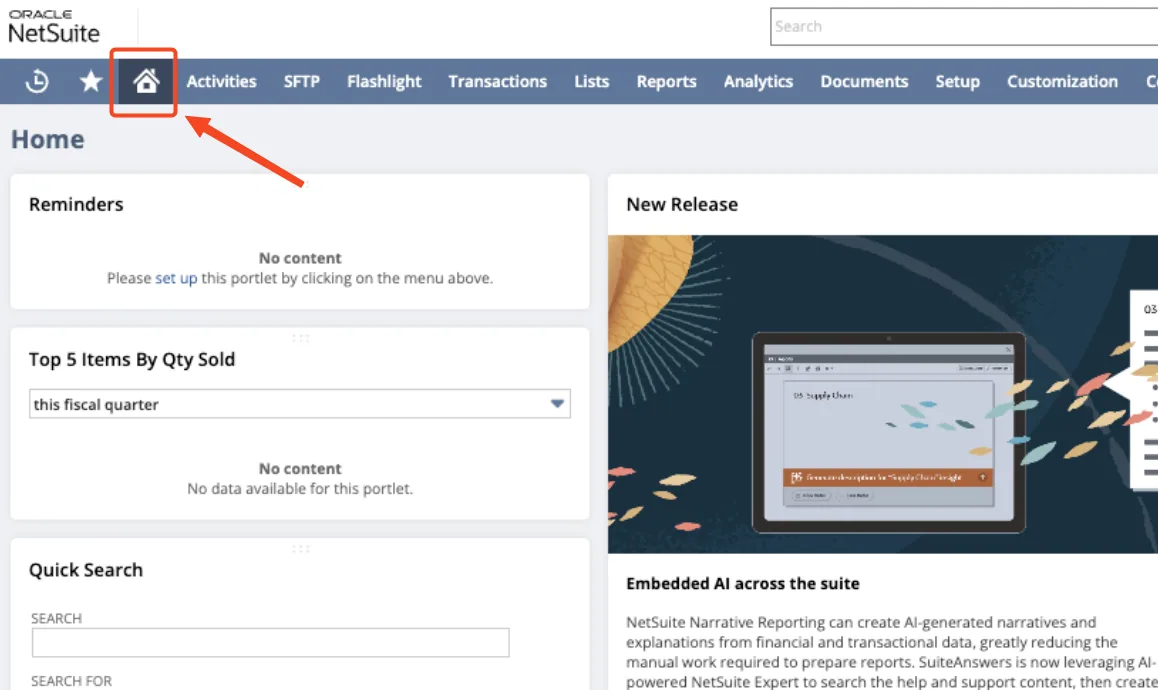
Navigate to the NetSuite homepage
-
At the bottom left corner click the Manage Access Tokens button.
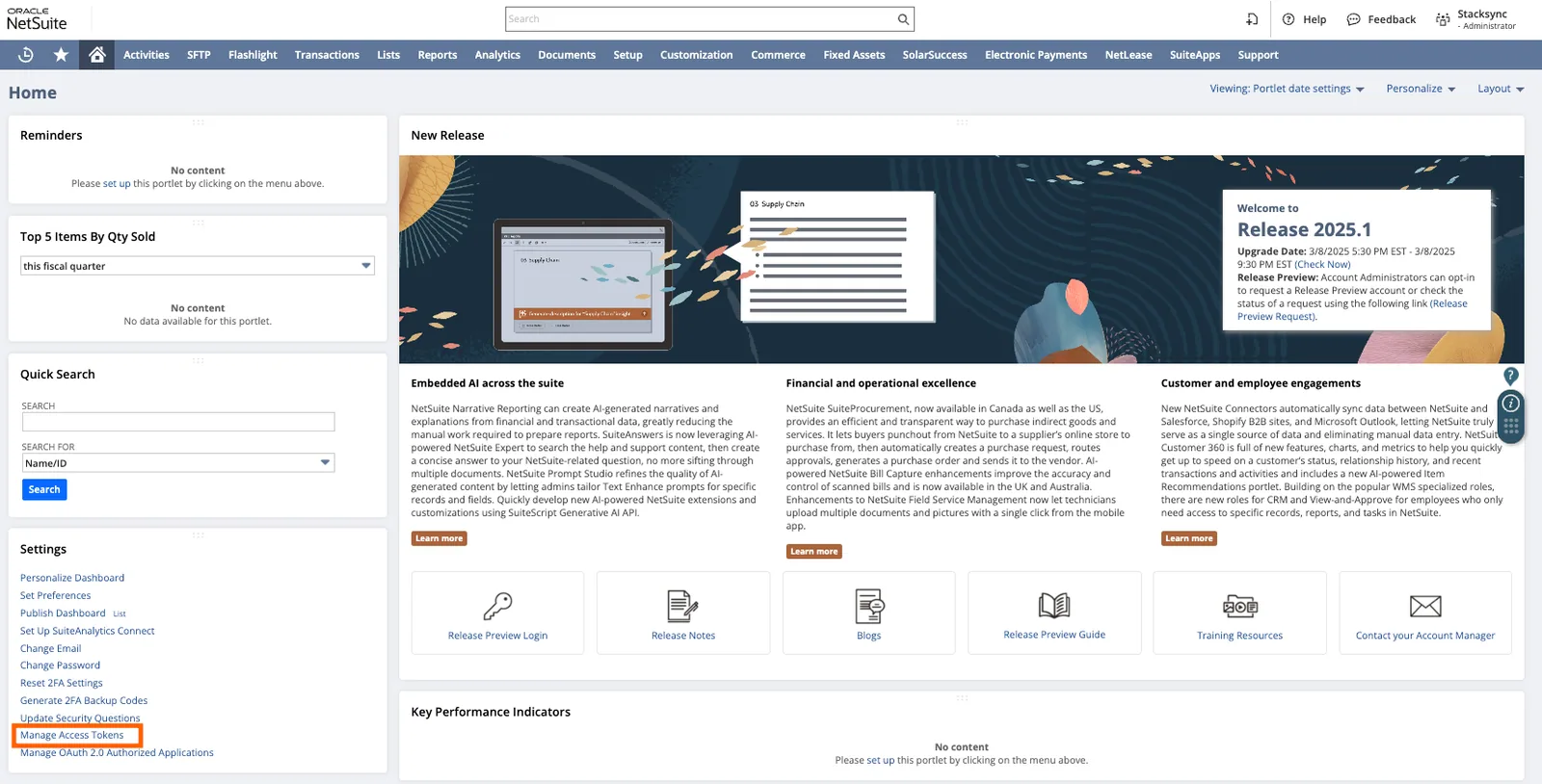
Click "Manage Access Tokens"

Click "New Access Token"
- Select the Application Name you created for this integration.
- Enter a ”Token Name”.
- Save your new access token.
- The token credentials will now be displayed. Copy the ”Token ID” & ”Token Secret”.
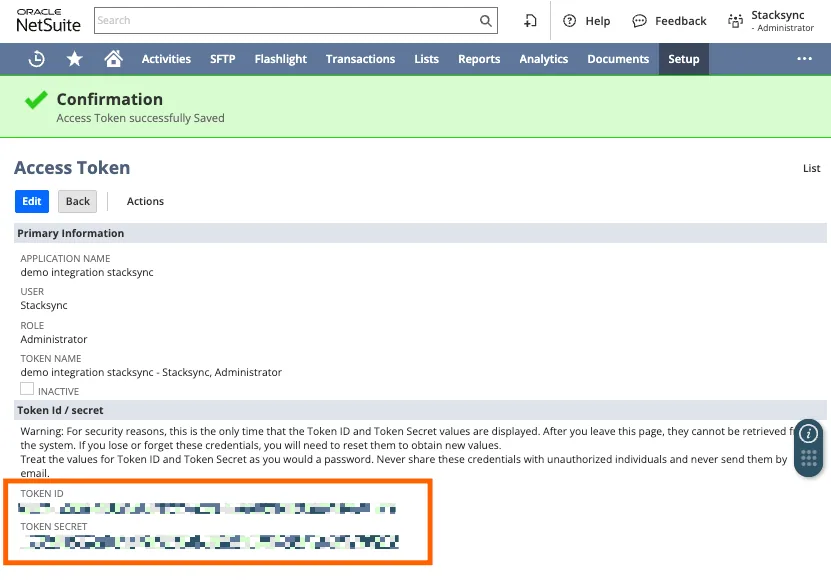
Save "Token ID" and "Token Secret" values safely (to be used in the next steps of this tutorial).
-
Get the
Account IDfrom the URL, the domain name has the following format:<account_id>.app.netsuite.com. -
You now have all the necessary credentials to grant Stacksync access to your NetSuite account. Go back to the Stacksync dashboard at https://app.stacksync.com.
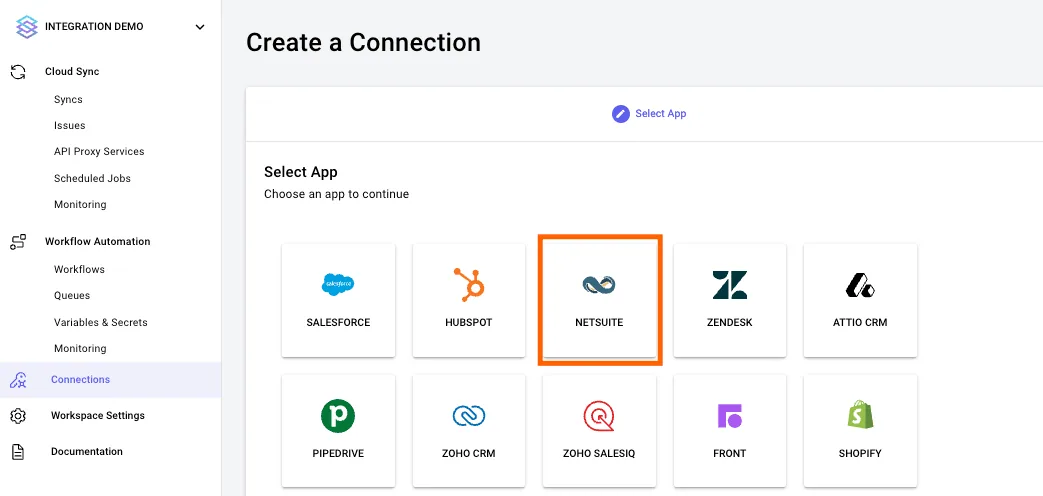
Click on the "NetSuite" connector icon
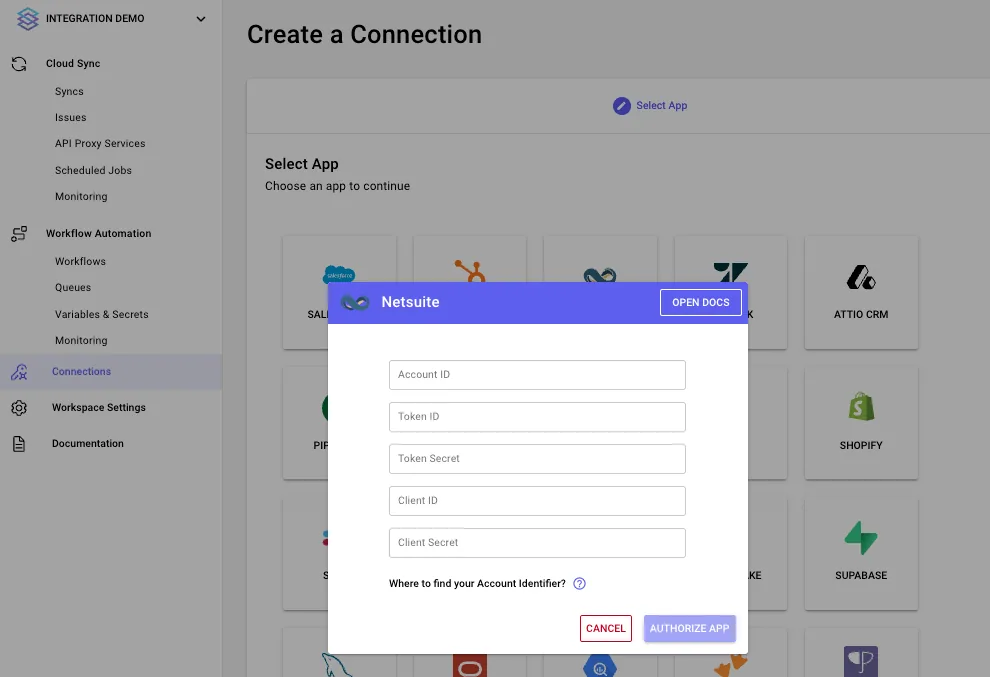
Insert the credentials obtained from the preview steps in the NetSuite app
You successfully granted Stacksync access to your NetSuite account! 🎉
Feel free to reach out to us at hello@stacksync.com if there is anything we can help with!