# Authorize MariaDB

### Adding Credentials to Stacksync <a href="#adding-credentials-to-stacksync" id="adding-credentials-to-stacksync"></a>

#### 1. Select MariaDB in the Create New Sync page in Stacksync.
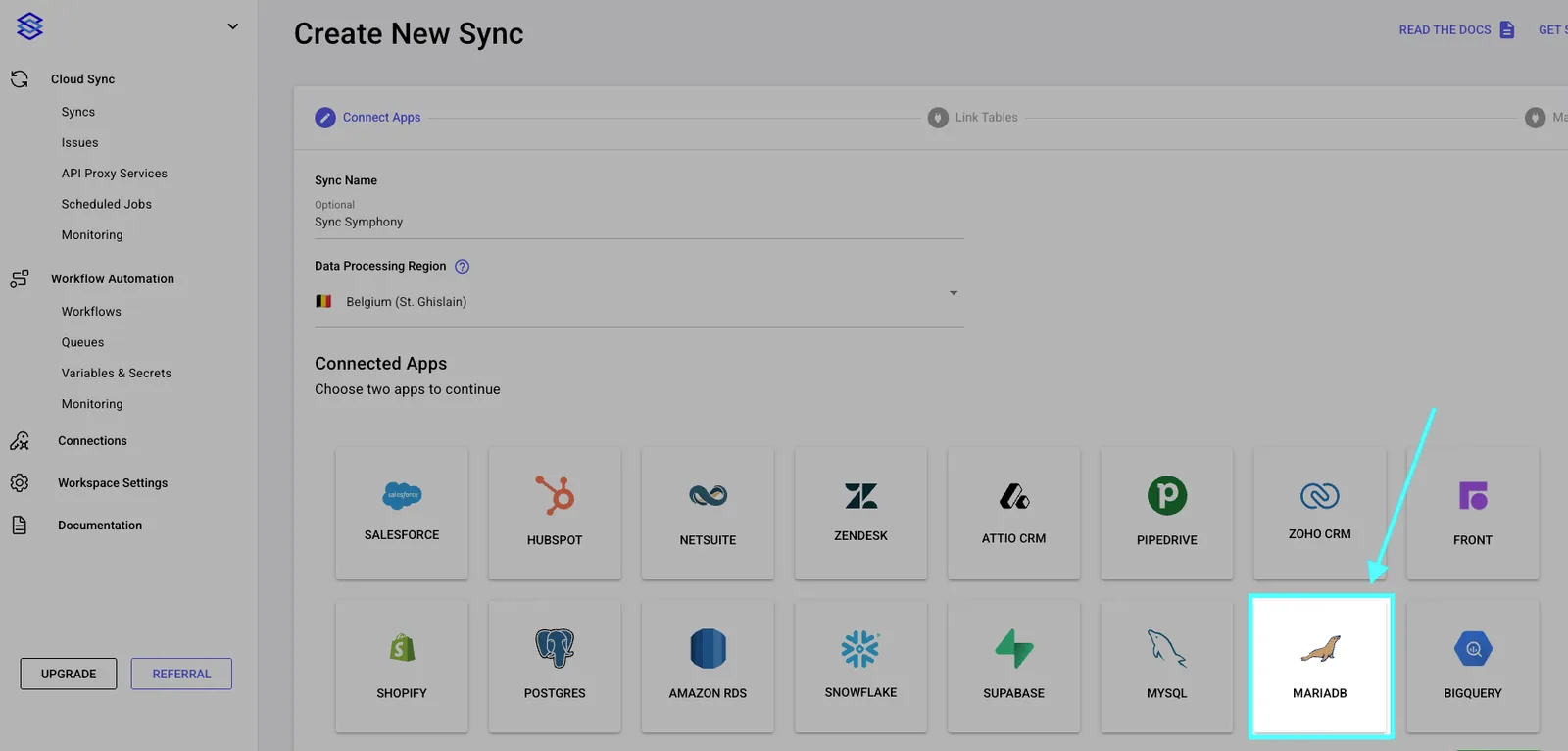
<figure><img src="/files/ySSuMaJNLPdyrpBmI1QB" alt=""><figcaption></figcaption></figure>

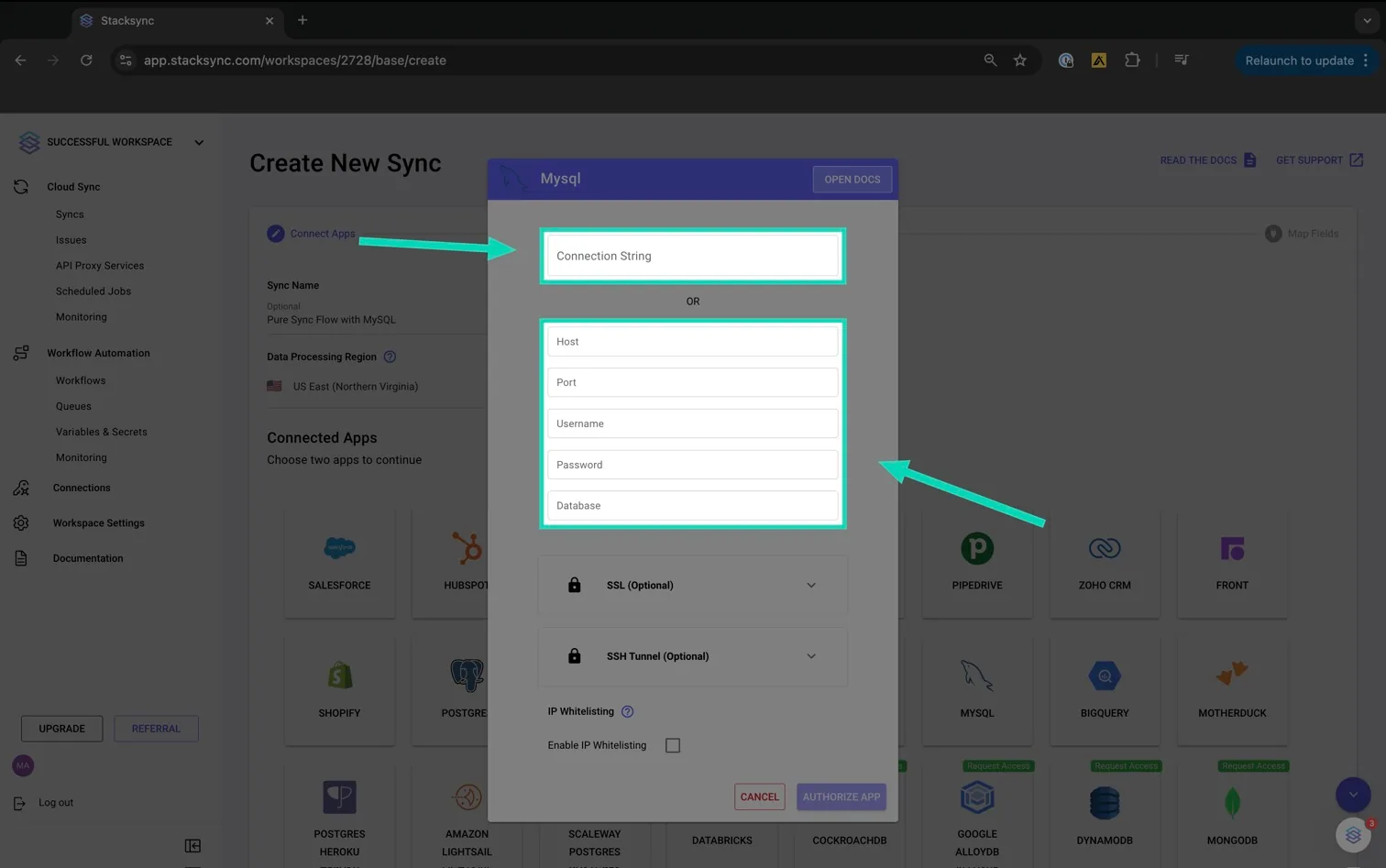
**2. Add your MariaDB credentials as Connection String or as Parameters.**

<figure><img src="/files/Bg4Y3Q3AFGYPrdczBOyQ" alt=""><figcaption></figcaption></figure>

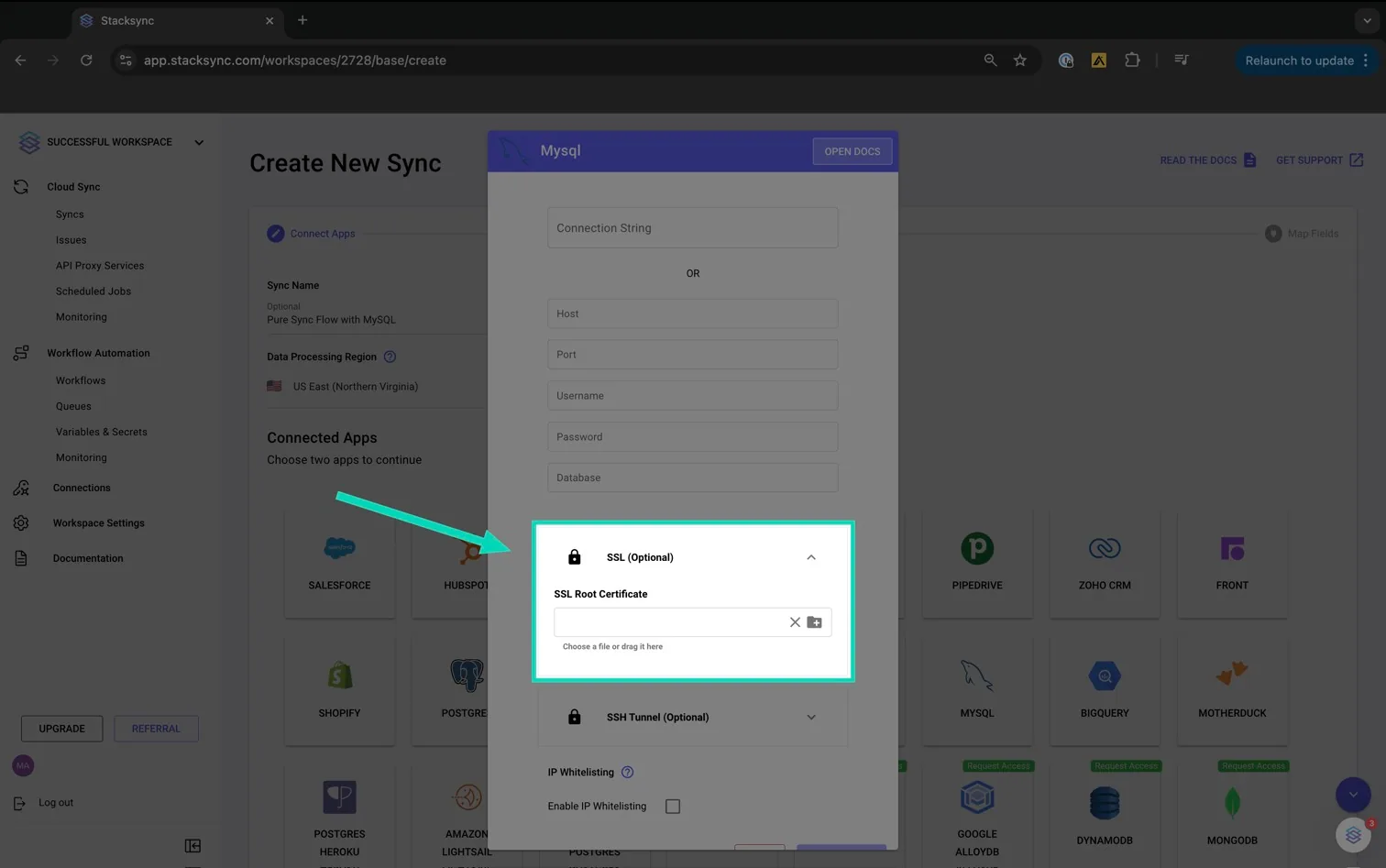
**3. (Optional) Upload your SSL Root Certificate file**

**More details on how to retrieve your SSL Certificate:**

[**https://docs.stacksync.com/connectors/postgres/authorize-postgres/amazon-rds/ensuring-secure-rds-connections-with-ssl-certificate**](https://docs.stacksync.com/connectors/postgres/authorize-postgres/amazon-rds/ensuring-secure-rds-connections-with-ssl-certificate)

<figure><img src="/files/IHGhlNcczA7UsTHk3UDd" alt=""><figcaption></figcaption></figure>

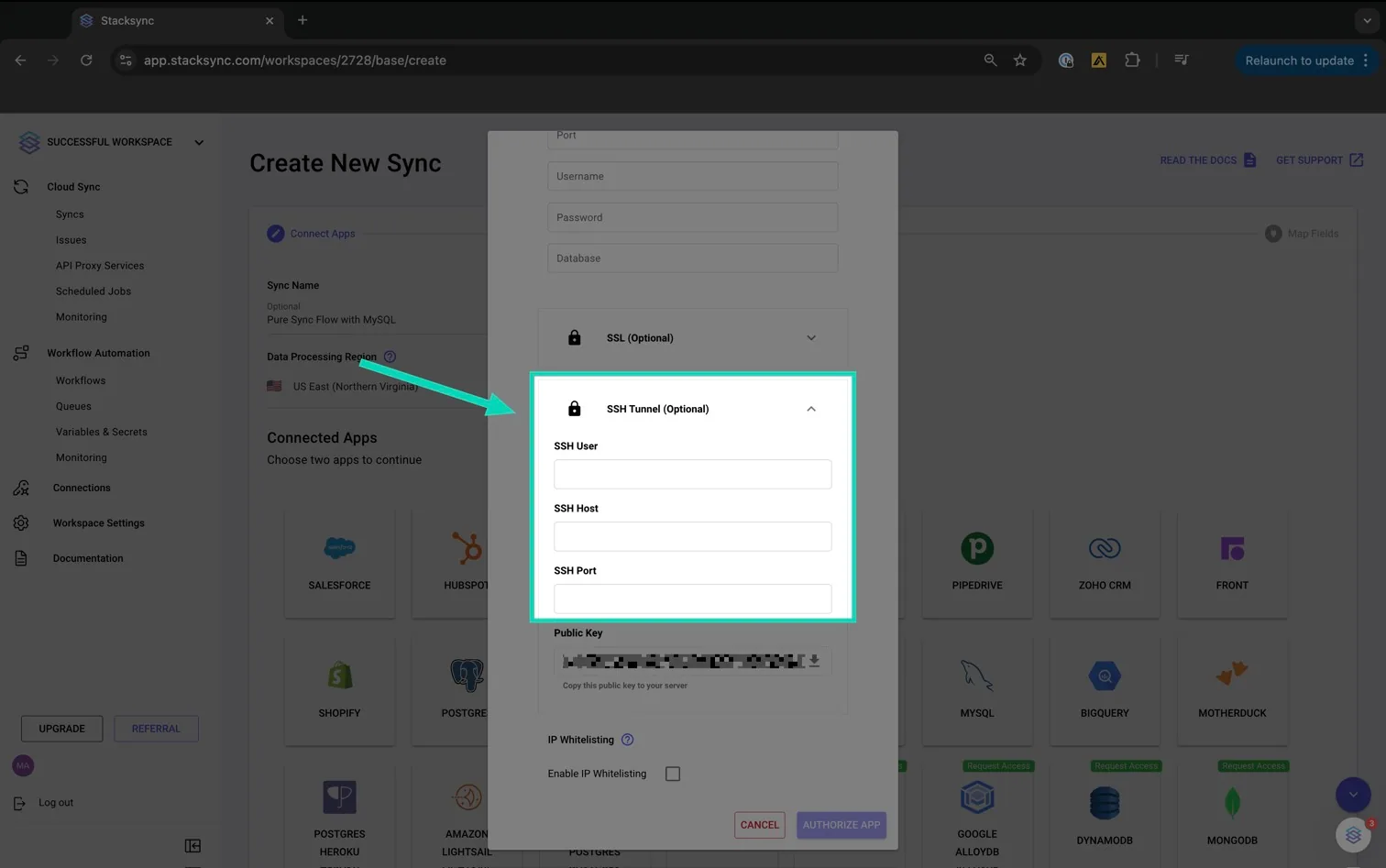
**4. (Optional) Add SSH user and SSH host**

**More details on how to set up a SSH tunnel to connect to your RDS instance:**&#x20;

[**https://docs.stacksync.com/connectors/setup-options/ssh-tunneling/access-private-asw-rds-instance-through-jumpbox**](https://docs.stacksync.com/connectors/setup-options/ssh-tunneling/access-private-asw-rds-instance-through-jumpbox)

<figure><img src="/files/jc1zVWTB1wZsZbRQLy1O" alt=""><figcaption></figcaption></figure>

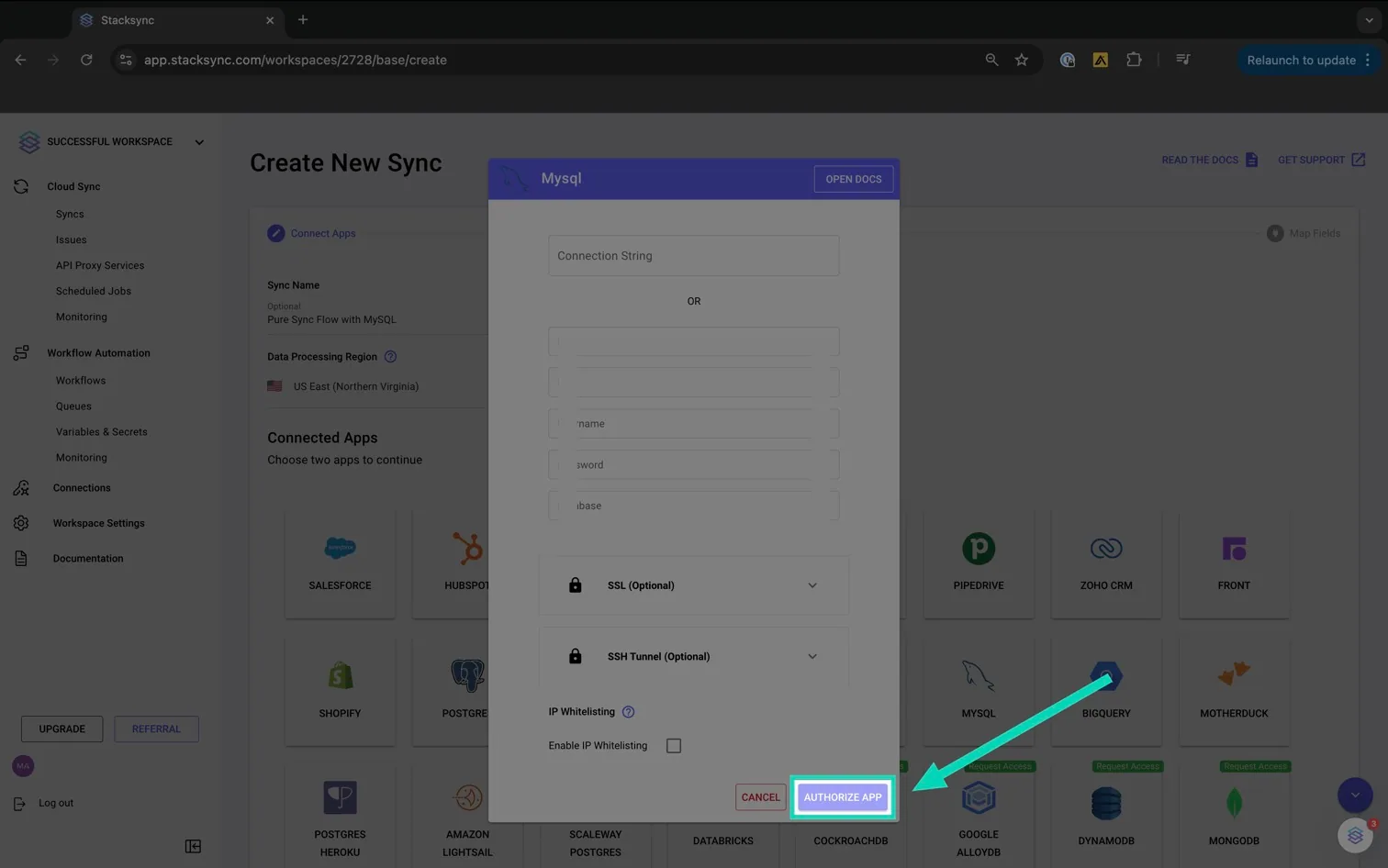
**5. Click 'Authorize App'**

<figure><img src="/files/tZNSNYO4DZ5jqbfpNmdi" alt=""><figcaption></figcaption></figure>

If you have any questions or need further assistance, reach out to us at <hello@stacksync.com>. We’re here to help ensure a seamless and secure database connection setup.


---

# Agent Instructions: Querying This Documentation

If you need additional information that is not directly available in this page, you can query the documentation dynamically by asking a question.

Perform an HTTP GET request on the current page URL with the `ask` query parameter:

```
GET https://docs.stacksync.com/two-way-sync/connectors/mariadb/authorize-mariadb.md?ask=<question>
```

The question should be specific, self-contained, and written in natural language.
The response will contain a direct answer to the question and relevant excerpts and sources from the documentation.

Use this mechanism when the answer is not explicitly present in the current page, you need clarification or additional context, or you want to retrieve related documentation sections.