> For the complete documentation index, see [llms.txt](https://docs.stacksync.com/llms.txt). Markdown versions of documentation pages are available by appending `.md` to page URLs; this page is available as [Markdown](https://docs.stacksync.com/two-way-sync/connectors/sql-server/authorize-sql-server.md).

# Authorize SQL Server

Authorize your Microsoft SQL Server database and start syncing data with Stacksync

### Adding Credentials to Stacksync <a href="#adding-credentials-to-stacksync" id="adding-credentials-to-stacksync"></a>

#### 1. Select SQL Server in the Create New Sync page in Stacksync.
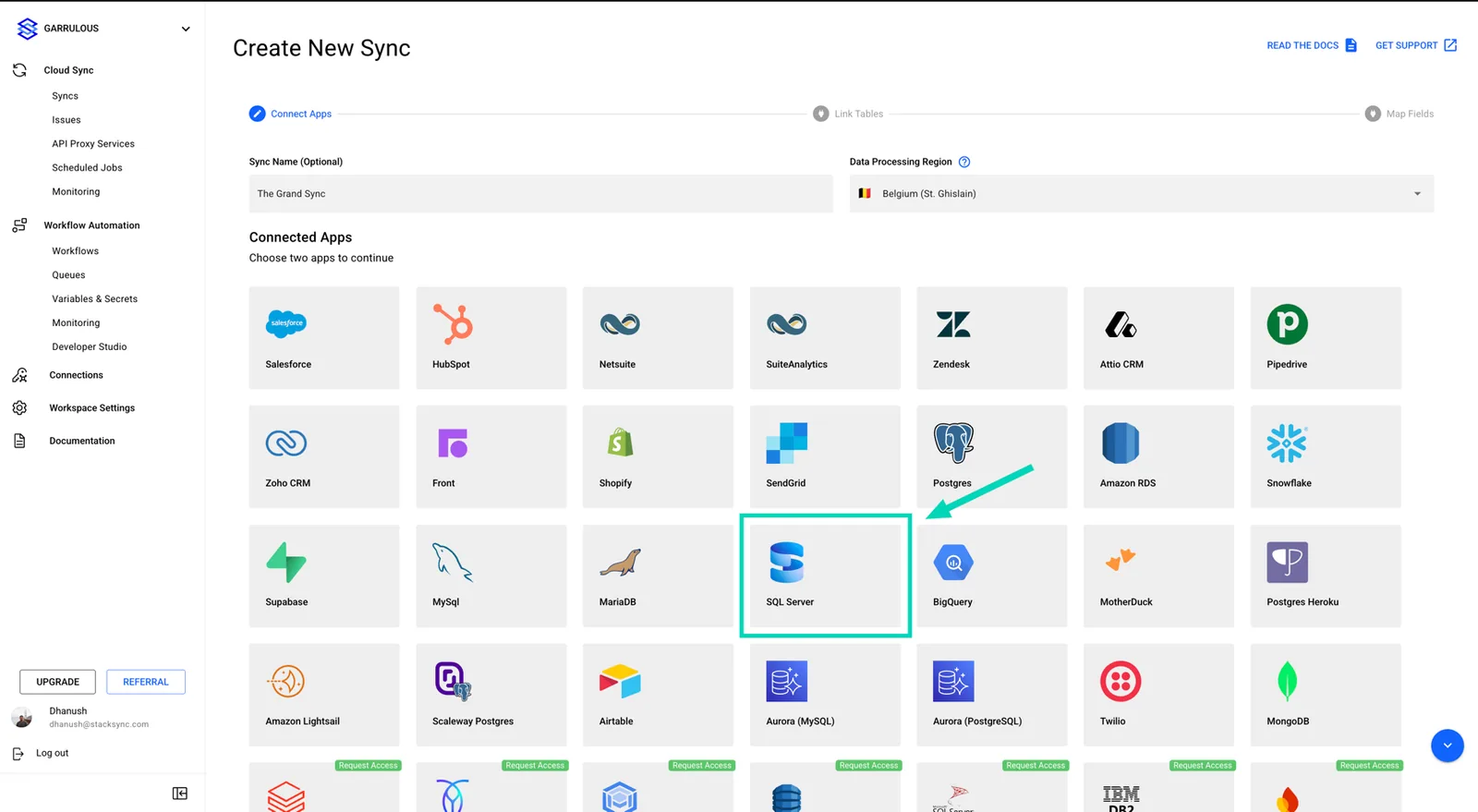
<figure><img src="https://2867423571-files.gitbook.io/~/files/v0/b/gitbook-x-prod.appspot.com/o/spaces%2FfJjIdV9cuW6K8asJjTPJ%2Fuploads%2Fvt0pK95Rj3AifpOC6BXg%2Fimage.png?alt=media&amp;token=c1662385-08dd-45ed-b0d8-15879ae3439a" alt=""><figcaption></figcaption></figure>

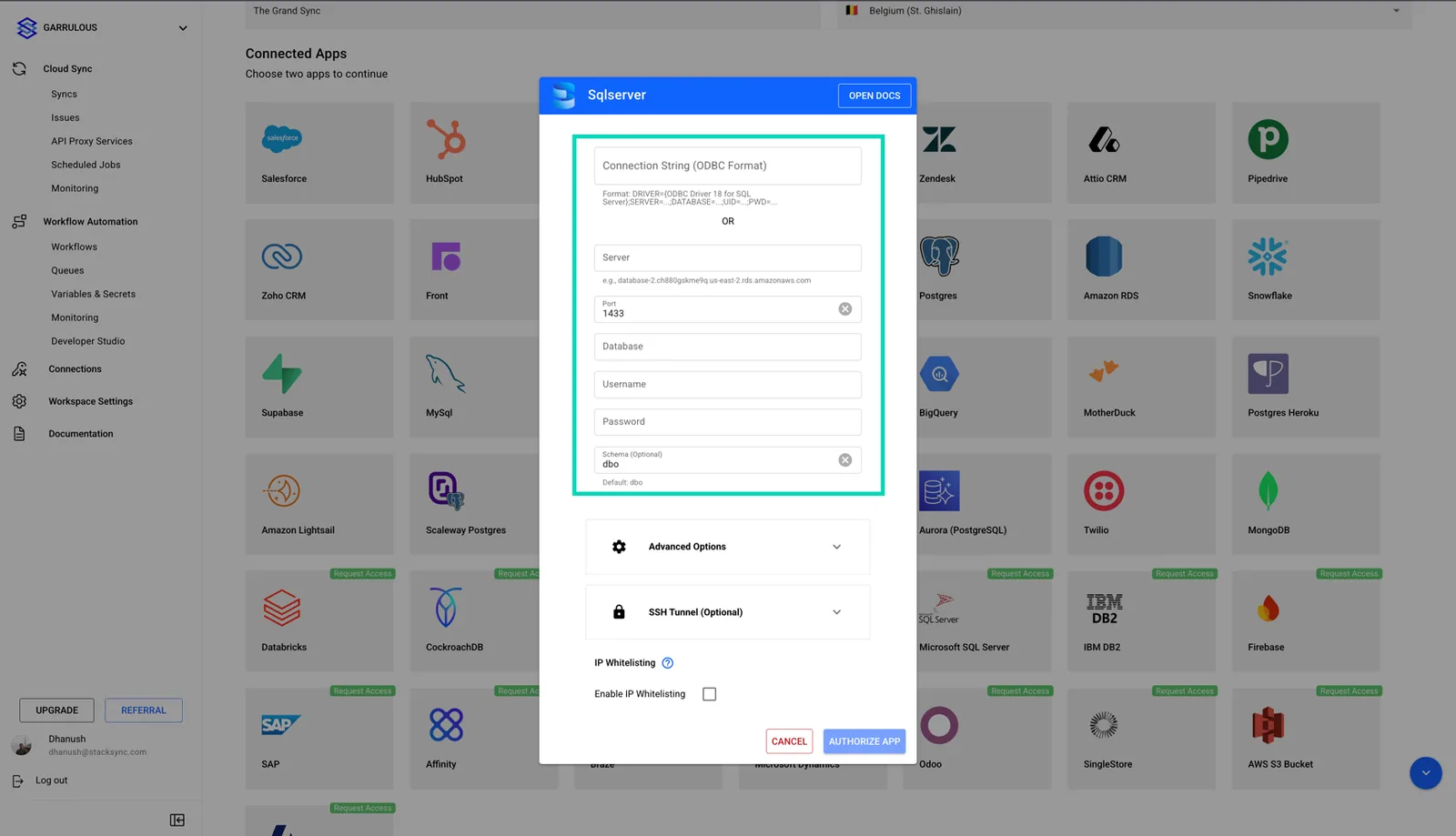
**2. Add your SQL Server credentials as Connection String or as Parameters.**

<figure><img src="https://2867423571-files.gitbook.io/~/files/v0/b/gitbook-x-prod.appspot.com/o/spaces%2FfJjIdV9cuW6K8asJjTPJ%2Fuploads%2FO9tahJiBbfsCxVVvYtpQ%2Fimage.png?alt=media&amp;token=8891b349-991d-4d7e-9b87-8578b20093f4" alt=""><figcaption></figcaption></figure>

If you have any questions or need further assistance, reach out to us at <hello@stacksync.com>. We’re here to help ensure a seamless and secure database connection setup.