> For the complete documentation index, see [llms.txt](https://docs.stacksync.com/llms.txt). Markdown versions of documentation pages are available by appending `.md` to page URLs; this page is available as [Markdown](https://docs.stacksync.com/two-way-sync/connectors/shopify/authorize-shopify-1.md).
# Updating Scopes
In 4 minutes, authorize your Shopify app and start syncing data with Stacksync.
#### Requirements
* You need to be the Shopify administrator
#### 1. **Login to Shopify Dev Dashboard:**
1. **Go to Shopify Dev Dashboard:** [**https://dev.shopify.com/dashboard**](https://dev.shopify.com/dashboard)
2. **Select Your Installed App**
3. #### Click on New Version
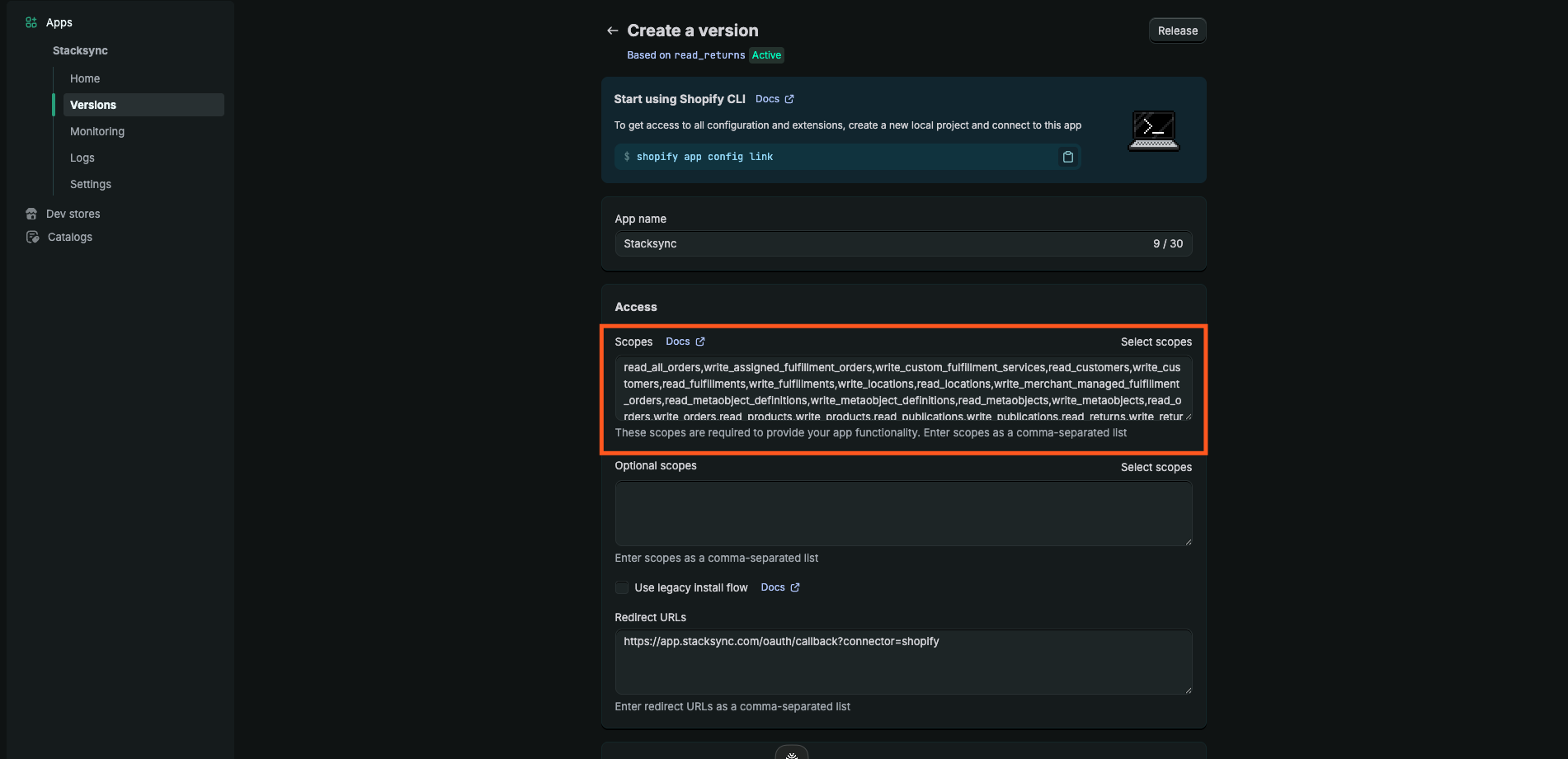
4. **Add additional required API scopes.**
5. **Click Release**
6. **Go to Home -> Click Install App**\
Follow the prompt to update scopes, then reinstall the app so the new scopes are applied to the existing App.
You are all set! You can now use sync your Shopify data to other apps through Stacksync's syncs! :tada: