> For the complete documentation index, see [llms.txt](https://docs.stacksync.com/llms.txt). Markdown versions of documentation pages are available by appending `.md` to page URLs; this page is available as [Markdown](https://docs.stacksync.com/two-way-sync/connectors/front/authorize-front.md).

# Authorize Front

Connecting to Front is done without any coding required in a few steps.

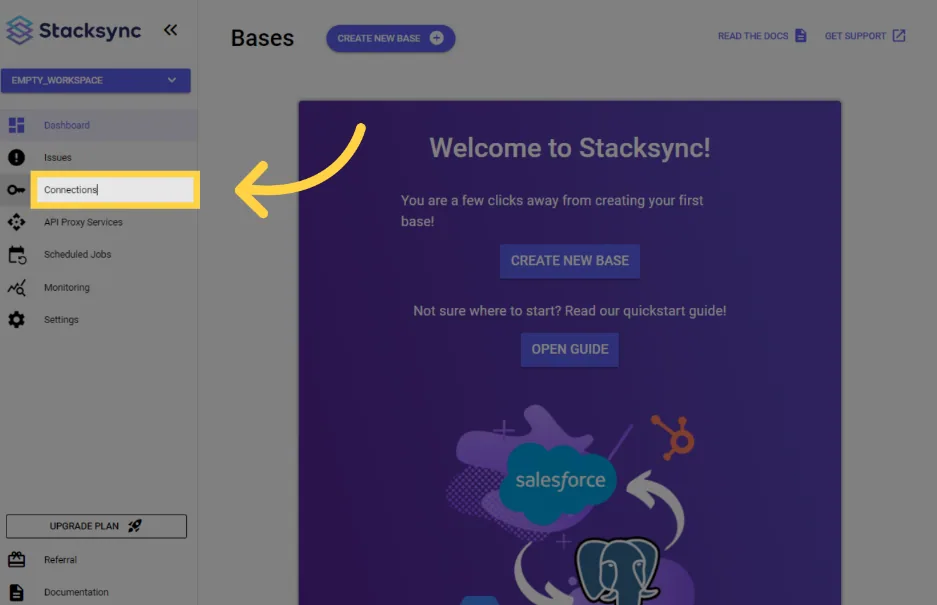
#### 1. Click on "Connections"

<figure><img src="/files/mEl0RqVDxmihPdvfxJUu" alt=""><figcaption></figcaption></figure>

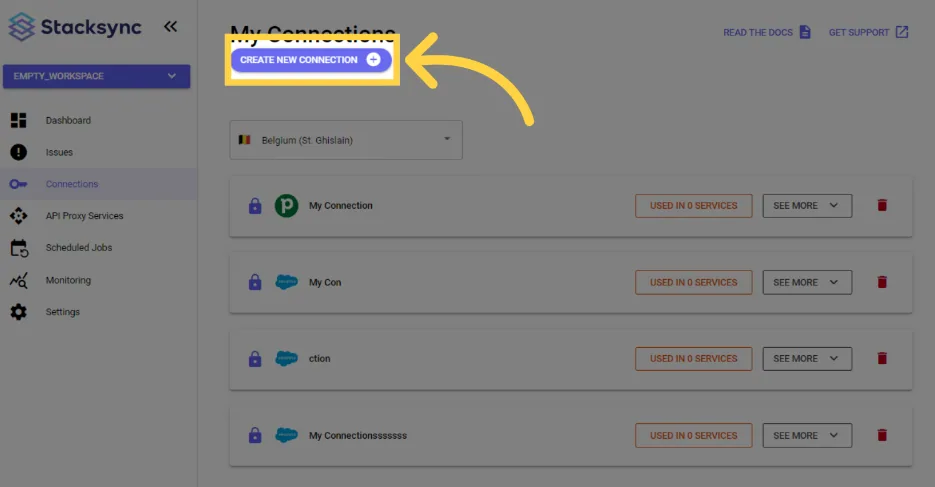
#### 2. Click "create new connection"

<figure><img src="/files/Mr1KR6LD0ZxPU67fYMzf" alt=""><figcaption></figcaption></figure>

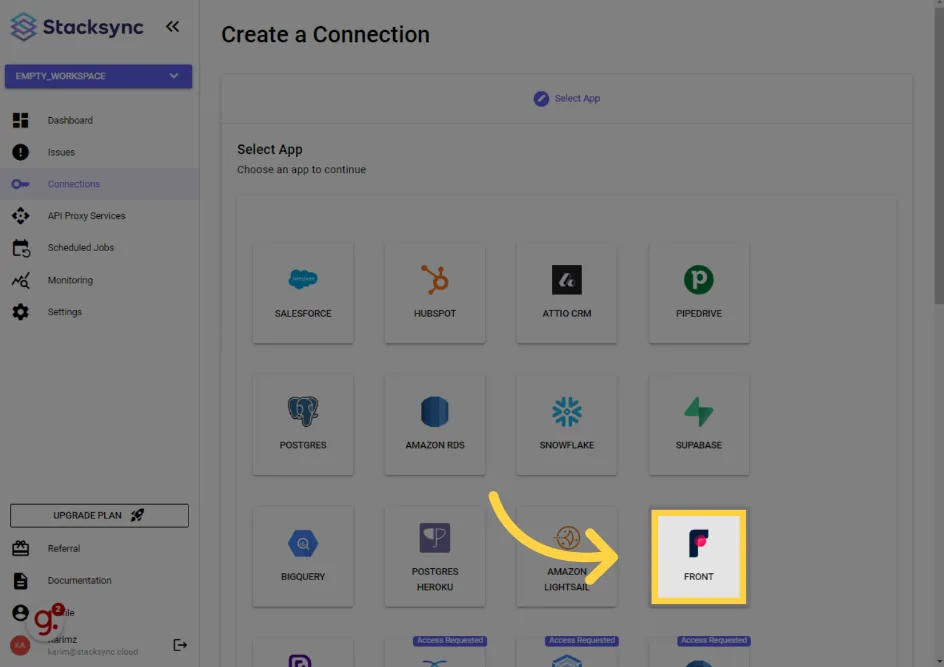
#### 3. Click "Front"

<figure><img src="/files/3Q7R9saDuBk7Icdq4q4d" alt=""><figcaption></figcaption></figure>

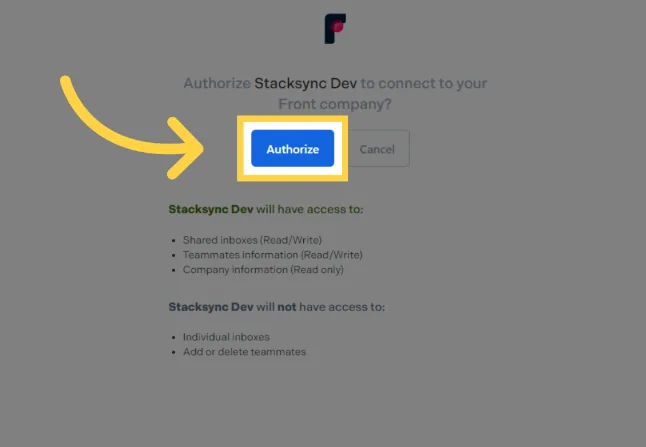
#### 4. Click "Authorize"

<figure><img src="/files/LN1t99IhwYX5w8jgQCVX" alt=""><figcaption></figcaption></figure>

That's it! Your Front instance is now connected to Stacksync!🎉