

Deploy from GitHub
Deploy an app from a GitHub repository, release changes after a merge, and optionally send runtime variables from your pipeline.
A repository should be enough to start deploying an application. EOS can build your app directly from GitHub, publish its first version from the dashboard, and deploy future changes when a pull request is merged into your chosen branch. You do not need a terminal or a GitHub Actions workflow for this flow.
Choose a deployment mode
| Mode | What starts a deployment | Where runtime variables come from |
|---|---|---|
| Deploy on merge — no workflow required | A GitHub App webhook after a pull request is merged into the configured branch. | Variables already saved in EOS. |
| Deploy from pipeline — send variables | The generated GitHub Actions workflow submits the merged commit and selected values to EOS. | Your pipeline supplies the configured names; other saved EOS variables are retained. |
| Deploy now from current GitHub repository | You choose to deploy the current state of the saved branch, before another merge. | Saved EOS variables. Values available only in a pipeline are not loaded. |
Terminal deployments and redeploying a retained version from Deployments remain available. Each EOS app has one configured GitHub repository and target branch. A direct push to the branch is not a merged pull request and does not trigger the default merge flow.
Before you start
Sign in to a claimed EOS workspace. Creating an app requires workspace membership; configuring an existing app requires Editor or Owner access. Your GitHub account must be able to authorize the Stacksync GitHub App for the repository. An organization may require an owner to approve the installation or repository access.
The GitHub App needs read access to repository contents and pull requests. EOS checks both the app installation's access and your GitHub account's access when you choose a repository.
Create an app without the terminal
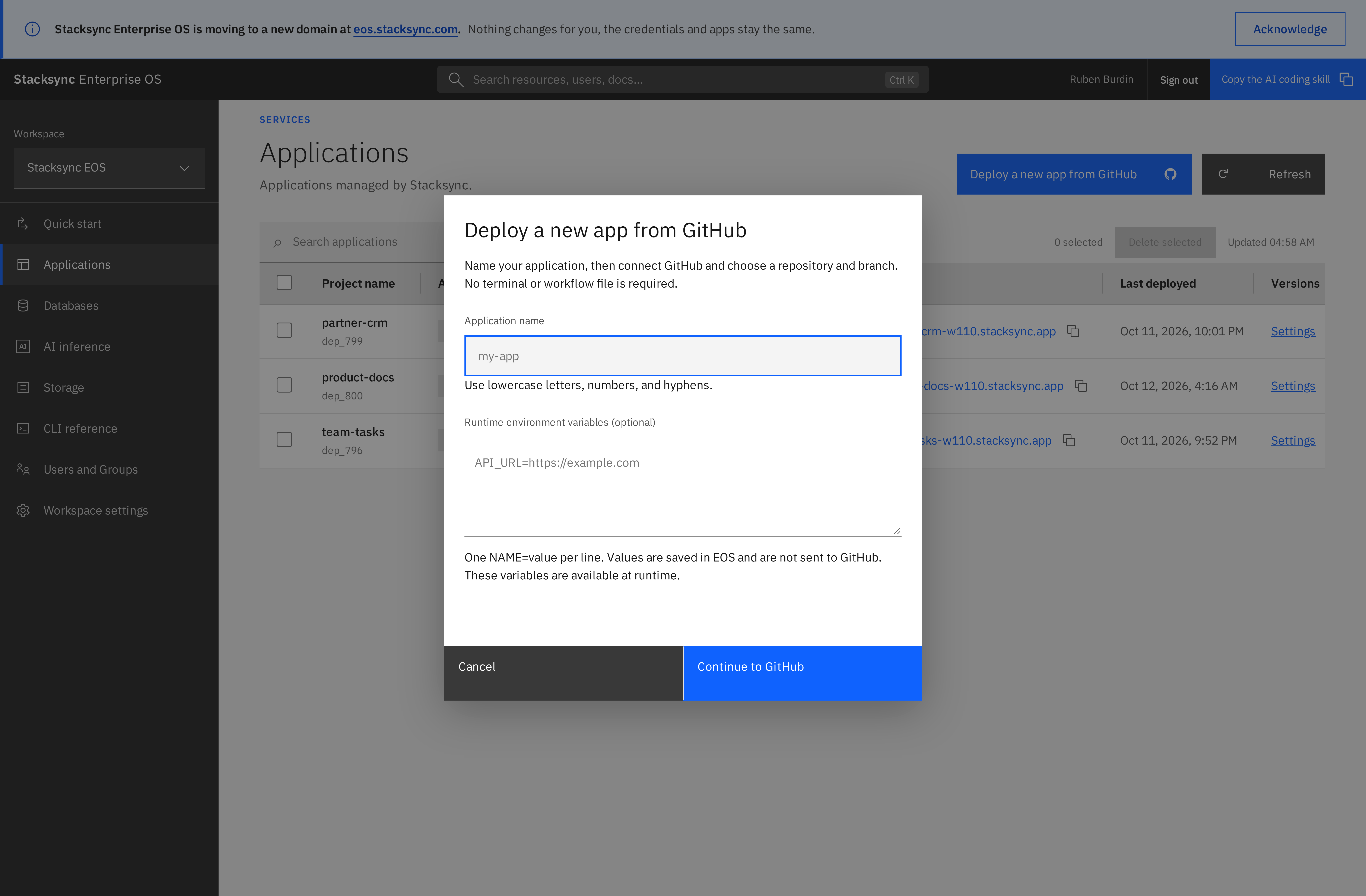
- Open Applications and select Deploy a new app from GitHub.
- Enter an application name using lowercase letters, numbers, and hyphens.
- Optionally enter runtime variables, one
NAME=valueper line. EOS stores these values; they are not sent to GitHub or committed to your repository. - Select Continue to GitHub and authorize access with the GitHub account you want to use. If no installation is available, use Install GitHub App and grant access to the repository.
- Return to the app's Deploy from GitHub tab and select the repository and target branch.
- Leave Application directory as
.for the repository root, or enter a relative subdirectory such asapps/portal. - Choose Deploy on merge — no workflow required, leave automatic deployments enabled, and select Save configuration.
- In the prompt, select Deploy now from current GitHub repository to publish the branch's current state. You can instead wait for the next merge.
Creating the app reserves its configuration; it does not start a build until you explicitly deploy or an enabled trigger runs.
Connect an existing app
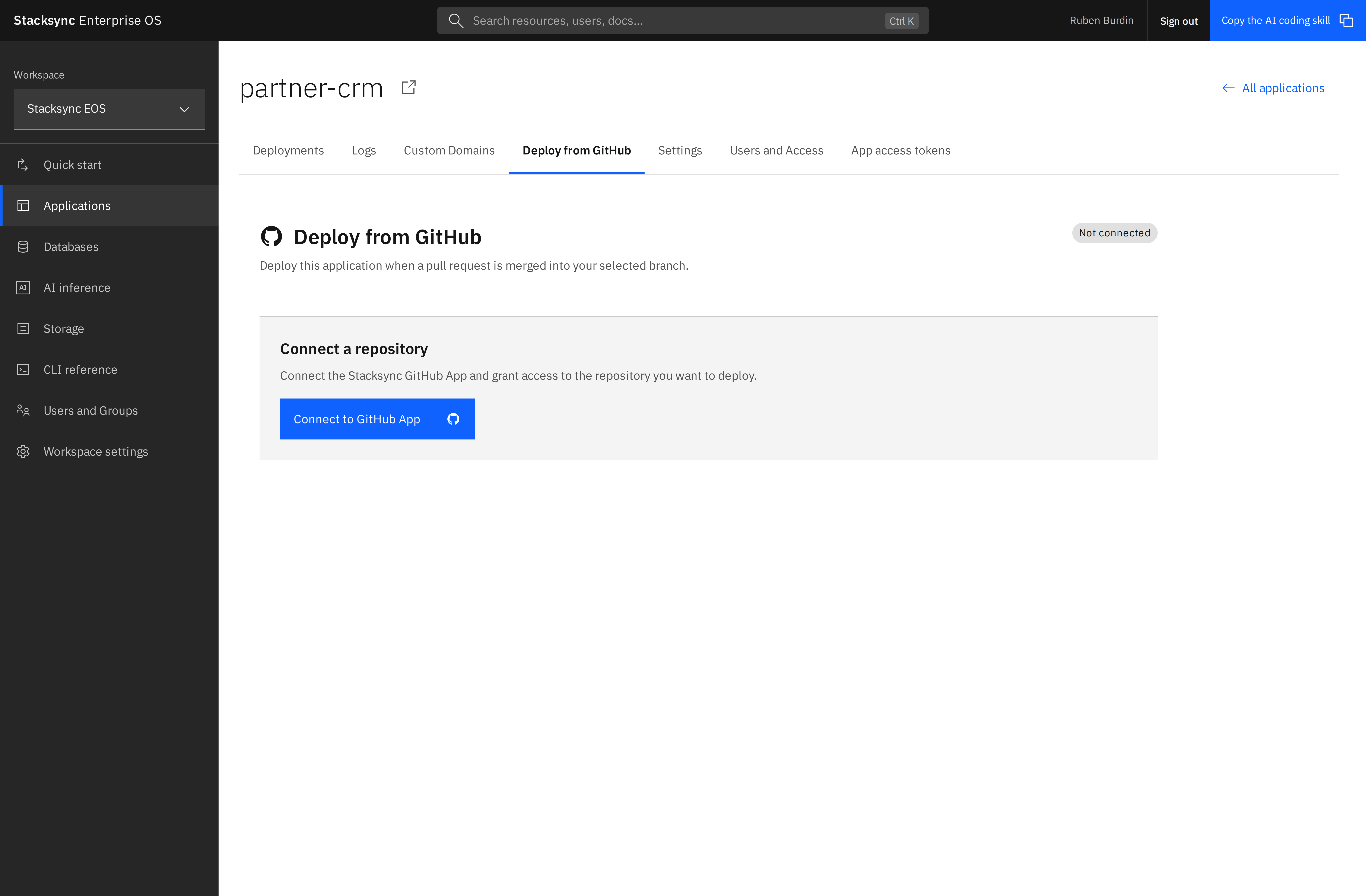
Open Applications → your application → Deploy from GitHub, then select Connect to GitHub App. Authorize GitHub, select the repository and branch, and save the configuration. Existing installations are reused; you do not need to install the App again for each EOS application.
Save configuration stays disabled until valid settings differ from the saved configuration. Saving a new or changed configuration offers an immediate deployment. Saving alone does not deploy, and declining the prompt keeps the saved configuration for future merges.
Add repository access
Select Add repositories in a connected app. EOS opens the existing GitHub installation's settings in a new tab. Add the repositories under repository access, save on GitHub, and return to EOS. Repository and branch dropdowns refresh automatically when you return or interact with them; valid selections and unsaved form edits are preserved.
Adding access does not change an app's saved repository. Select the newly available repository and branch, then save to change that application's deployment source. If GitHub authorization has expired, disconnect and reconnect to renew repository selection. Disconnecting stops future GitHub deployments for that app and leaves its running version available.
Deploy after a merge
With Deploy on merge enabled, merging a pull request into the selected target branch sends a signed GitHub webhook to EOS. EOS fetches the exact merged commit, builds the configured application directory, and deploys it with the saved runtime variables. No workflow file or EOS API key is required in the repository.
Use Recent GitHub deployments to follow the commit and deployment request. Open Deployments for version details and build output. The previous successful revision remains Healthy and serving traffic while a new revision builds, fails, or is cancelled. The green badge moves after the new deployment succeeds. An app with no successful deployment has no serving revision yet.
To pause future automatic deployments, clear Enable automatic deployments and save. Explicit manual deployments remain available. Changing or disconnecting the GitHub configuration invalidates work queued against the old configuration.
Environment variables without committing secrets
For the default merge flow, save variables in EOS when creating the app or manage them through the deployment's Environment tab. GitHub only notifies EOS about the merge; it does not need to store or send those values.
If your deployment pipeline already loads configuration from a secret manager or another approved source, use Deploy from pipeline — send variables:
- Select pipeline mode in Deploy from GitHub.
- Enter only the variable names to receive from the pipeline, one per line, and save.
- Select View workflow or Download workflow. Save the generated file as
.github/workflows/eos-deploy.ymlon the selected branch. - Add your existing configuration-loading step before Submit to EOS. Make the selected values available to that step through its environment or GitHub Actions'
GITHUB_ENVmechanism. Keep secret values out of logs and source control. - Merge a pull request into the configured branch. The workflow authenticates to EOS with a short-lived GitHub OIDC identity and submits the commit and selected runtime values.
You can use GitHub Actions secrets if that is your chosen secret store, but they are not required. EOS receives values from the running workflow; it does not read secret values back from GitHub's settings. The configured names must match the submitted values. Other saved EOS variables are retained.
In pipeline mode, merge webhooks do not start a second deployment. A successful Submit to EOS step means the request was queued; follow the actual build in EOS. Update the generated workflow after changing the target branch or variable names. Fork-originated pull requests can be subject to GitHub Actions permission restrictions; check that the workflow can obtain its OIDC identity and run its configuration-loading step.
These are runtime variables. They are not injected into compilation or frontend bundles. An explicit Deploy now from current GitHub repository uses saved EOS values, even in pipeline mode; it does not execute your workflow to retrieve new values.
Use the CLI
Requires EOS CLI 5.4.1 or later. Run eos update, sign in, and select the intended workspace. APP accepts an app name or numeric ID.
eos app github create partner-portal --variables-file runtime-variables.json
eos app github connect partner-portal
eos app github repositories partner-portal --json
eos app github branches partner-portal REPOSITORY_ID --json
connect opens the app's GitHub tab. Complete authorization in the browser with the same EOS account as the CLI. This keeps GitHub consent and browser authentication interactive; an API token alone does not authorize a GitHub repository. Use --json to return the browser URL without opening it.
Save a configuration file such as github.json:
{
  "repository_id": "123456789",
  "branch": "main",
  "root_directory": ".",
  "mode": "merge",
  "enabled": true,
  "variable_names": []
}
Replace the example repository ID with one returned by repositories.
eos app github configure partner-portal github.json
eos app github deploy partner-portal
eos app github show partner-portal --json
configure saves settings; deploy explicitly queues the saved branch's current state using saved EOS variables. show returns the connection and recent requests. For pipeline mode, set mode to pipeline, list the expected names in variable_names, and download its workflow:
eos app github workflow partner-portal --output eos-deploy.yml
eos app github disconnect partner-portal
Move the downloaded workflow to .github/workflows/eos-deploy.yml after review. --output refuses to overwrite an existing file. Configuration and runtime-variable JSON inputs also accept - for standard input. Keep variable files private and outside source control.
API and troubleshooting
Management endpoints are scoped to an EOS workspace and require the same permissions as the dashboard:
| Method | Path | Purpose |
|---|---|---|
POST | /api/access/github/apps | Create an app with optional saved runtime variables, without deploying it. |
GET, PUT, DELETE | /api/access/apps/{id}/github | Read, save, or disconnect configuration. |
POST | /api/access/apps/{id}/github/connect | Begin browser-bound GitHub authorization. |
GET | /api/access/apps/{id}/github/repositories | List repositories accessible through the user's current GitHub authorization. |
GET | /api/access/apps/{id}/github/branches?repository_id=ID | List branches for an authorized repository. |
POST | /api/access/apps/{id}/github/deploy | Queue the saved branch's current state; send the saved connection's revision. |
GET | /api/access/apps/{id}/github/workflow | Retrieve the generated workflow for pipeline mode. |
Use the workspace URL prefix /workspace/{workspace_id} or the supported workspace header for management calls. See the current EOS OpenAPI specification for request schemas. The webhook, OAuth callback, and pipeline-submission endpoints use their respective GitHub authentication mechanisms; they are not ordinary personal-token deployment endpoints.
- A repository is missing: check GitHub installation access and your own repository permissions, then return to EOS. Renew expired authorization by reconnecting.
- A merge did not deploy: check the saved target branch, automatic-deployment setting, installation access, and selected mode. Pipeline mode also requires its workflow to complete submission.
- Manual deployment was rejected after changing settings: save or reload the configuration and retry. EOS checks its revision to avoid deploying with stale settings.
- The build failed: inspect Deployments and confirm the application directory, manifests, start command, and use of the supplied
PORT. - Source retrieval failed: check installation access and repository size. Git submodules and Git LFS files are not supported by this GitHub source flow.