> For the complete documentation index, see [llms.txt](https://docs.stacksync.com/llms.txt). Markdown versions of documentation pages are available by appending `.md` to page URLs; this page is available as [Markdown](https://docs.stacksync.com/connectors/shopify/authorize-shopify-1.md).

# Updating Scopes

In 4 minutes, authorize your Shopify app and start syncing data with Stacksync.

#### Requirements

* You need to be the Shopify administrator

#### 1. **Login to Shopify Dev Dashboard:**

1. **Go to Shopify Dev Dashboard:** [**https://dev.shopify.com/dashboard**](https://dev.shopify.com/dashboard)
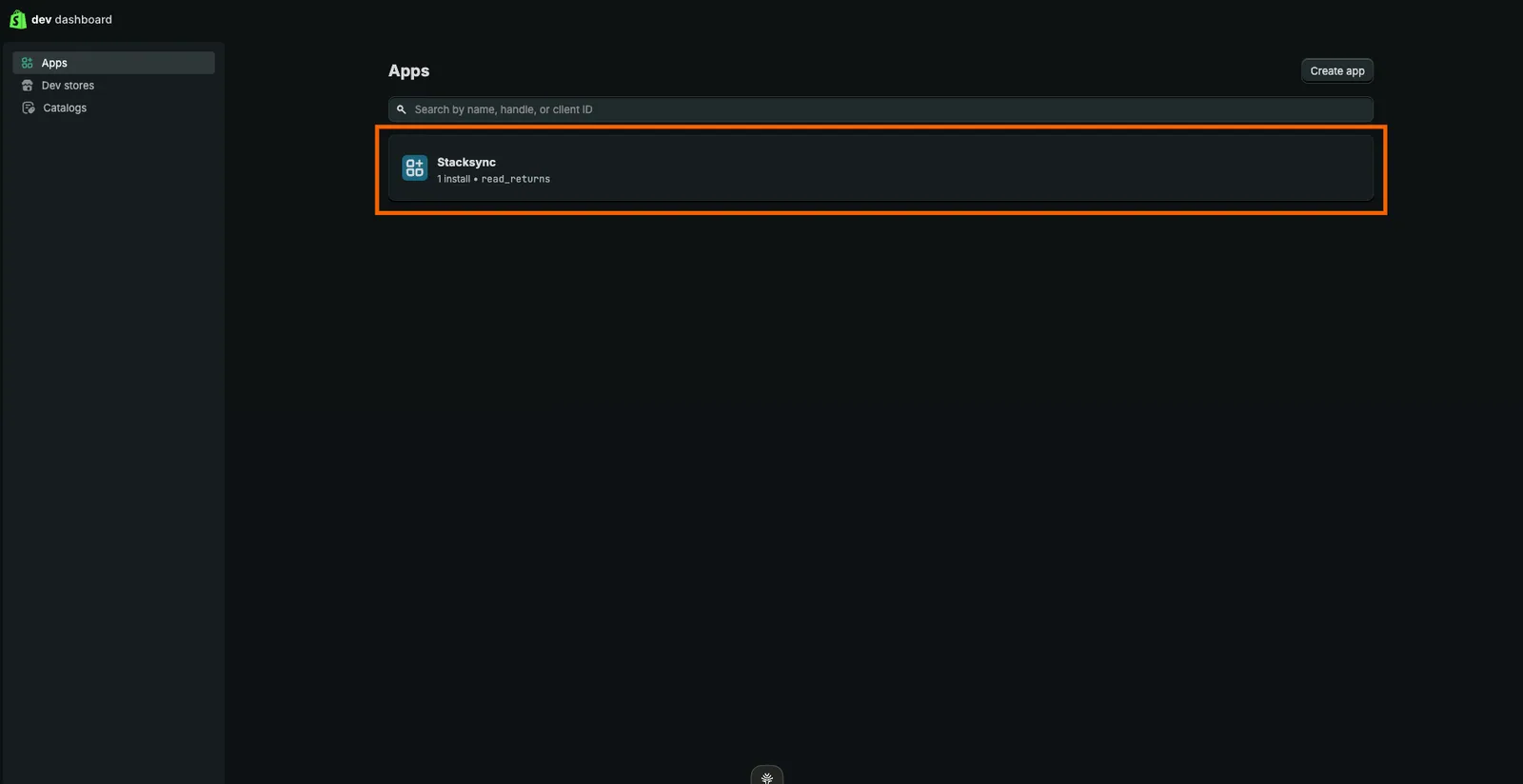
2. **Select Your Installed App**<br>

   <figure><img src="https://3057949906-files.gitbook.io/~/files/v0/b/gitbook-x-prod.appspot.com/o/spaces%2FDSqHwwR8lD3JUWz3E9NH%2Fuploads%2Fgit-blob-ec54f7b7fe7523d2abfcfeb75e72cd72a9bf65e6%2Fimage%20(441).png?alt=media" alt=""><figcaption></figcaption></figure>
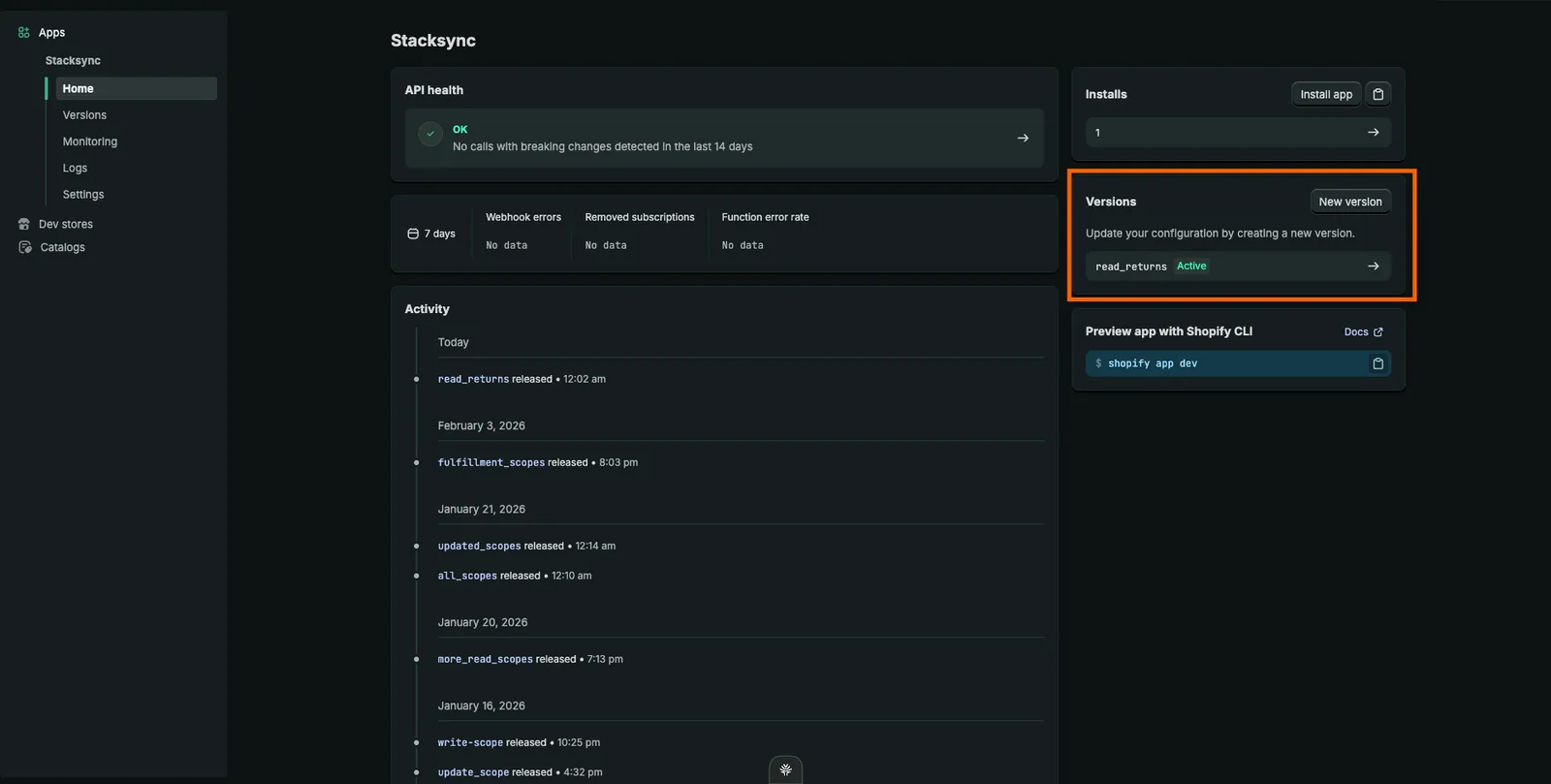
3. #### Click on New Version

   <figure><img src="https://3057949906-files.gitbook.io/~/files/v0/b/gitbook-x-prod.appspot.com/o/spaces%2FDSqHwwR8lD3JUWz3E9NH%2Fuploads%2Fgit-blob-fe1a34d6aa2c054f91695e236f08860909b09c7a%2Fimage%20(442).png?alt=media" alt=""><figcaption></figcaption></figure>
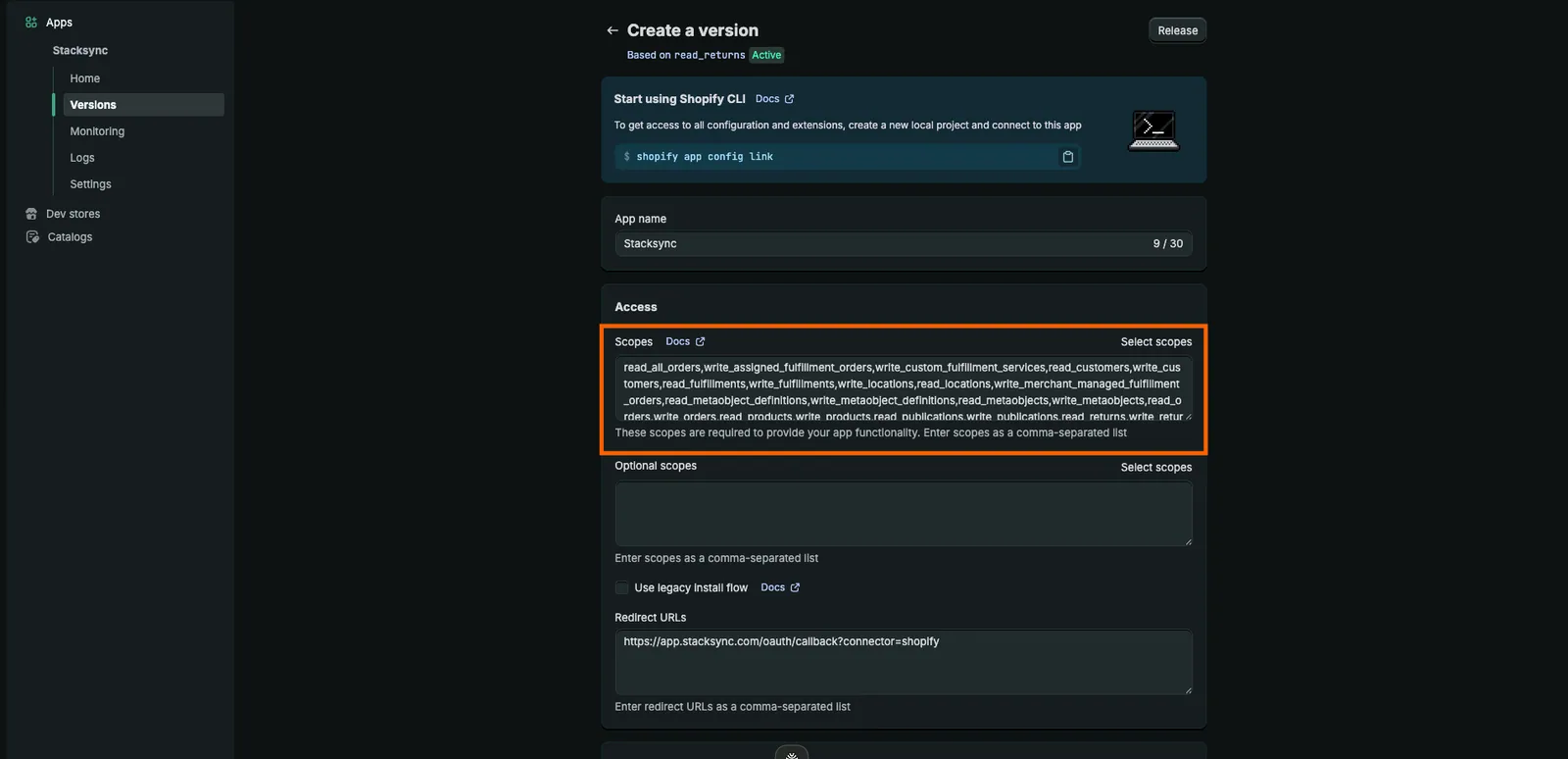
4. **Add additional required API scopes.**<br>

   <figure><img src="https://3057949906-files.gitbook.io/~/files/v0/b/gitbook-x-prod.appspot.com/o/spaces%2FDSqHwwR8lD3JUWz3E9NH%2Fuploads%2Fgit-blob-4d6dd3dc5c12ef862f7f6087e1a63d14b50a22d8%2Fimage%20(446).png?alt=media" alt=""><figcaption></figcaption></figure>
5. **Click Release**<br>
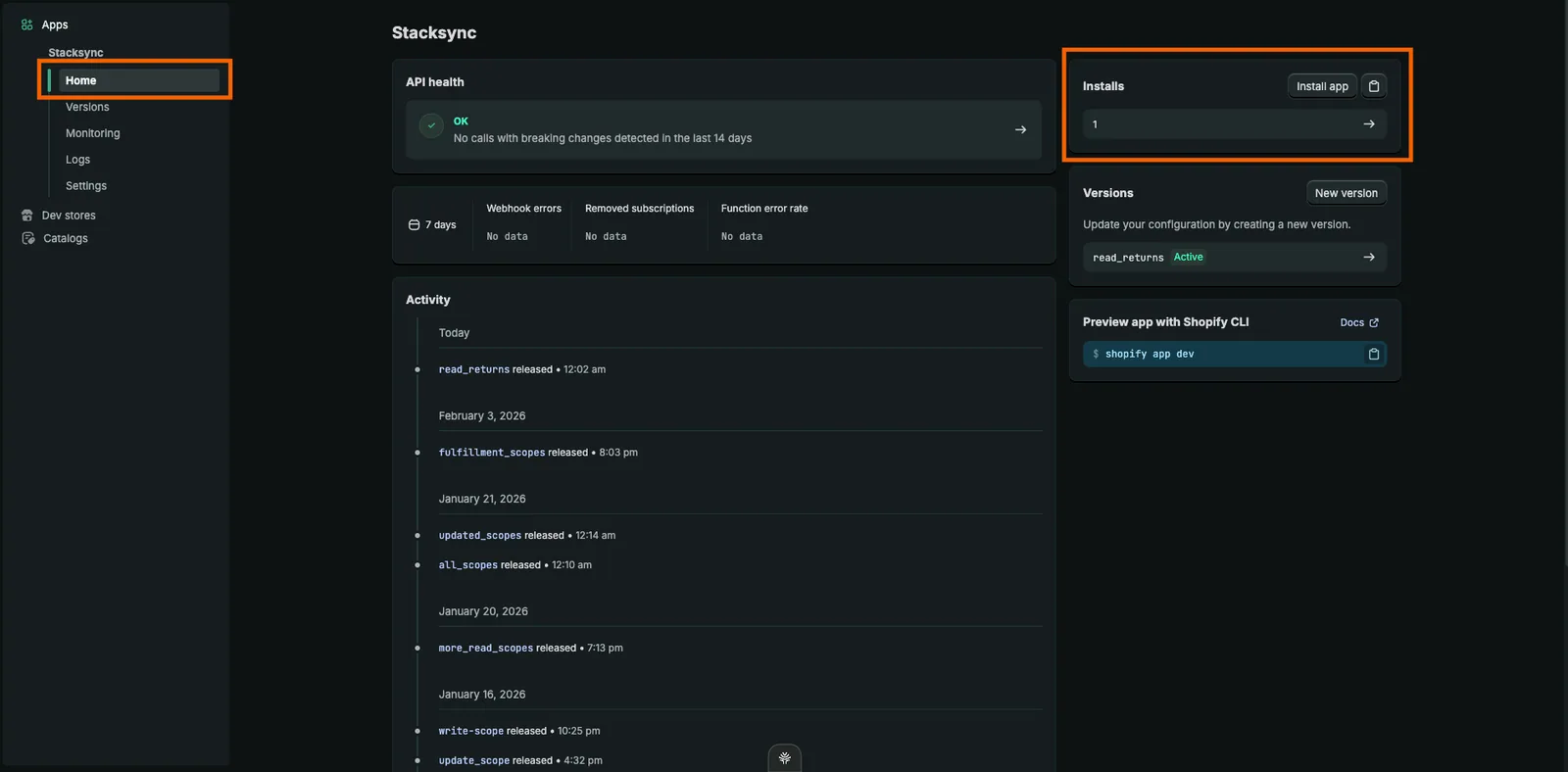
6. **Go to Home -> Click Install App**\
   Follow the prompt to update scopes, then reinstall the app so the new scopes are applied to the existing App.<br>
   <figure><img src="https://3057949906-files.gitbook.io/~/files/v0/b/gitbook-x-prod.appspot.com/o/spaces%2FDSqHwwR8lD3JUWz3E9NH%2Fuploads%2Fgit-blob-ceb3c34372d67ab338c874de7577e61b788a7699%2Fimage%20(445).png?alt=media" alt=""><figcaption></figcaption></figure>

You are all set! You can now use sync your Shopify data to other apps through Stacksync's syncs! :tada: