

Access Protected Customer Data in Shopify
In a few minutes, configure protected customer data access for your Shopify app and sync Shopify data with Stacksync.
Requirements
- You need to be a Shopify Partner account administrator or have permission to manage the app.
- Your Shopify app must already be created.
- A distribution method must be selected for the app before protected customer data access can be requested.
Why this access is required
Shopify classifies certain data as protected customer data when it contains or provides access to information linked to an individual customer, such as names, email addresses, phone numbers, billing addresses, shipping addresses, or other personal details.
This requirement can apply to any Shopify object that contains or exposes customer data. Without the required approval, Shopify may prevent the app from accessing the affected object and the related table may not be available for sync.
Shopify's protected customer data documentation is available here:
https://shopify.dev/docs/apps/launch/protected-customer-data
1. Open your app in the Shopify Partner Dashboard
- Log in to your Shopify Partner Dashboard.
- Go to App distribution.
- Select All apps.
- Select the app used for your Stacksync connection.
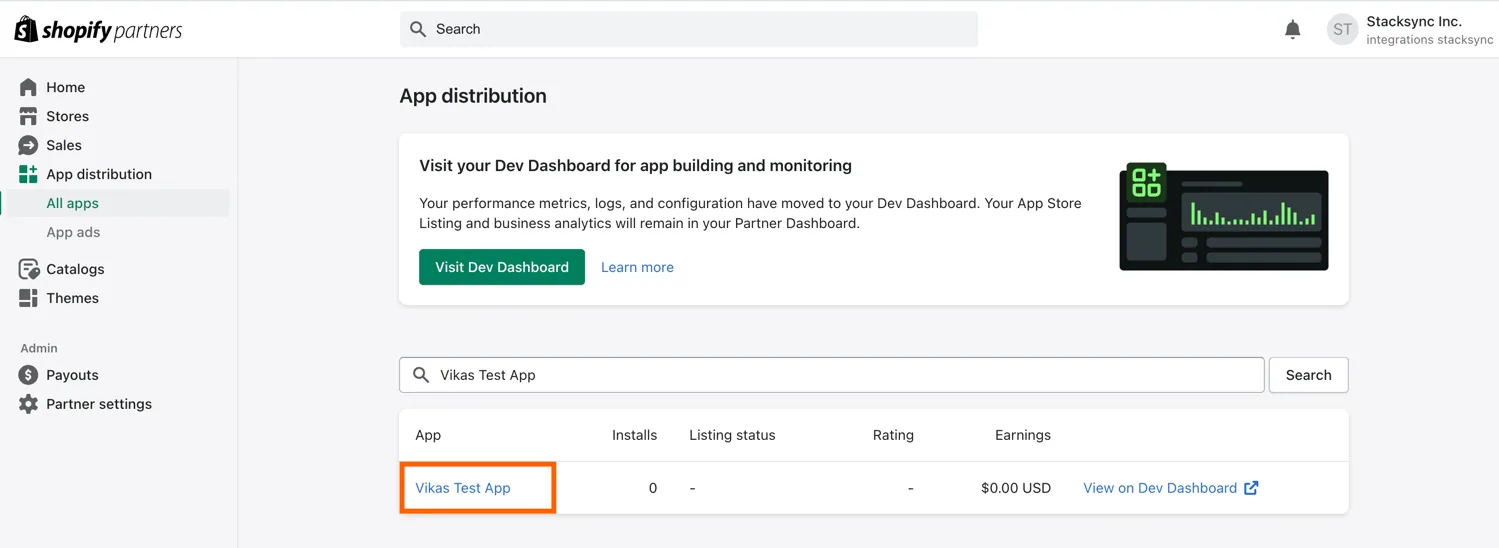
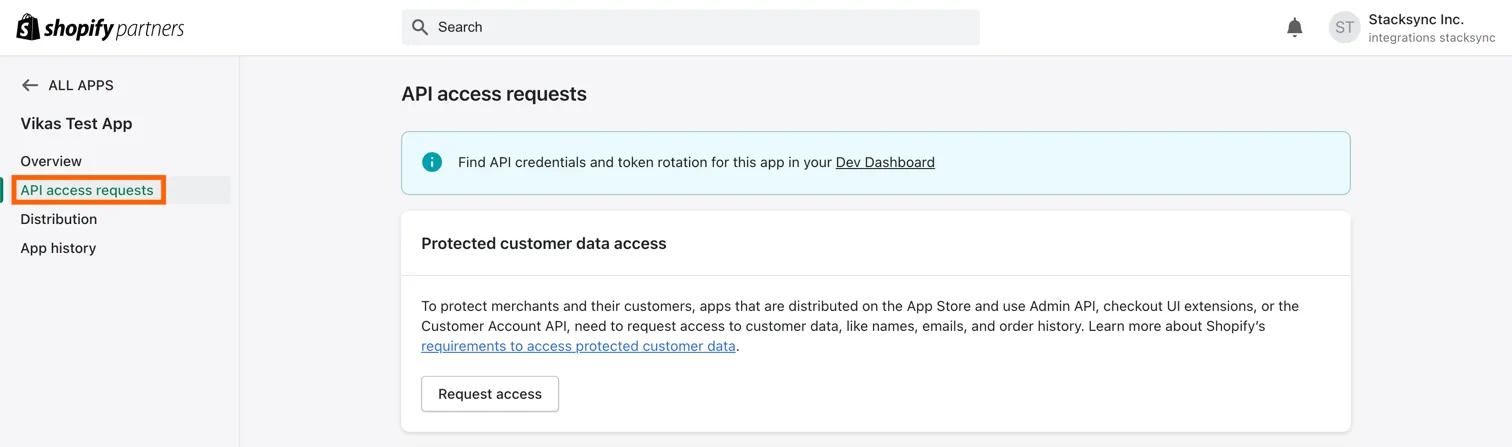
2. Open API access requests
From the app's left sidebar, select API access requests.
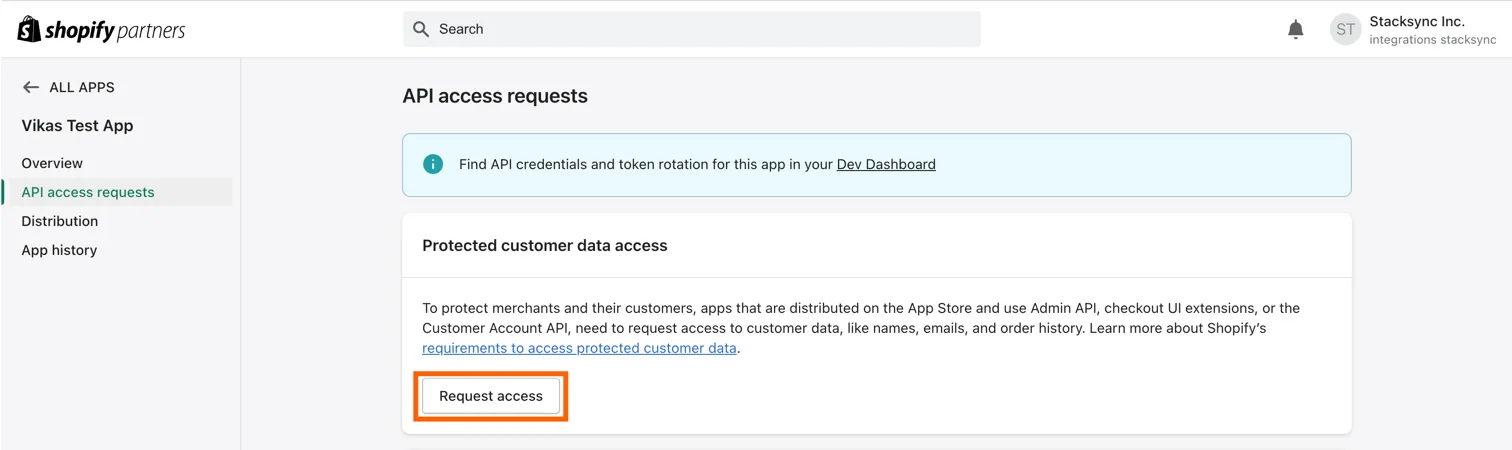
3. Request protected customer data access
Under Protected customer data access, click Request access.
4. Select the required customer data
-
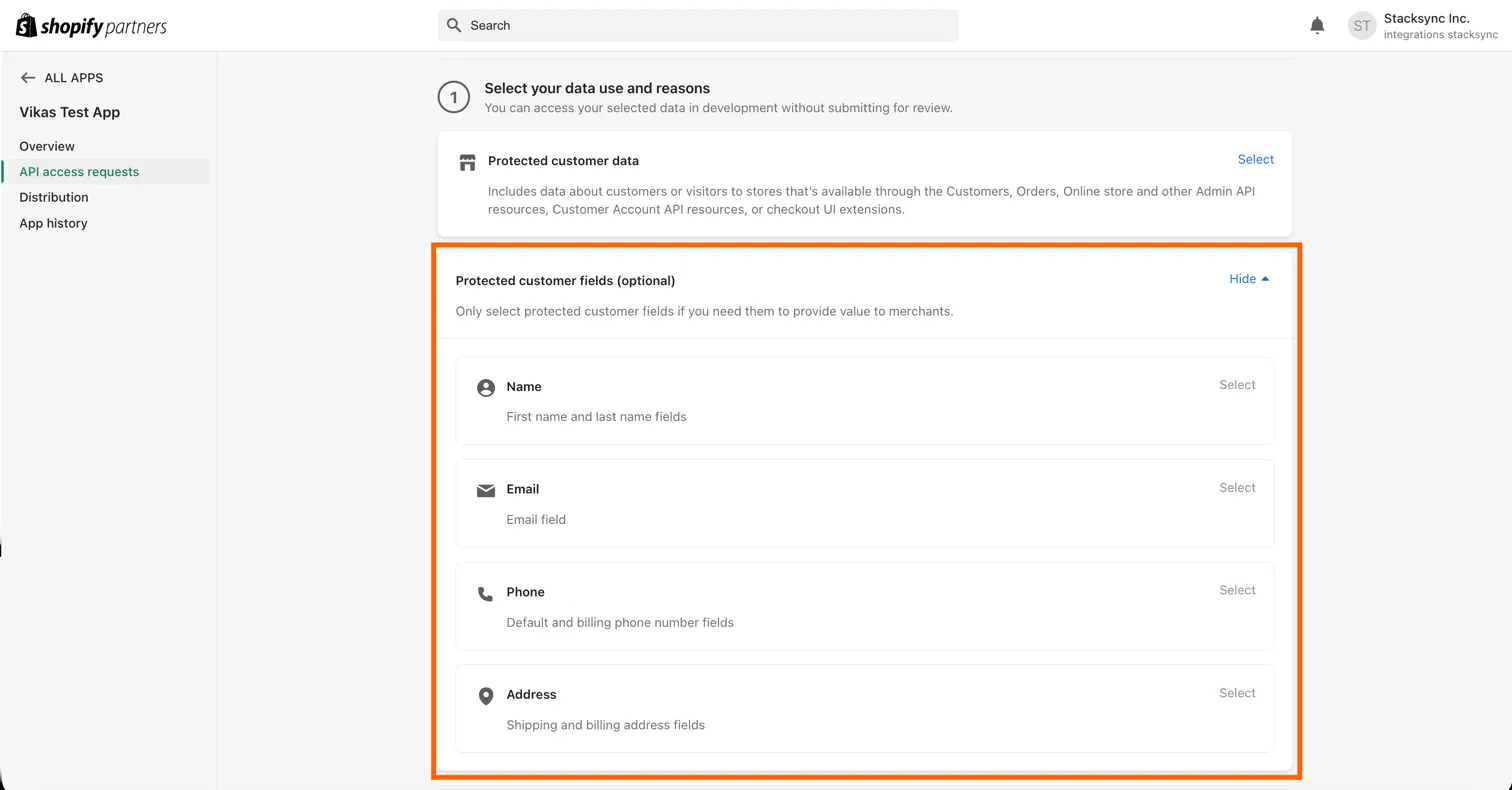
Select Protected customer data.
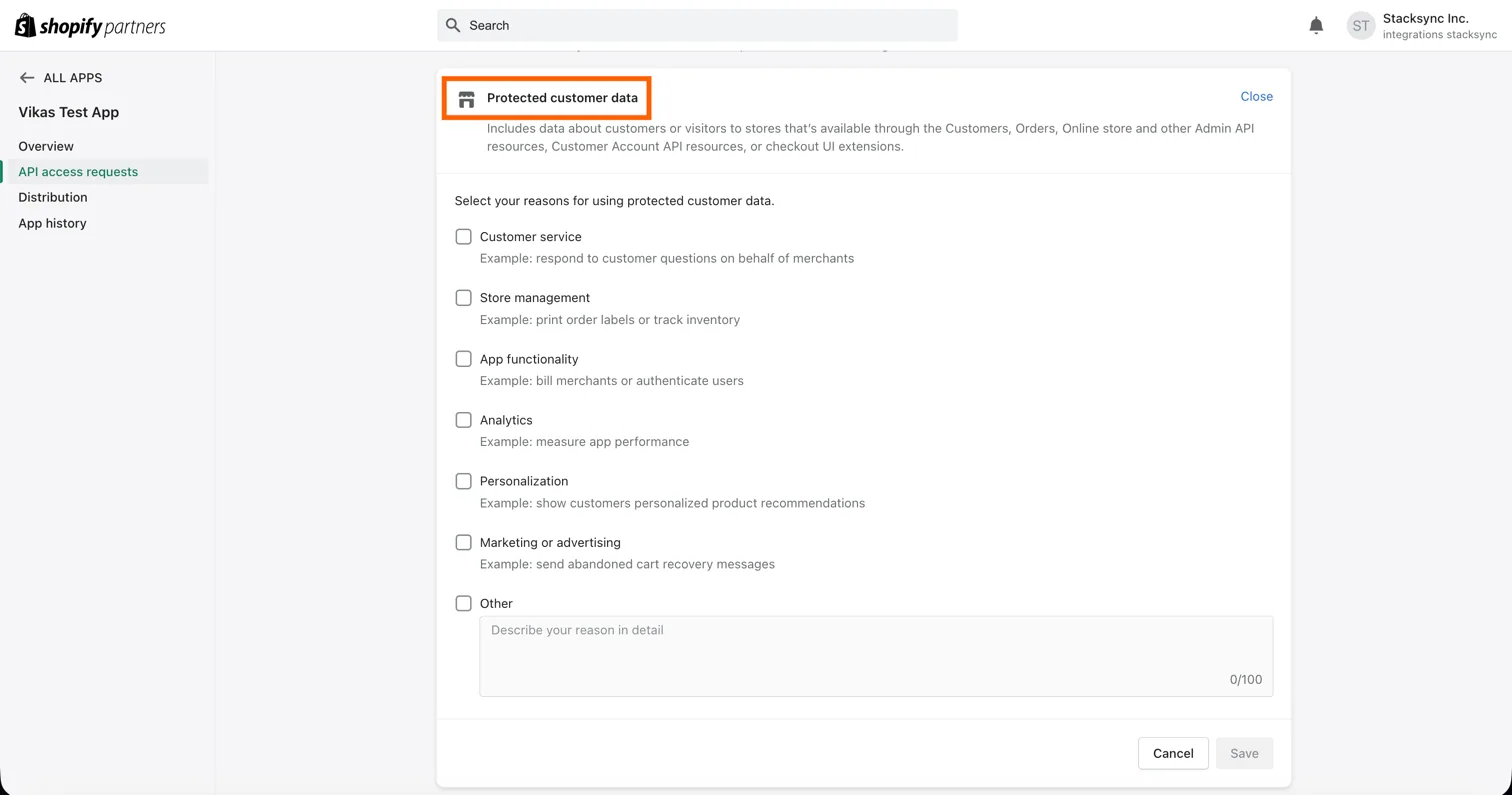
-
Explain why the app needs this data for the Shopify objects you plan to synchronize with Stacksync.
-
Select only the customer fields required by your use case, such as name, address, email, or phone.
-
Complete the requested Data protection details.
-
Save and submit the request when required.
Shopify only returns approved protected fields. Fields that are not approved may be redacted, and requests for unapproved protected objects can return an access error.
5. Create the sync
Once protected customer data access has been granted, return to Stacksync and create your Shopify sync.
The selected Shopify objects will now be able to fetch the approved customer data fields successfully, without protected customer data access errors.
Important notes
- Public apps can require Shopify review before protected customer data is available in production.
- Apps installed only on development stores can access selected customer data for development without submitting the app for review, subject to Shopify's current requirements.
- Request only the minimum customer data and fields needed for the integration.
You are all set! You can now create the sync and fetch the approved customer data fields through Stacksync.