

Add NoteID to an Acumatica Generic Inquiry
Include NoteID in a Generic Inquiry for real-time updates.
Stacksync uses NoteID to identify records in real-time notifications.
1. Open the Generic Inquiry
Open the Acumatica screen for the object you want to sync.
For example, to configure customers:
- Open Customers.
- Select Customization.
- Select Edit Generic Inquiry.

2. Create a Generic Inquiry
Update an existing Generic Inquiry or create a copy.
Create a copy to preserve the original inquiry:
-
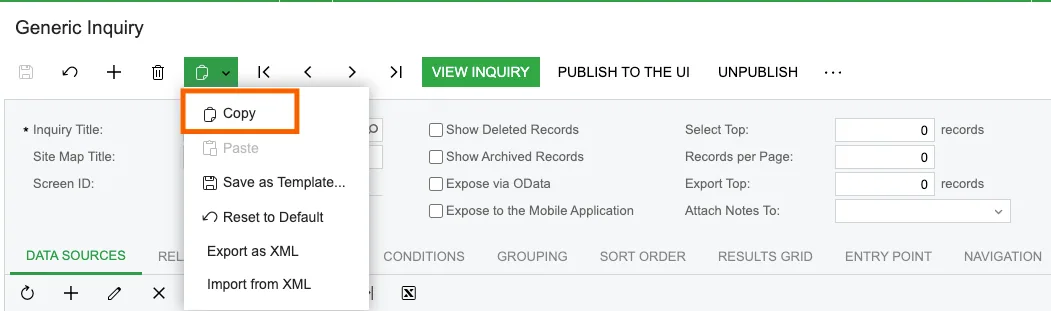
Select the Clipboard icon.
-
Select Copy.
-
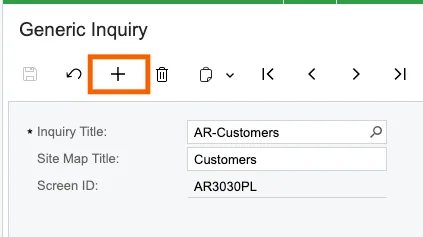
Select + to create a Generic Inquiry.
-
Enter a name for the new inquiry.
-
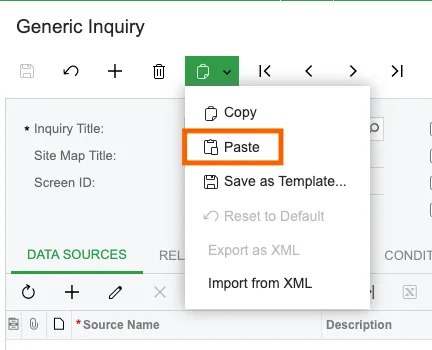
Select the Clipboard icon again.
-
Select Paste.
The inquiry name must end with the object name from your Acumatica endpoint.
For example, Customers is exposed as Customer in Web Service Endpoints.
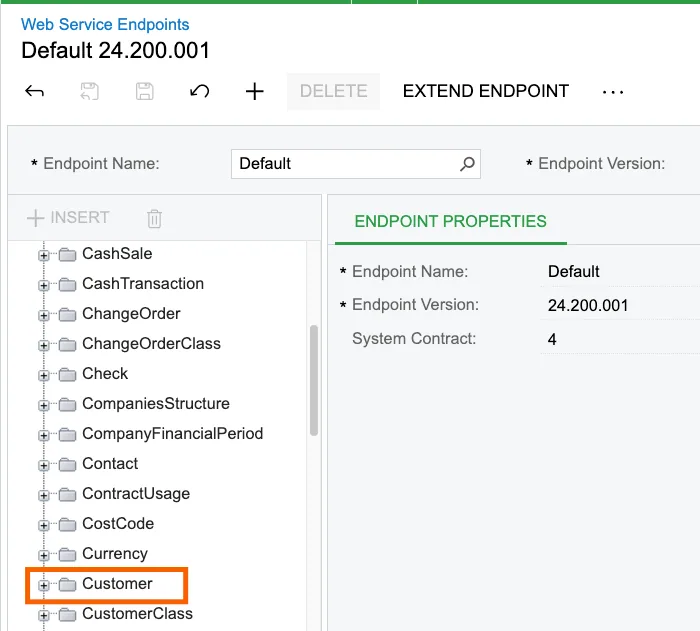
For customers, end the inquiry name with -Customer.
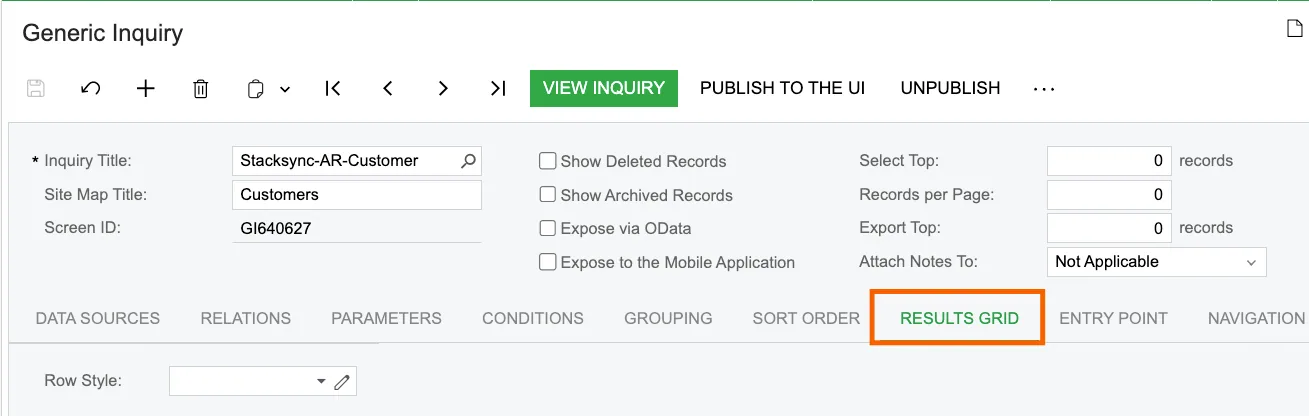
For example: Stacksync-AR-Customer.
3. Add the NoteID field
Open the Generic Inquiry you want to use:
-
Open the inquiry.
-
Open the Results Grid tab.
-
Add the
NoteIDfield for the object. For customers, use:Object: Customer Data Field: NoteID -
Save the Generic Inquiry.
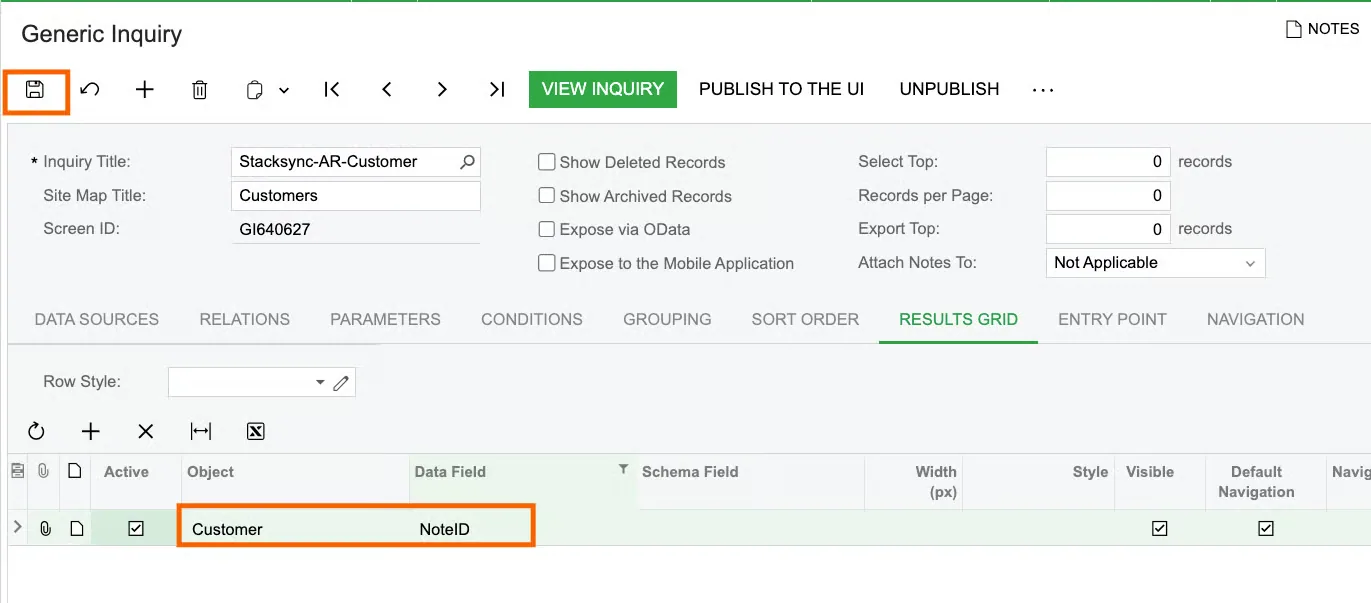
Include NoteID in the inquiry output. Stacksync requires it in the push notification payload.
If you have any questions or run into any blockers, reach out anytime at hello@stacksync.com and the Stacksync team will be happy to help.