

Customize the Acumatica Endpoint
Configure Acumatica web service endpoints for Stacksync.
Creating a dedicated Web Service Endpoint named StacksyncDefault is optional. Use it only when you want to customize the Acumatica objects and fields available in Stacksync instead of using the standard Default endpoint.
Create the endpoint
-
In Acumatica, open Web Service Endpoints.
-
Select the latest version of the
Defaultendpoint.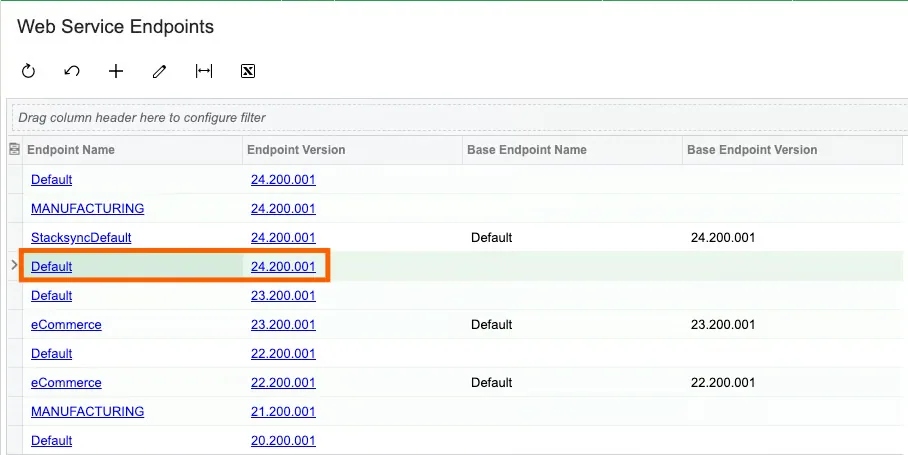
-
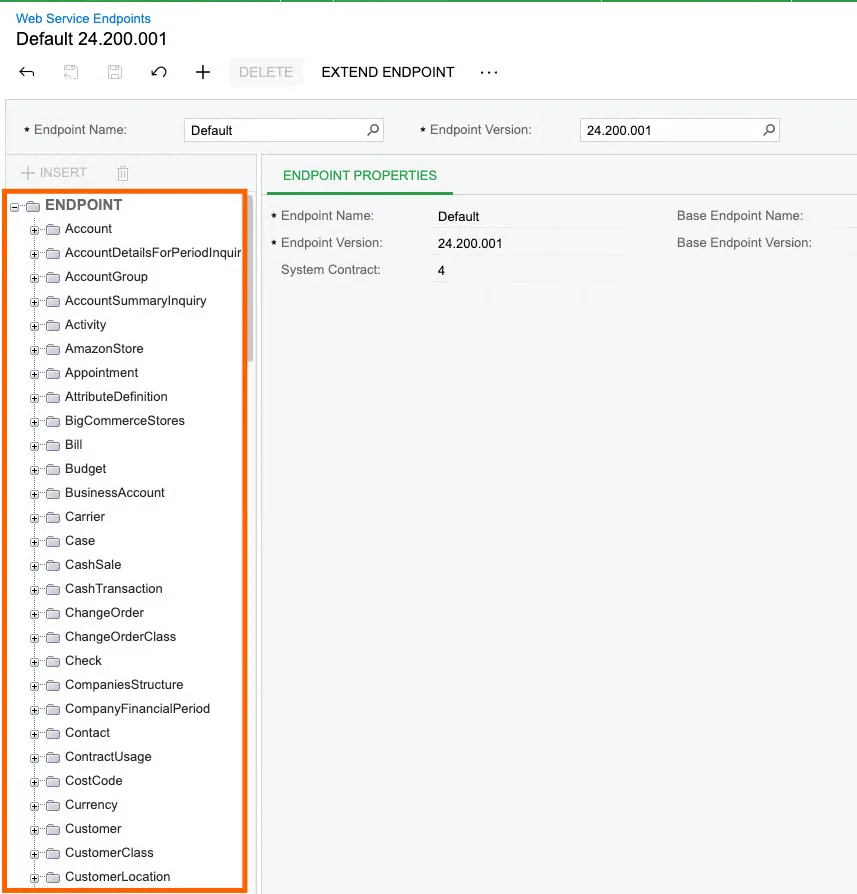
Review the objects included in that endpoint.
-
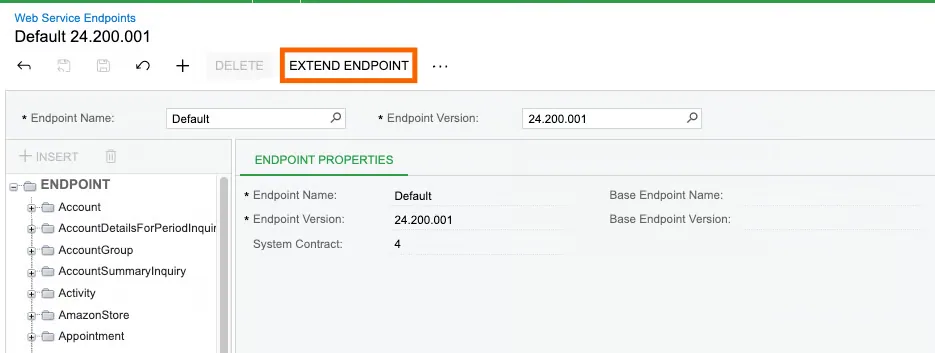
Click Extend Endpoint.
-
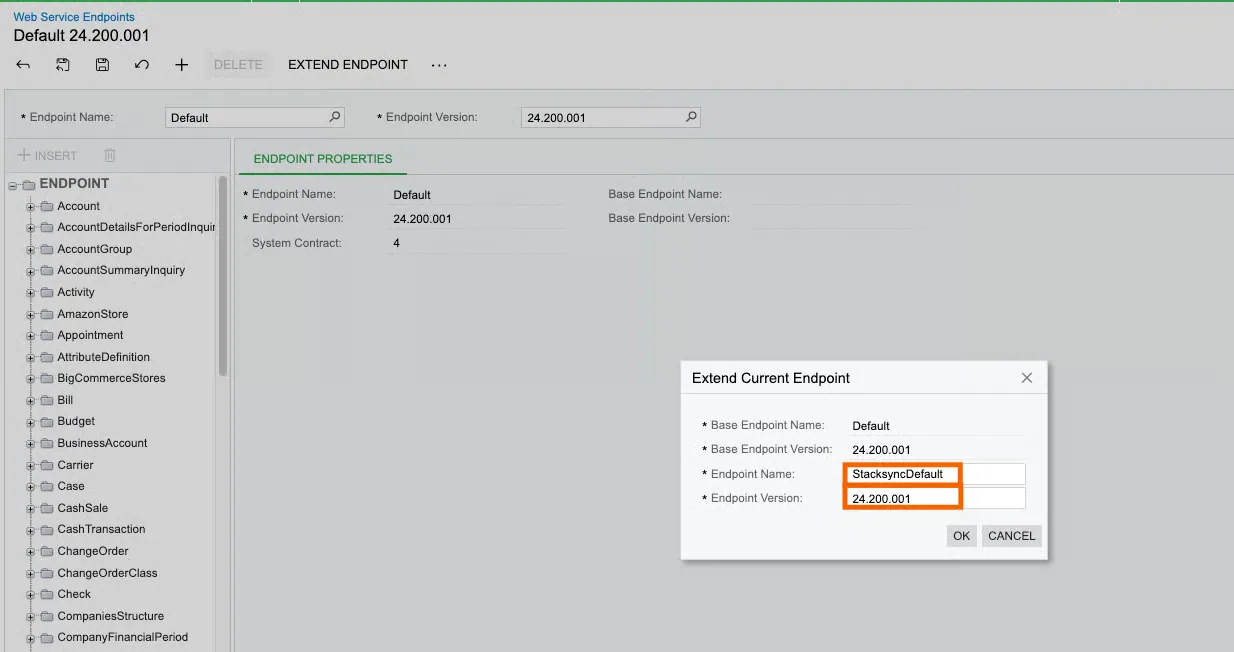
In the dialog, enter:
-
Endpoint Name:
StacksyncDefault -
Endpoint Version: Use the current version or another valid version number
-
-
Click OK.
-
Open the new
StacksyncDefaultendpoint and add, remove, or update the objects and fields required for your sync.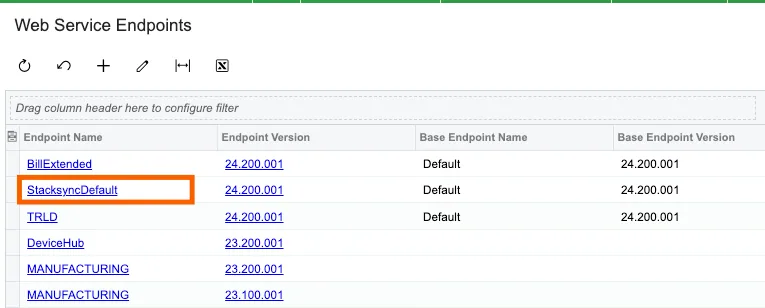
-
Save your changes.
Extending the endpoint creates a separate configuration. It does not modify the original Default endpoint.
Endpoint selection for two-way sync
When using two-way sync, Stacksync selects:
- The latest version of
StacksyncDefault - The latest version of
DefaultwhenStacksyncDefaultis not available
For example, when these endpoints exist:
Default—24.200.001StacksyncDefault—23.200.001StacksyncDefault—24.200.001
Stacksync uses StacksyncDefault version 24.200.001.
Endpoint configuration for Agentic Workflows is handled separately within each workflow step.
If you have any questions or run into any blockers, reach out anytime at hello@stacksync.com and the Stacksync team will be happy to help.