> For the complete documentation index, see [llms.txt](https://docs.stacksync.com/llms.txt). Markdown versions of documentation pages are available by appending `.md` to page URLs; this page is available as [Markdown](https://docs.stacksync.com/connectors/authorization/re-authorization.md).

# Re-Authorization

Re-Authorize your connection.

An application connection might expire after a period of inactivity. Additionally, new features, such as the [Hubspot Sensitive Fields capability](https://docs.stacksync.com/connectors/authorization/pages/bzMyoXSgwrbwQH7oOlSx#id-3.-optional-check-the-grant-access-to-sensitive-fields-checkbox), may require reauthorization of the app.

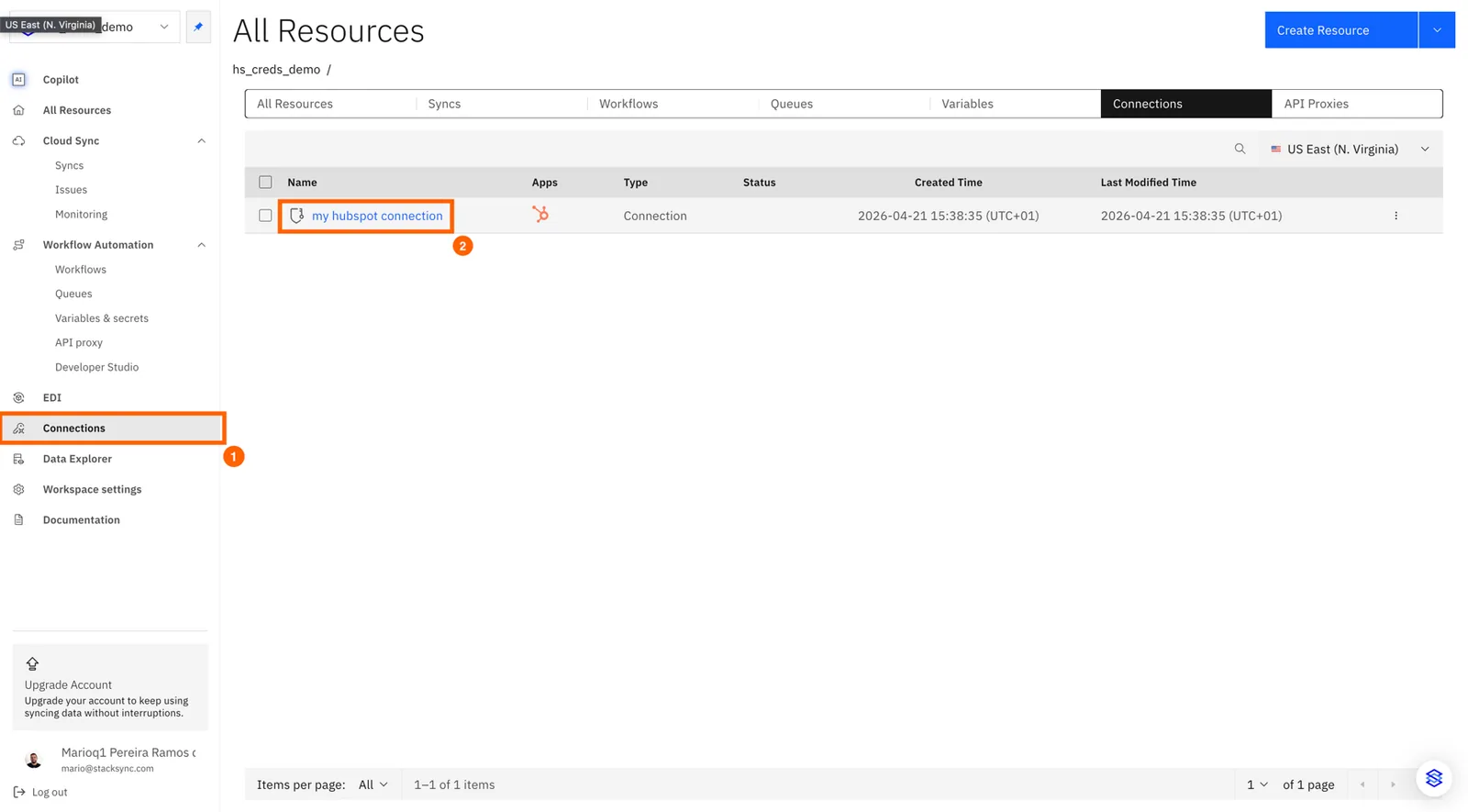
#### 1. Open your connection

Click connections on the side nav-bar and then click the connection you want to re-authorize
<figure><img src="https://3057949906-files.gitbook.io/~/files/v0/b/gitbook-x-prod.appspot.com/o/spaces%2FDSqHwwR8lD3JUWz3E9NH%2Fuploads%2Fgit-blob-9a6e46afdc81abf9aa92fb6069d195a574540a7a%2Fimage%20(450).png?alt=media" alt=""><figcaption></figcaption></figure>

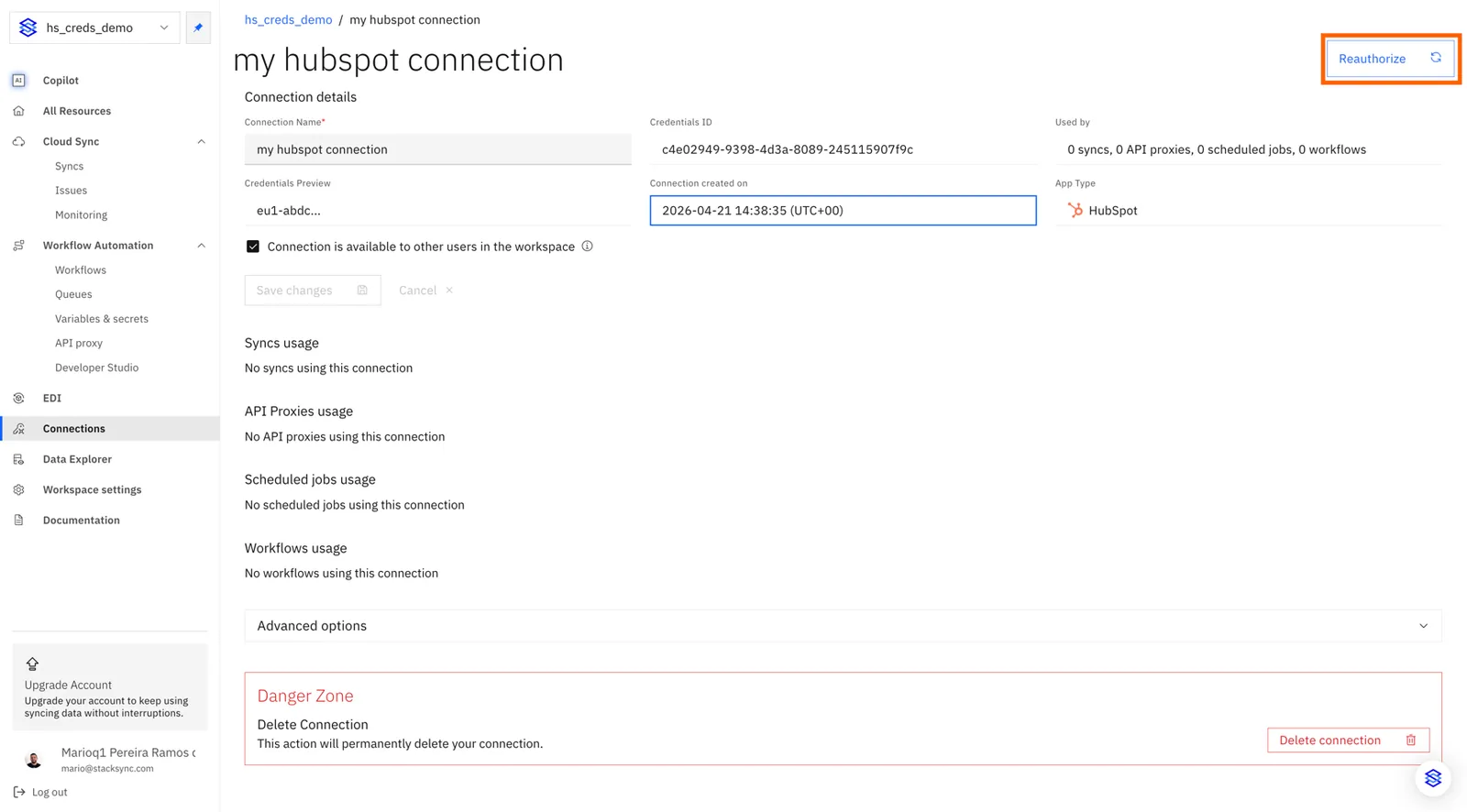
#### 2. Click "Reauthorize"

<figure><img src="https://3057949906-files.gitbook.io/~/files/v0/b/gitbook-x-prod.appspot.com/o/spaces%2FDSqHwwR8lD3JUWz3E9NH%2Fuploads%2Fgit-blob-51ee619d2bcd4ad703b09a3cbd9e26859c4ce241%2Fimage%20(451).png?alt=media" alt=""><figcaption></figcaption></figure>

The standard authorization process for the specific app will begin. Follow it to successfully reauthorize the connection.