

Budgets and request logs
Set recurring AI allowances, follow request costs, and manage the lifecycle of inference keys.
Make AI usage visible and controllable for each application. Every inference key has a spending limit and reset schedule, with request-level diagnostics for the people authorized to operate it.
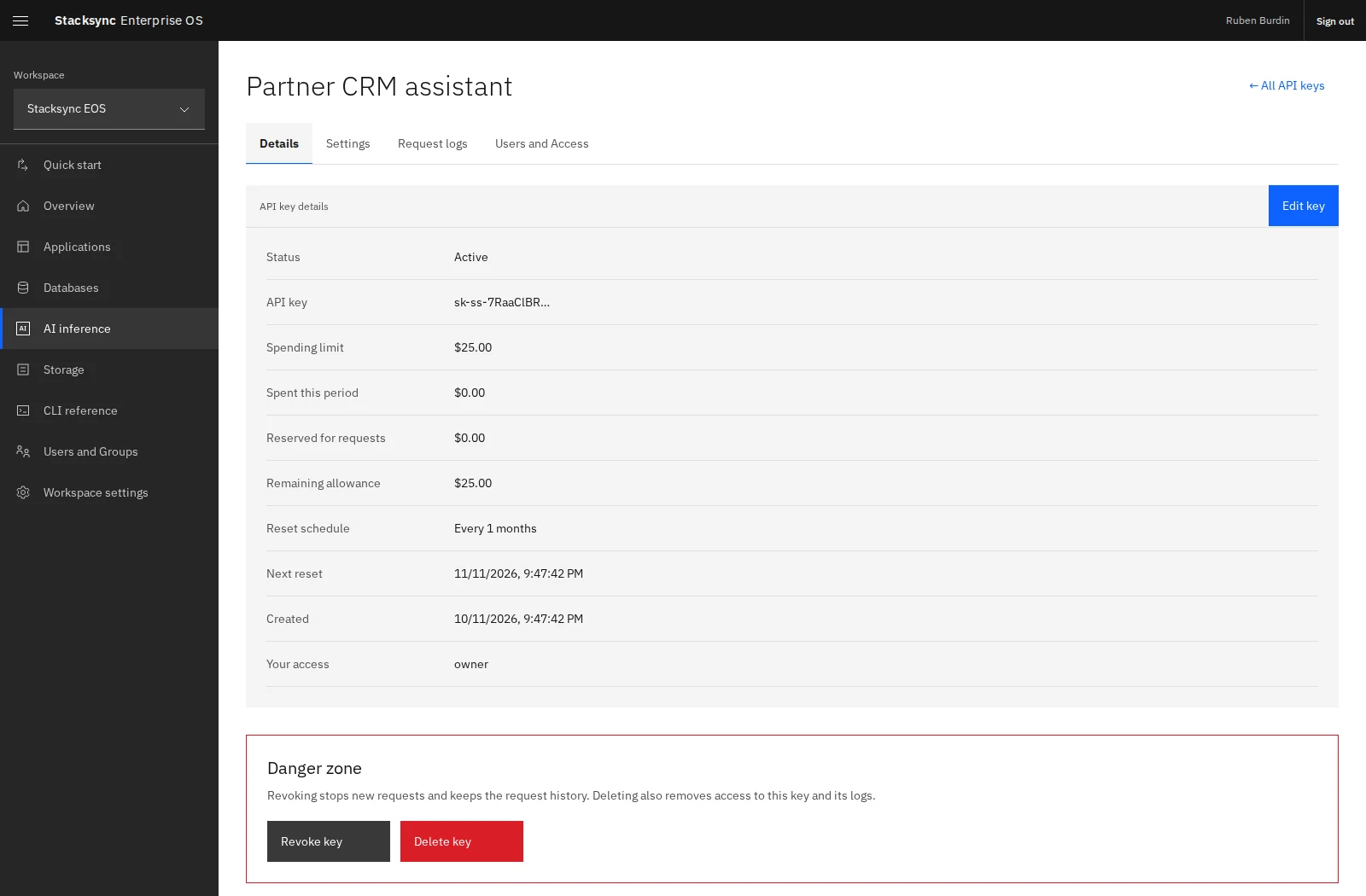
Open AI inference → your key → Details to see its status, spending limit, spending this period, reserved allowance, remaining allowance, and next reset.
Set an allowance
Choose a USD limit and a recurring interval in days, weeks, or months when creating the key. A limit of zero blocks requests. Resets are anchored to the key's creation time in UTC; unused budget does not roll over.
Use Edit key to change its name or spending limit. Changing the limit does not reset spending. The reset schedule is fixed after creation; create a new key if you need a different schedule.
eos inference keys list --json
eos inference keys update KEY_ID --name 'Support assistant' --limit 150 --every 1 --unit months
Use the key's existing schedule in the update command.
Understand reservations
Before admitting a request, EOS reserves allowance to cover it. The final charge is reconciled after completion. This means a key can need more available allowance than a request ultimately costs, particularly for models with large context capacity.
Reserved for requests is allowance held for pending or unreconciled requests. Do not treat a missing log entry or interrupted response as free usage. Unconfirmed usage retains its reservation, including across a reset, until reconciled.
Inspect request logs
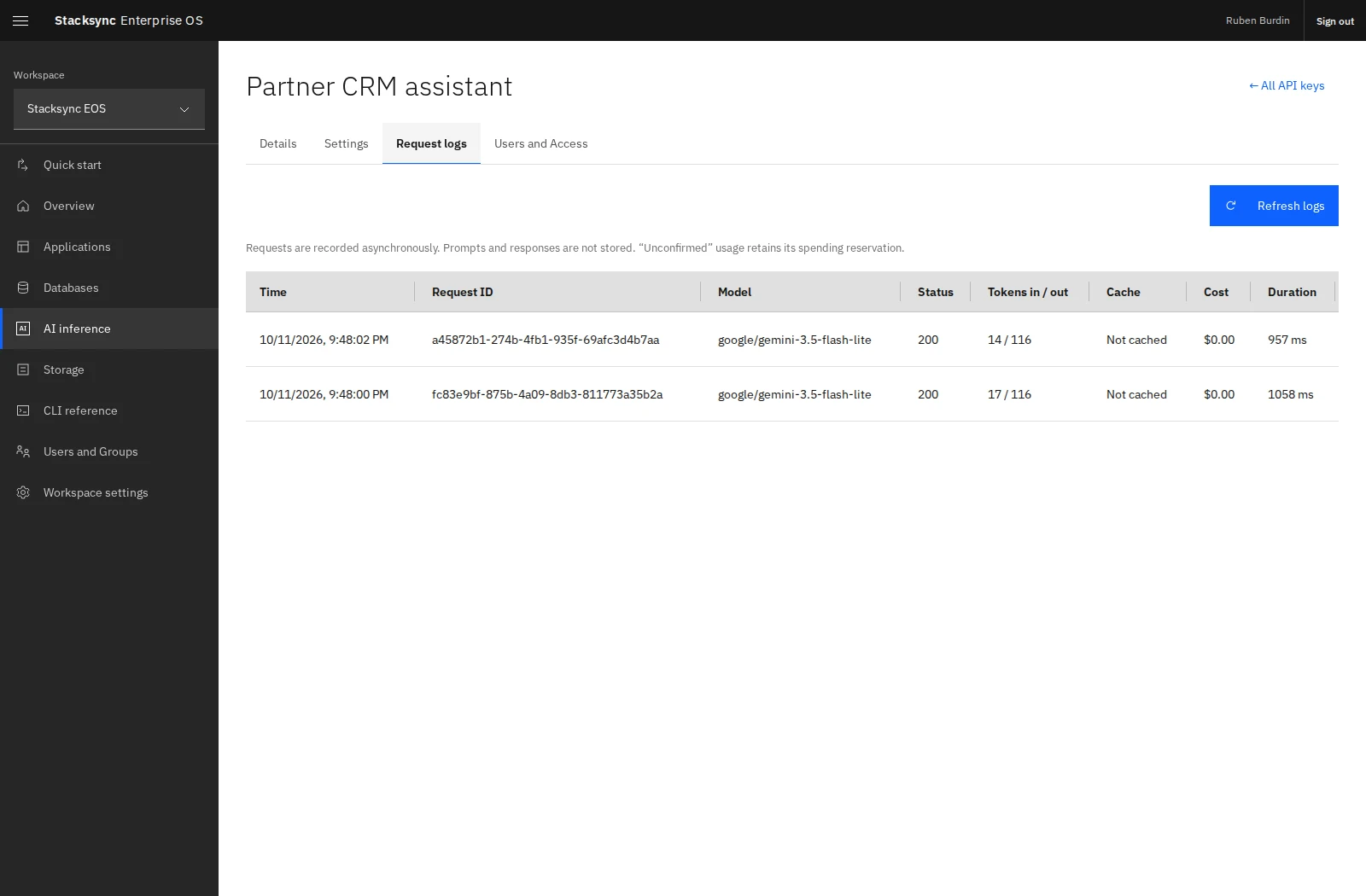
Open Request logs and refresh after a request. Logs are recorded asynchronously and include the request's model, status, token counts, cache information, cost, and duration. Prompts and response contents are not stored in these logs.
eos inference logs KEY_ID --json
eos inference logs KEY_ID --before CURSOR --json
Use the returned next_cursor to retrieve older entries. Displayed currency is rounded to two decimals, so a very small charge can appear as $0.00; API values retain finer precision. Treat monetary API values as decimals when doing calculations.
Workspace Admins can inspect the workspace usage ledger with eos inference usage. Consumed usage remains recorded even when a key is deleted or its budget resets.
Revoke or delete a key
Revoke key stops new requests and retains request history; in-flight requests can finish. Revocation is irreversible. Delete key also removes the key from lists and removes access to its details and logs. Consumed workspace usage is retained.
eos inference keys revoke KEY_ID
eos inference keys delete KEY_ID
Only use these actions when you intend to stop the applications using that key. Create and configure a replacement first if they need uninterrupted access.