

Authorize Twilio
5min read
-
Log in to your Twilio account.
-
Navigate to Account Info > Copy Account SID and Auth Token.
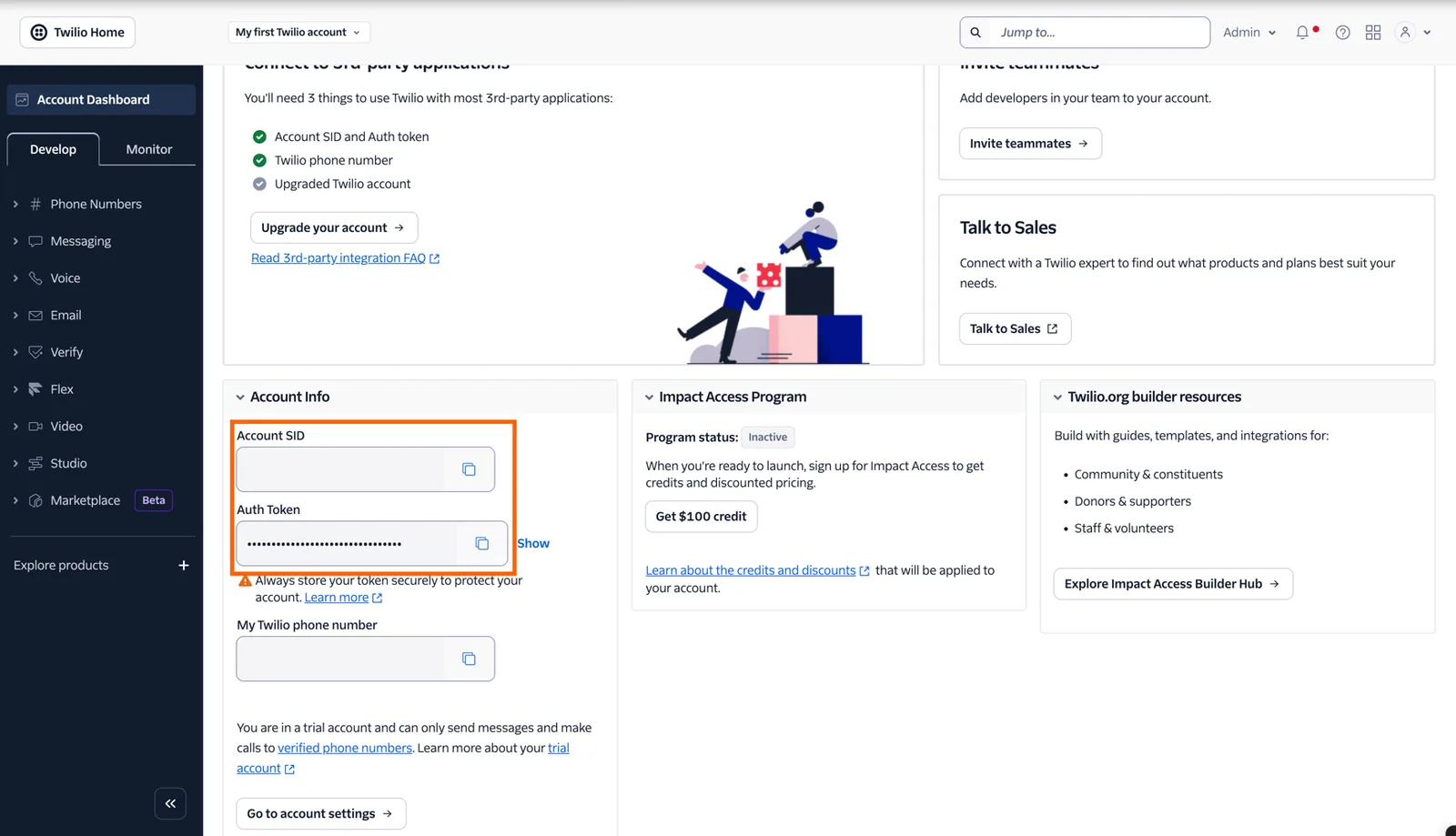
Copy Account SID and Auth Token
-
You now have all the necessary credentials to grant Stacksync access to your Twilio Objects. Go back to the Stacksync dashboard at https://app.stacksync.com.
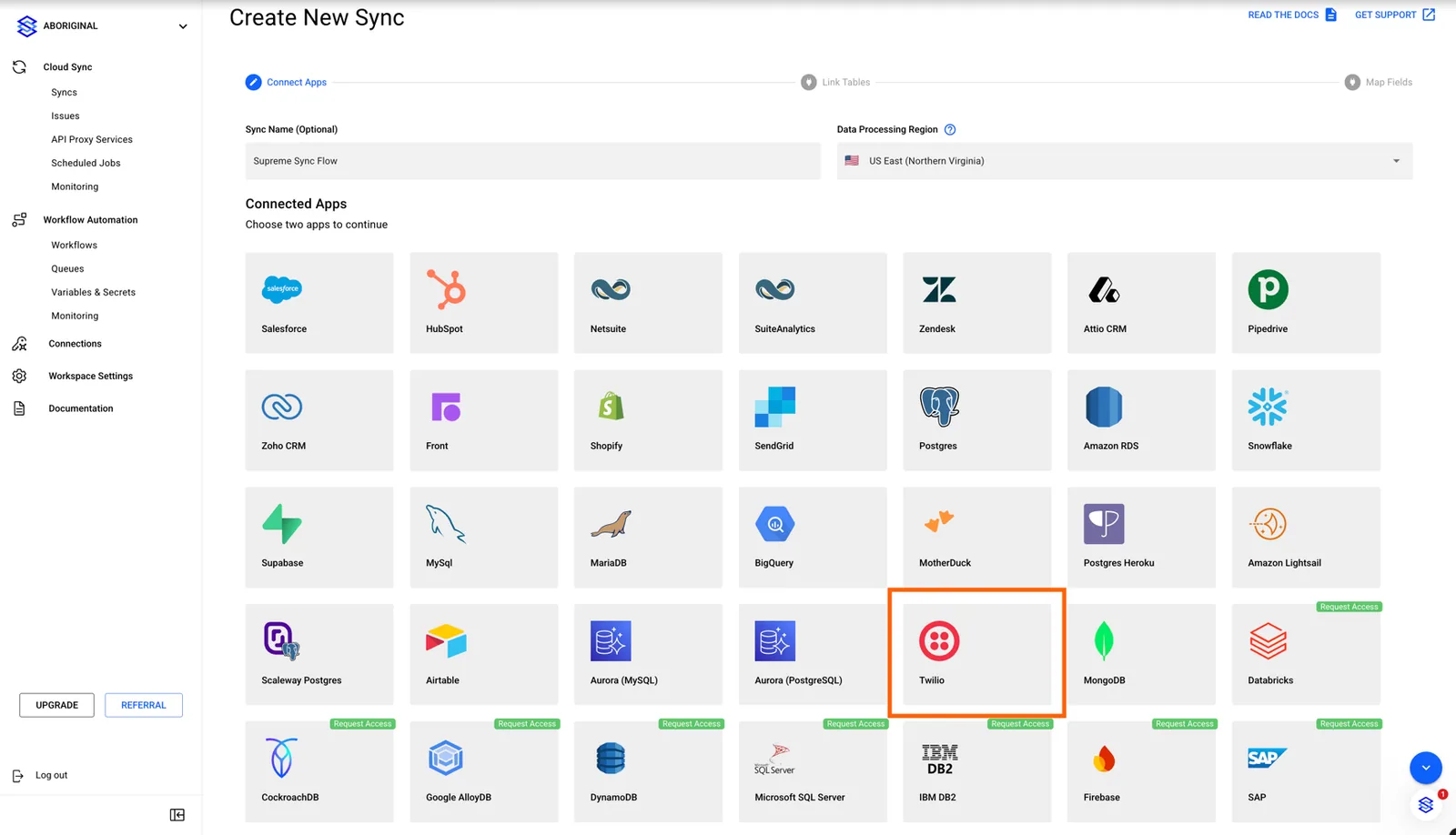
Click on Twilio Connector
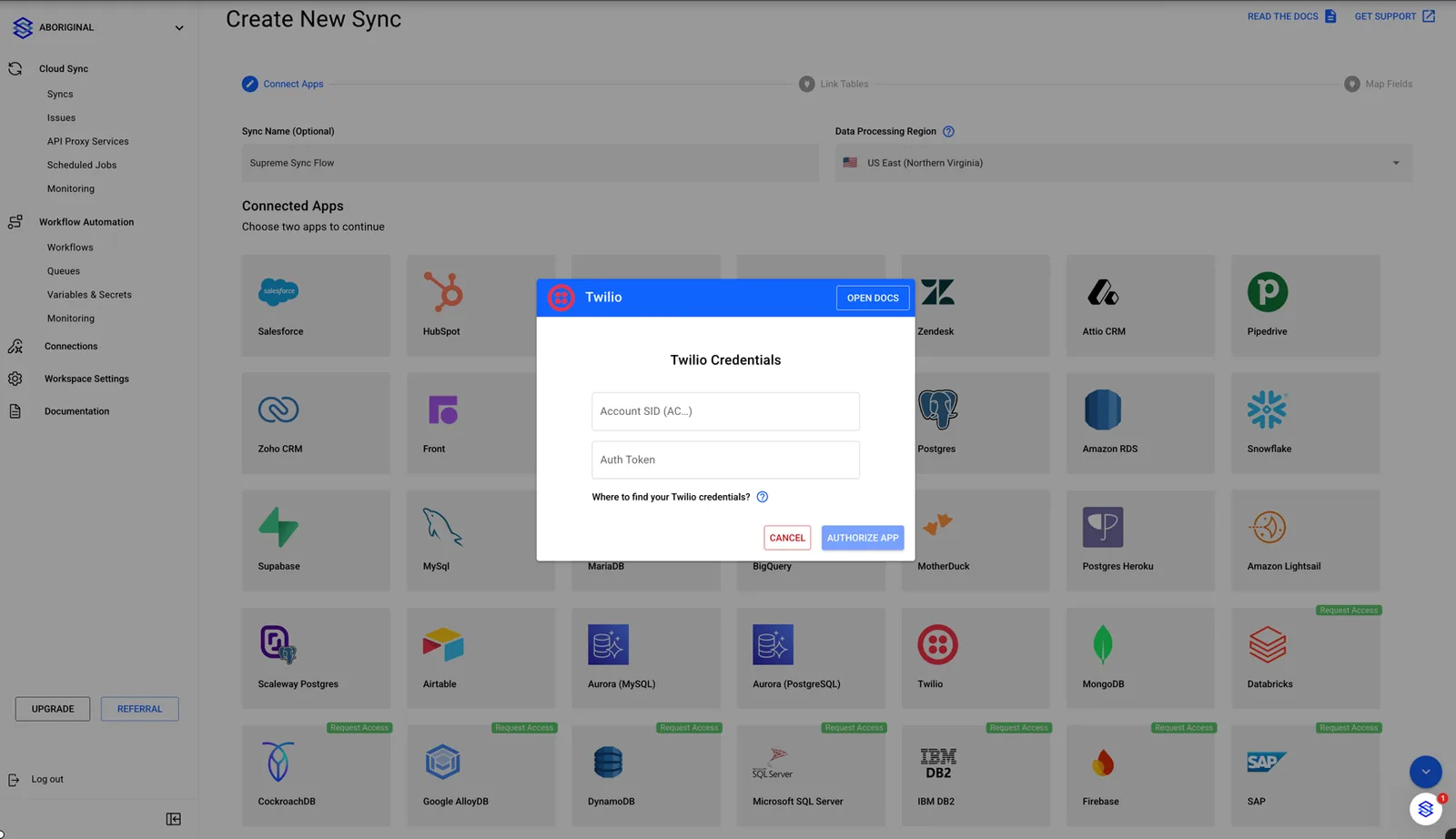
Insert the credentials obtained from the preview steps in the Twilio Connector
You successfully granted Stacksync access to your Twilio resources! 🎉
Feel free to reach out to us at hello@stacksync.com if there is anything we can help with!