

Authorize Amazon Seller Central
This guide explains how to connect your Amazon Seller Central Account to Stacksync.
Prerequisites:
- Primary account access to Amazon Seller Central
- An SP-API app in Amazon Developer Central
- Required credentials: LWA client ID/secret, application ID, Merchant ID/Seller ID, refresh token.
Setup instructions
STEP 1: Find merchant token
- Sign in to your Amazon Seller Central account.
- In the top-right corner, open Settings and select Account Info.
- In the left navigation, select Business Information.
- Click Your Merchant Token.
- Copy the Merchant Token for the marketplace you plan to sync and keep it for connector setup.
STEP 2: Create an SP-API app client
-
Sign in to your Amazon Seller Central.
-
Go to Apps and Services > Develop Apps.
-
In Developer Central, click + Add new app client.
-
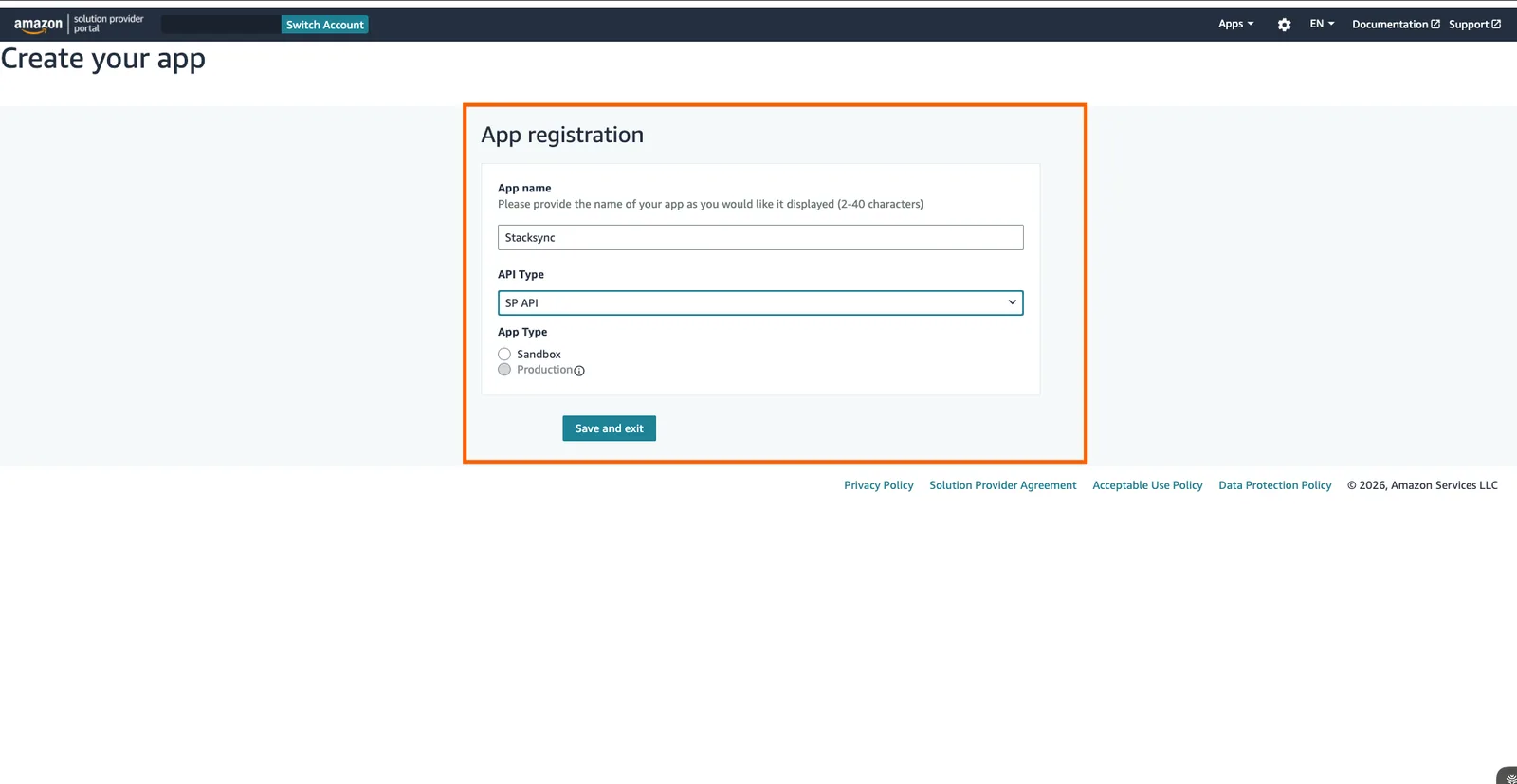
Enter an App name.
-
Set API Type to SP API and Select Production in the dropdown.
-
Under Business entities supported, select your entity:
- Sellers
- Vendors
-
Assign the required roles for your entity.
For Sellers, select:
- Finance and Accounting
- Selling Partner Insights
- Buyer Communication
- Pricing
- Inventory and Order Tracking
- Brand Analytics
- Amazon Fulfillment
- Buyer Solicitation
- Product Listing
For Vendors, select:
- Brand Analytics
- Amazon Fulfillment
- Product Listing
-
In Restricted Data Token (RDT), select:
Yes, I will delegate access to PII to another developer's application. -
Click Save and exit.
-
In the app list, click View for your app.
-
Make a note of the Client identifier and Client secret, and then click Done. You will need them to configure Connection on Stacksync.
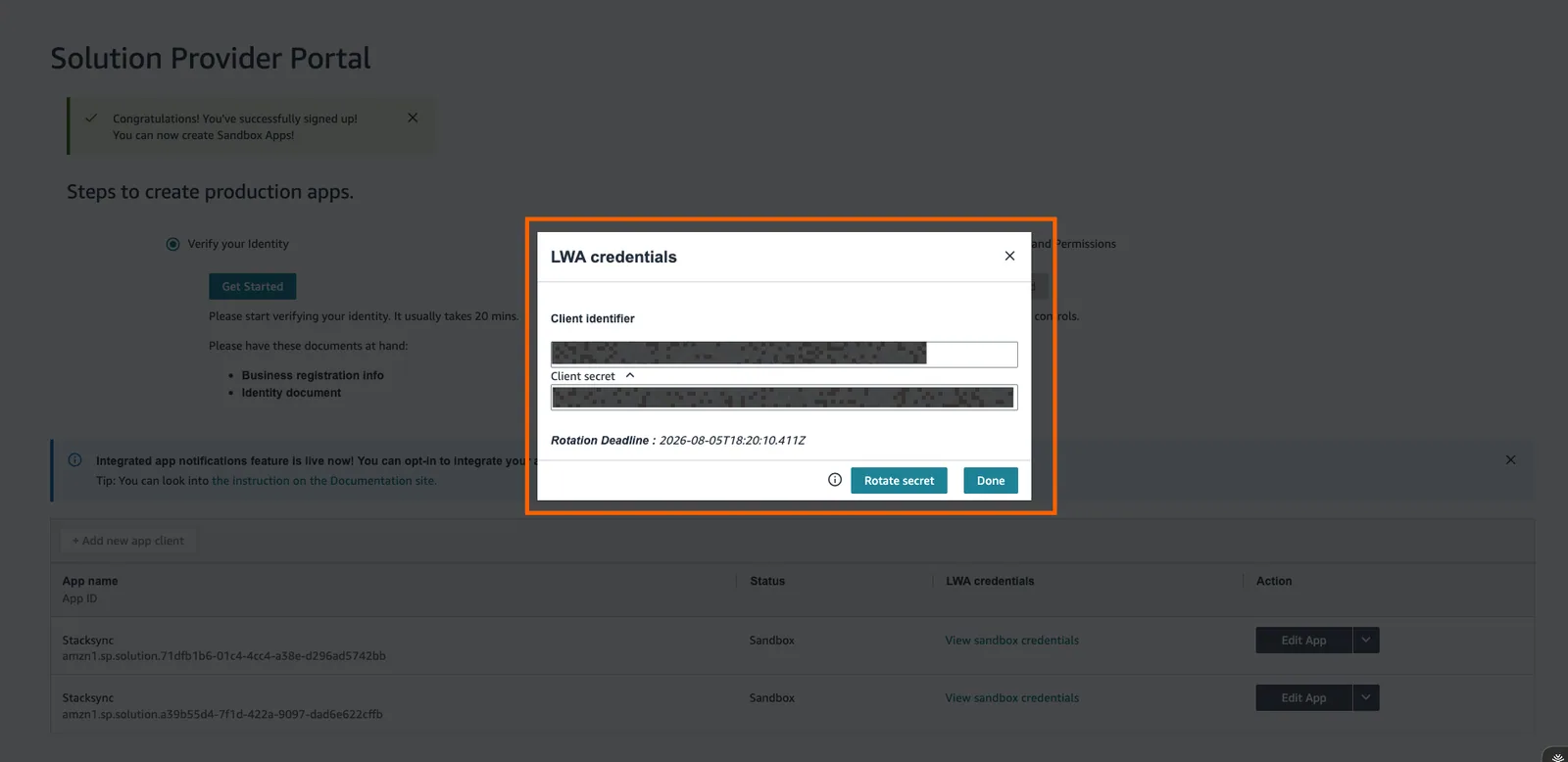
Do not set an OAuth Login URI or OAuth Redirect URI for this setup.
Amazon sets a 6-month expiration on client secrets. To avoid sync interruptions, regenerate the client secret every 6 months and update the connection to use the new secret.
STEP 3: Generate refresh token
-
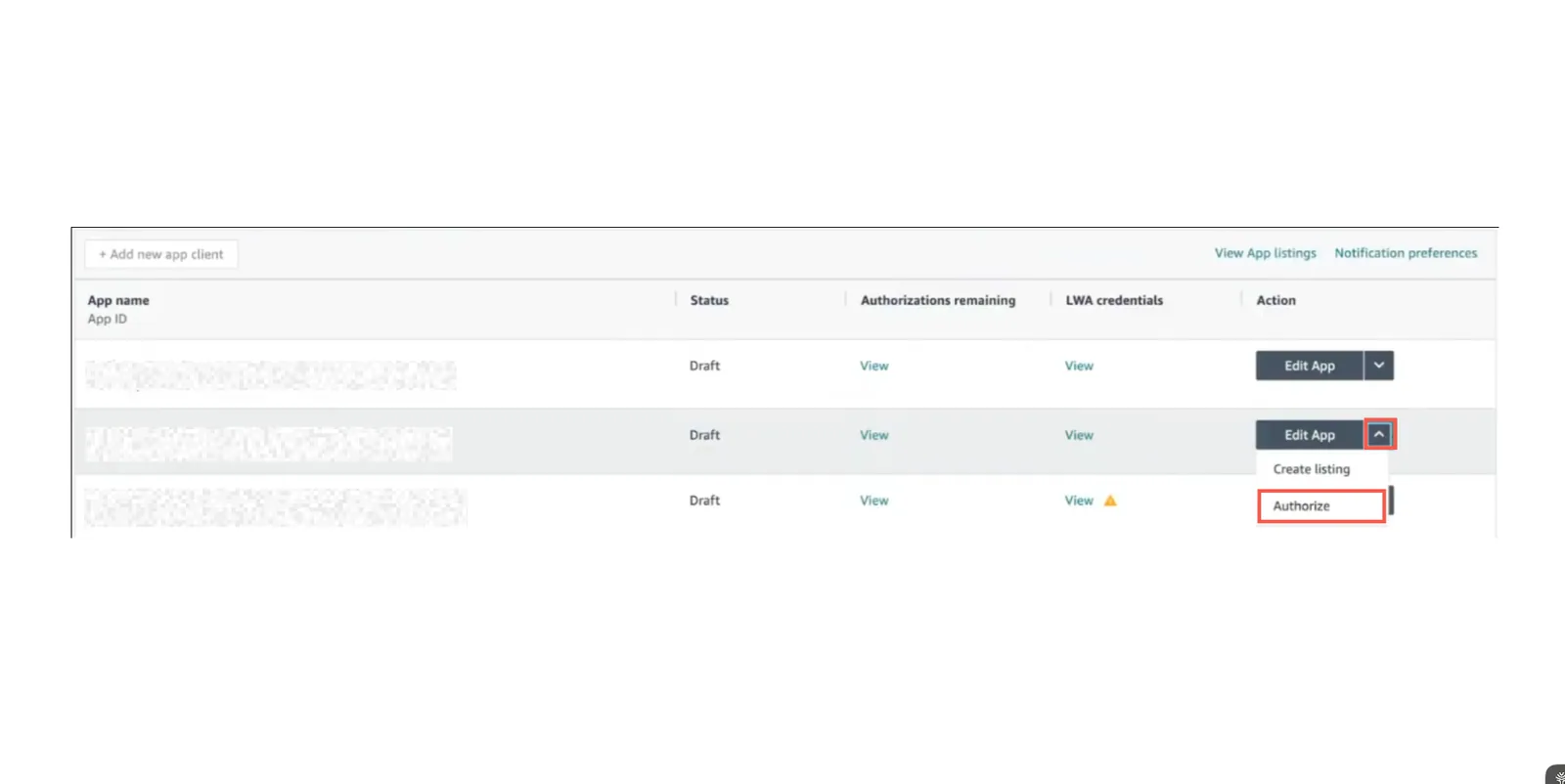
In Developer Central, open your app’s action menu and select Authorize.
-
In Add Authorizations, click Authorize app for the marketplace you want to sync.
-
Copy and securely store the generated Refresh Token for use during Stacksync configuration.
STEP 4: Finish Stacksync Connection configuration
-
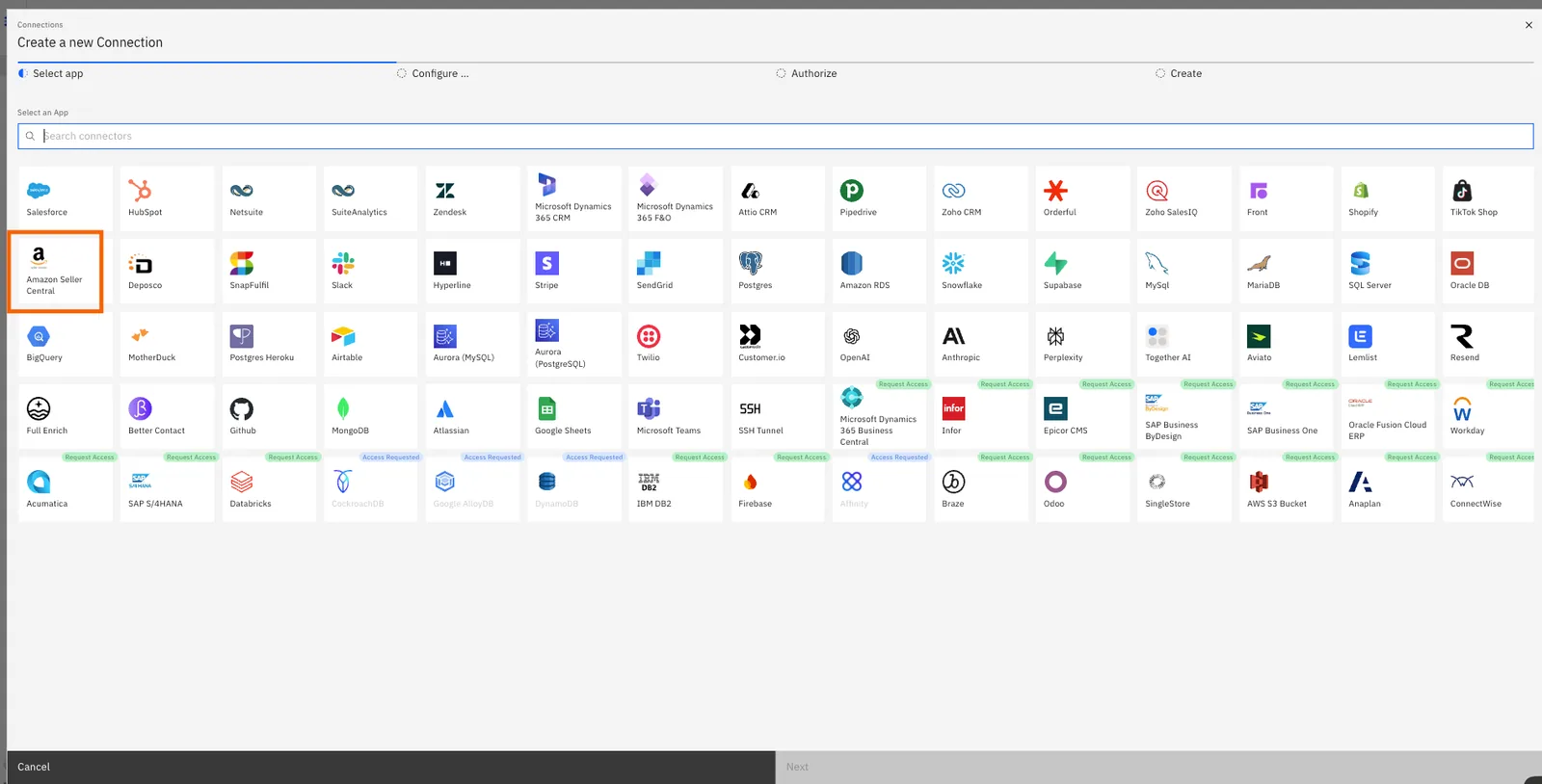
Login to Stacksync -> Create Resource -> Connections -> Select Amazon Seller Central
-
Enter the connection details collected in the previous steps into the form.
a. Client ID
b. Client Secret
c. Merchent Token
d. Select Production / Sandbbox Account
e. Refresh Token
f. Select the Region where the App is created in previous steps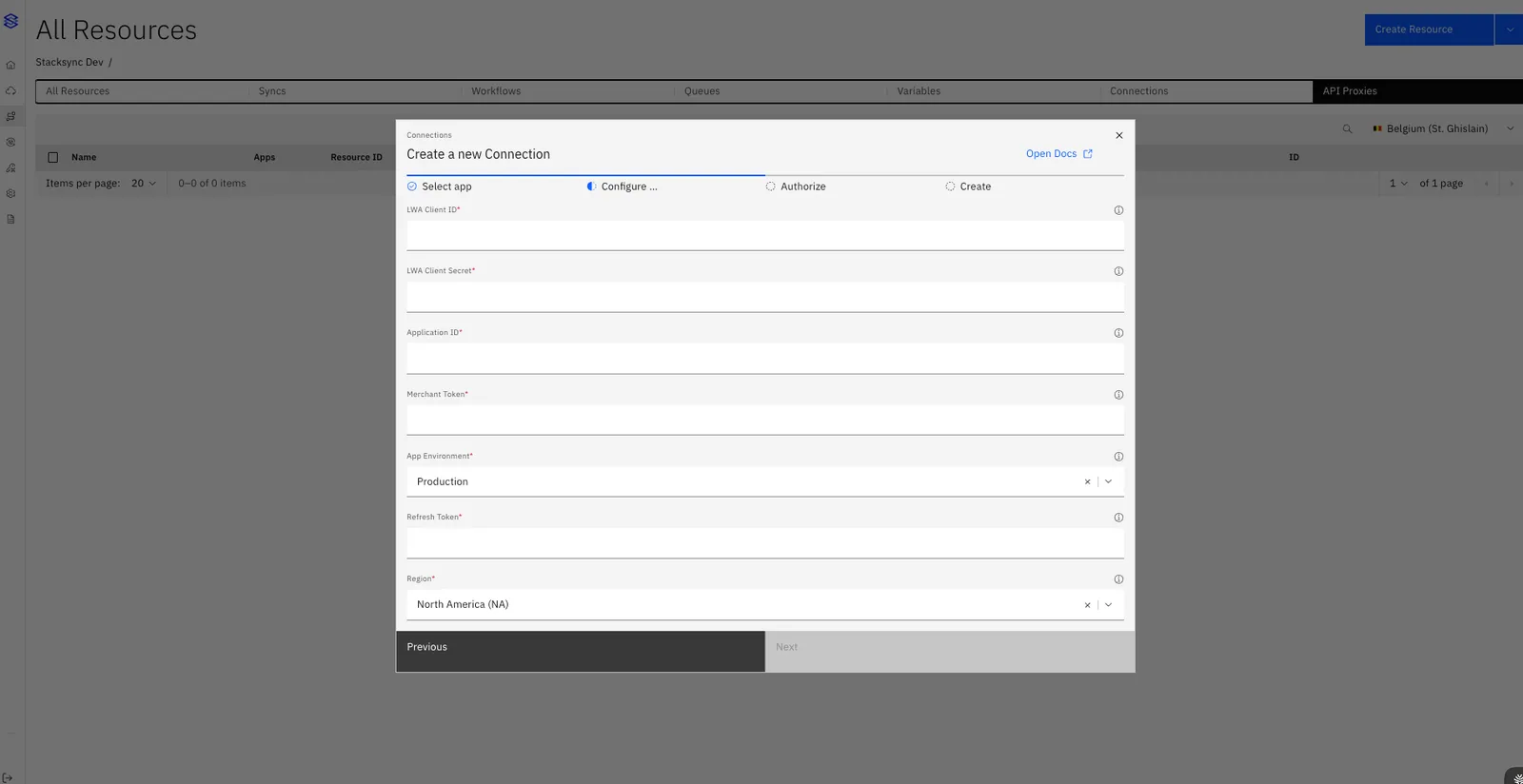
-
Click Next, then Authorize Connection to complete setup.
The connector is now ready to start syncing data.
If you have any questions or run into any blockers, reach out anytime at hello@stacksync.com and the Stacksync team will be happy to help.