

Javascript Code Execution
Run custom JavaScript scripts directly inside your workflow. Use it for fast data formatting, string manipulation, date operations, or lightweight logic between nodes.
1. Add the Module
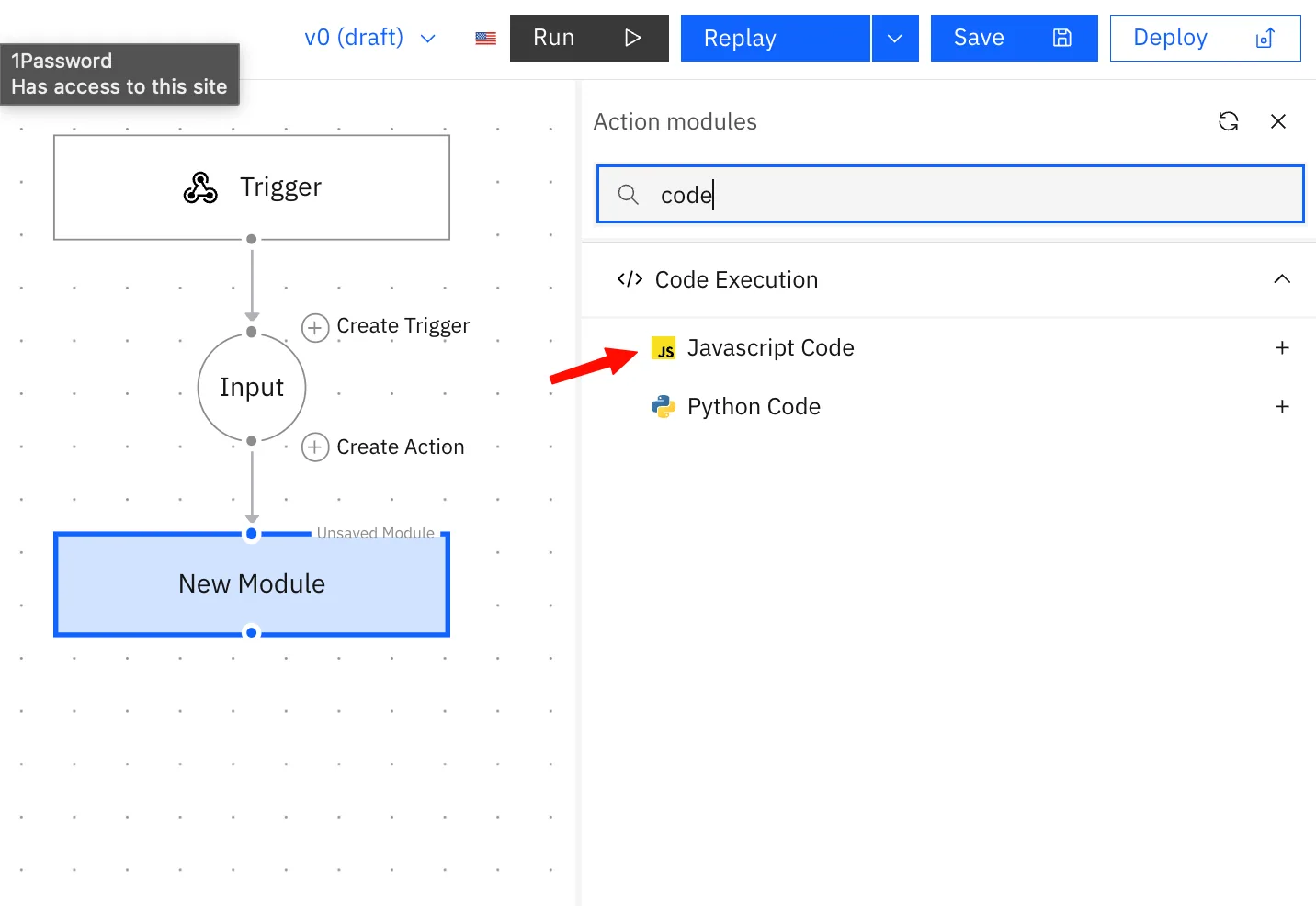
Add the JavaScript Code module to your workflow as an action node.
2. Pass Data In Context
In the module configuration panel, add context variables under the Context section. Each entry takes a Name and a Value use the variable picker to map values from upstream nodes.
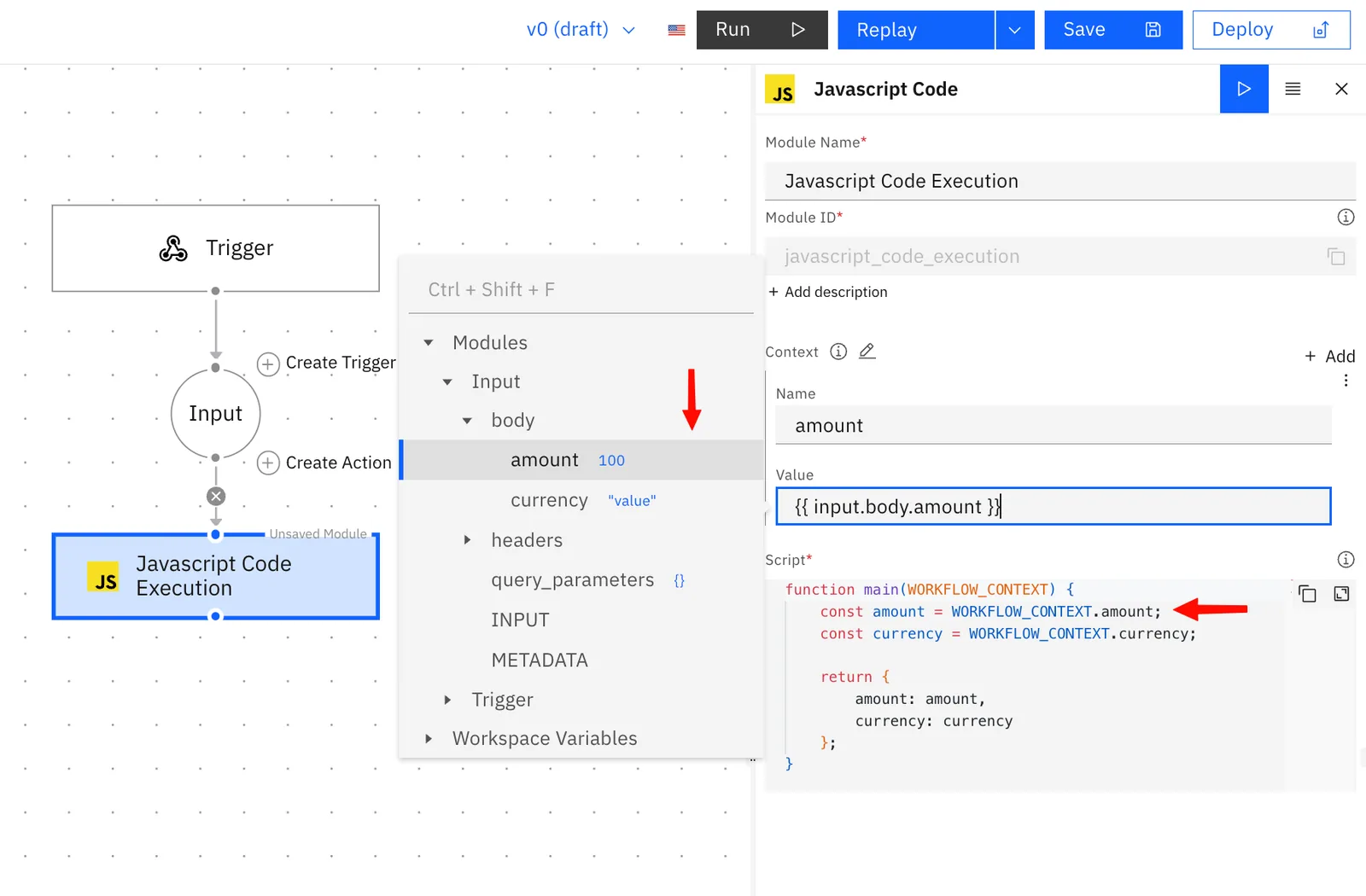
Each context entry becomes a key on WORKFLOW_CONTEXT inside your script:
function main(WORKFLOW_CONTEXT) {
    const amount = WORKFLOW_CONTEXT.amount;
    const currency = WORKFLOW_CONTEXT.currency;
}
3. Write Your Script
Your script must define a main function. Stacksync automatically injects WORKFLOW_CONTEXT as the argument containing all your context values.
function main(WORKFLOW_CONTEXT) {
    const amount = WORKFLOW_CONTEXT.amount;
    const currency = WORKFLOW_CONTEXT.currency;
    return {
        amount: amount,
        currency: currency
    };
}
4. Return Data
Whatever main returns becomes the node's output, available to downstream nodes via standard node referencing.
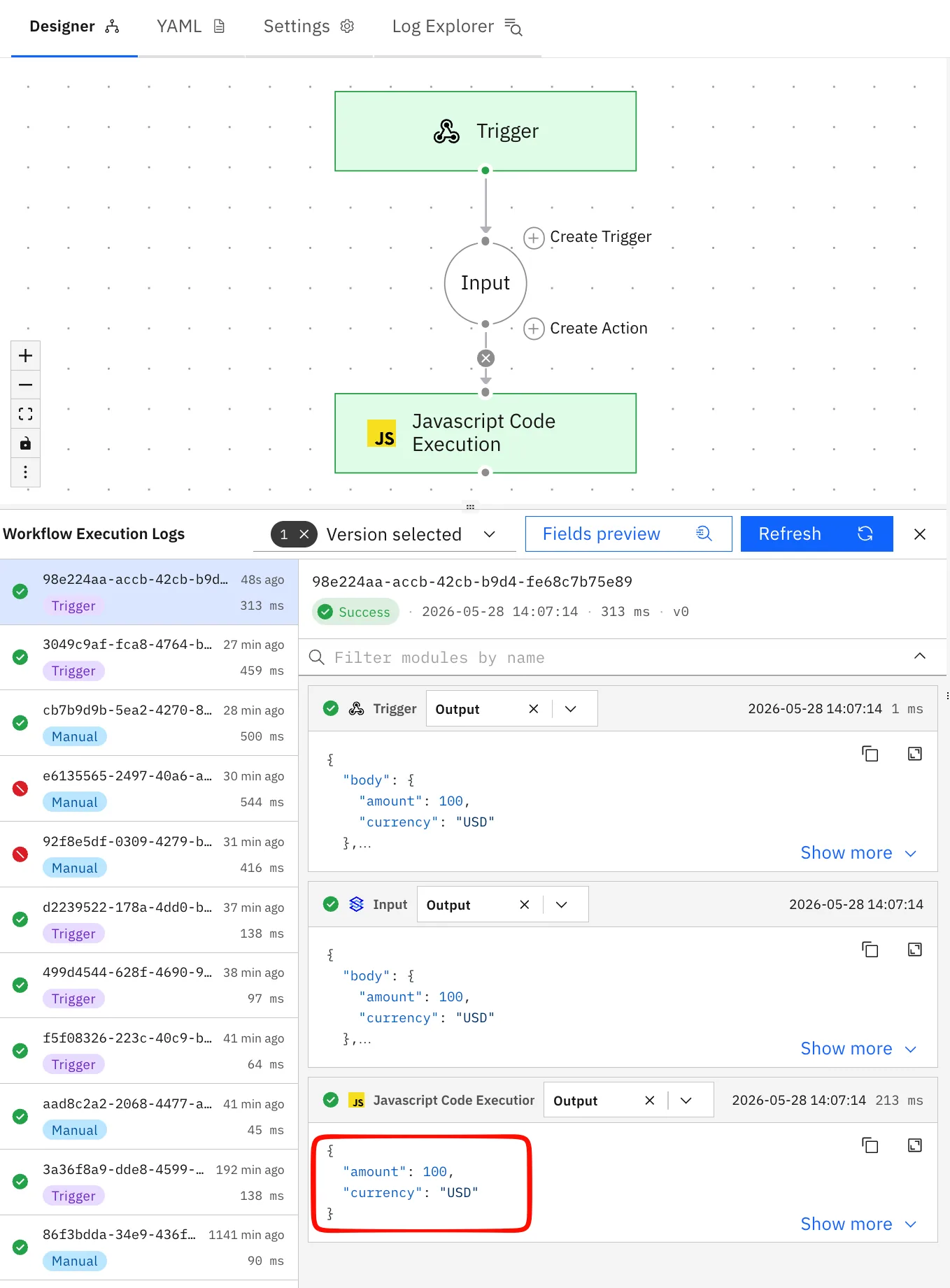
Reference in downstream nodes:
{{ your_module_id.amount }}
{{ your_module_id.currency }}
Debugging:
console.log()output is captured and surfaced undermetadata.stdoutin the execution logs. Use it for debugging, it does not pass data downstream.
Available Libraries
| Library | Use case |
|---|---|
dayjs | Date parsing and formatting |
moment | Date manipulation |
live-plugin-manager | Dynamic module loading |
| Node.js 23 standard library | All built-in modules |
Note: You cannot install additional packages at runtime with
npm install.
Limits
| Limit | Value |
|---|---|
| Timeout | 6s |
| Memory | 8 GB |
| Filesystem | Read-only, no writes |
| Runtime packages | Pre-installed only |
Watch out: Avoid using JavaScript for slow HTTP calls, heavy loops, or large dataset operations as the timeout is 6 seconds, use the Python Code module instead.