> For the complete documentation index, see [llms.txt](https://docs.stacksync.com/llms.txt). Markdown versions of documentation pages are available by appending `.md` to page URLs; this page is available as [Markdown](https://docs.stacksync.com/agentic-workflows/guides/paginating-with-a-workspace-variable.md).

# Paginating with a workspace variable

APIs return one page at a time. To get the next page you need a **cursor** that says where the last page ended. A `for` loop can't carry that cursor between runs, and looping through everything in one go hits the 300-second timeout.

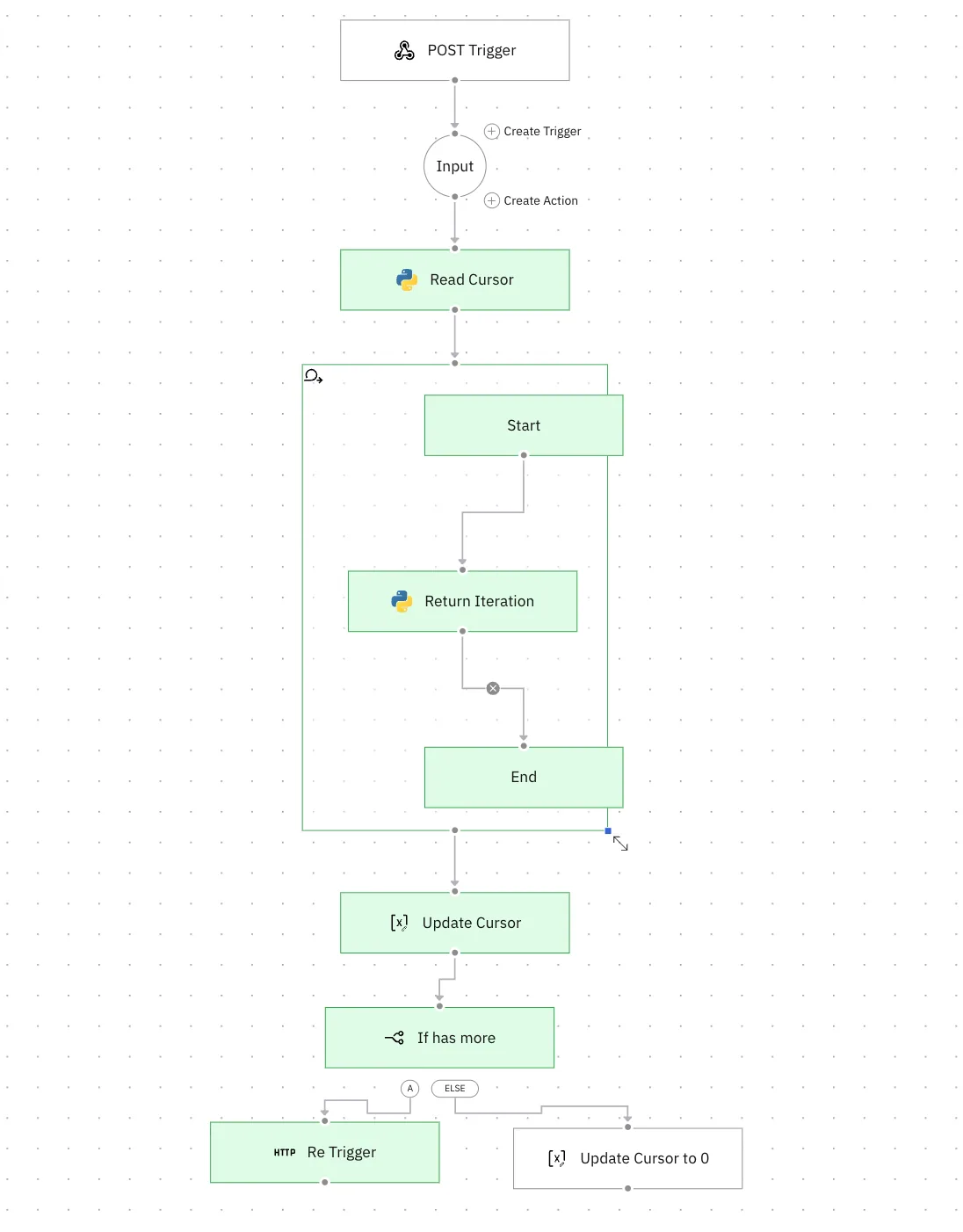
The fix: do **one page per run**, save the cursor in a workspace variable, and have the workflow re-trigger itself until there are no pages left.

### Setup

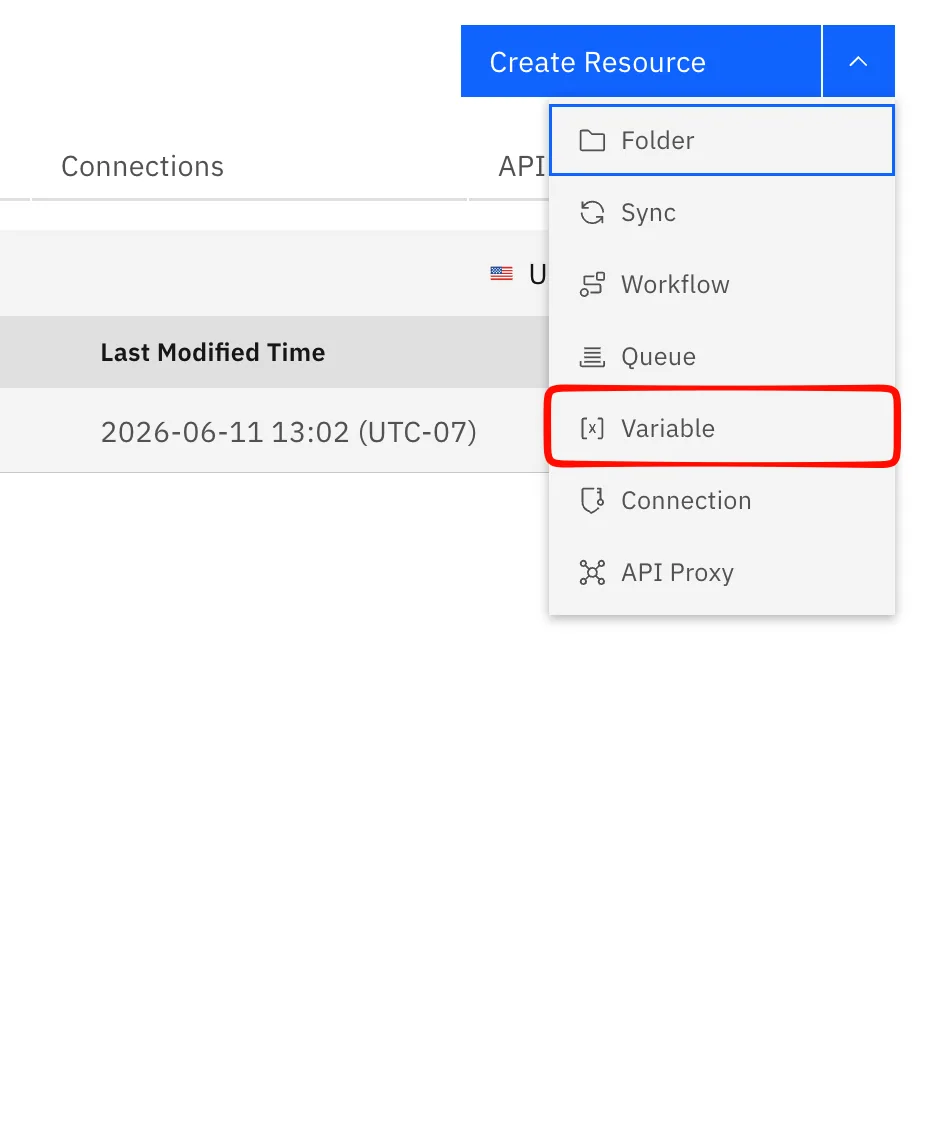
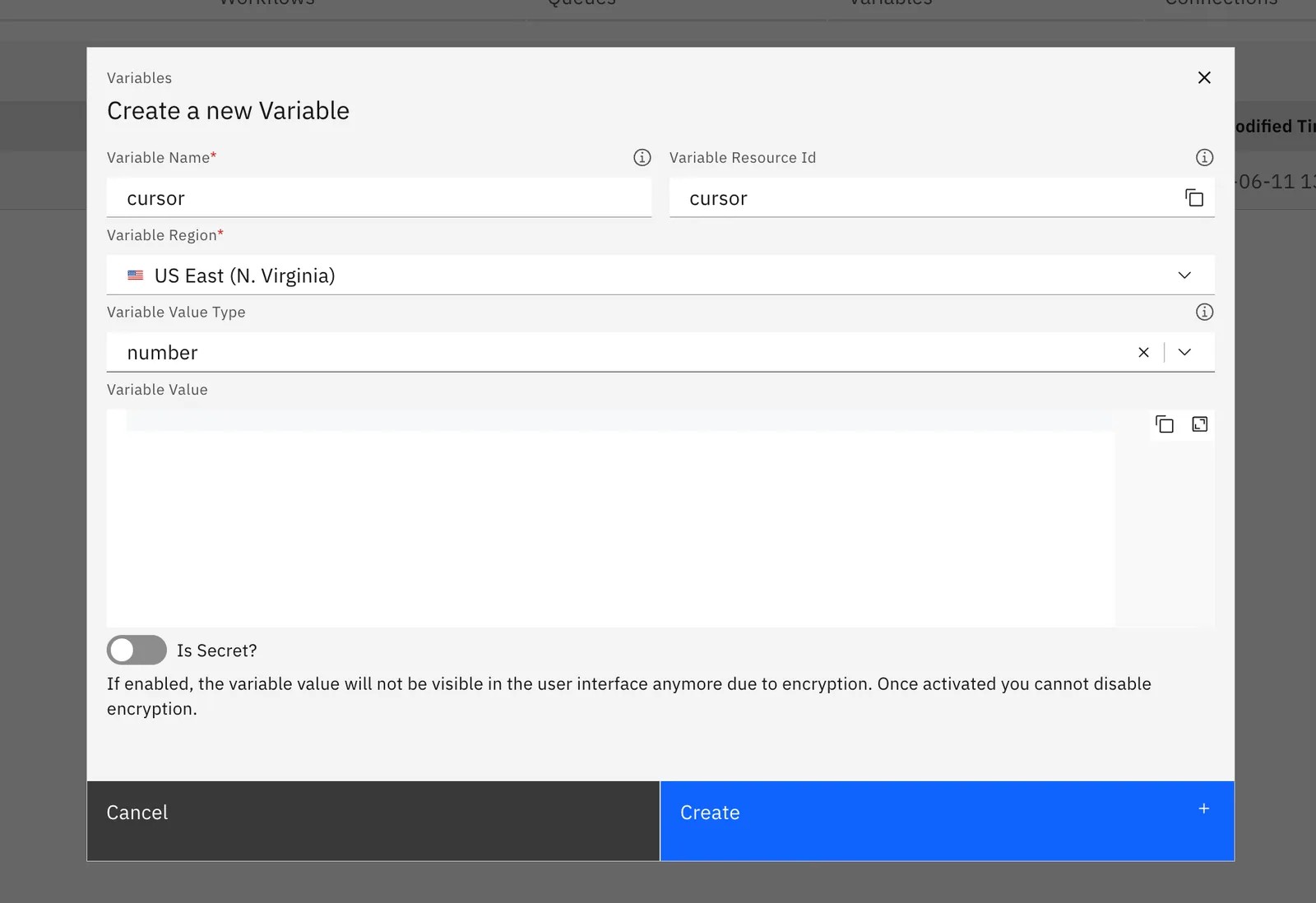
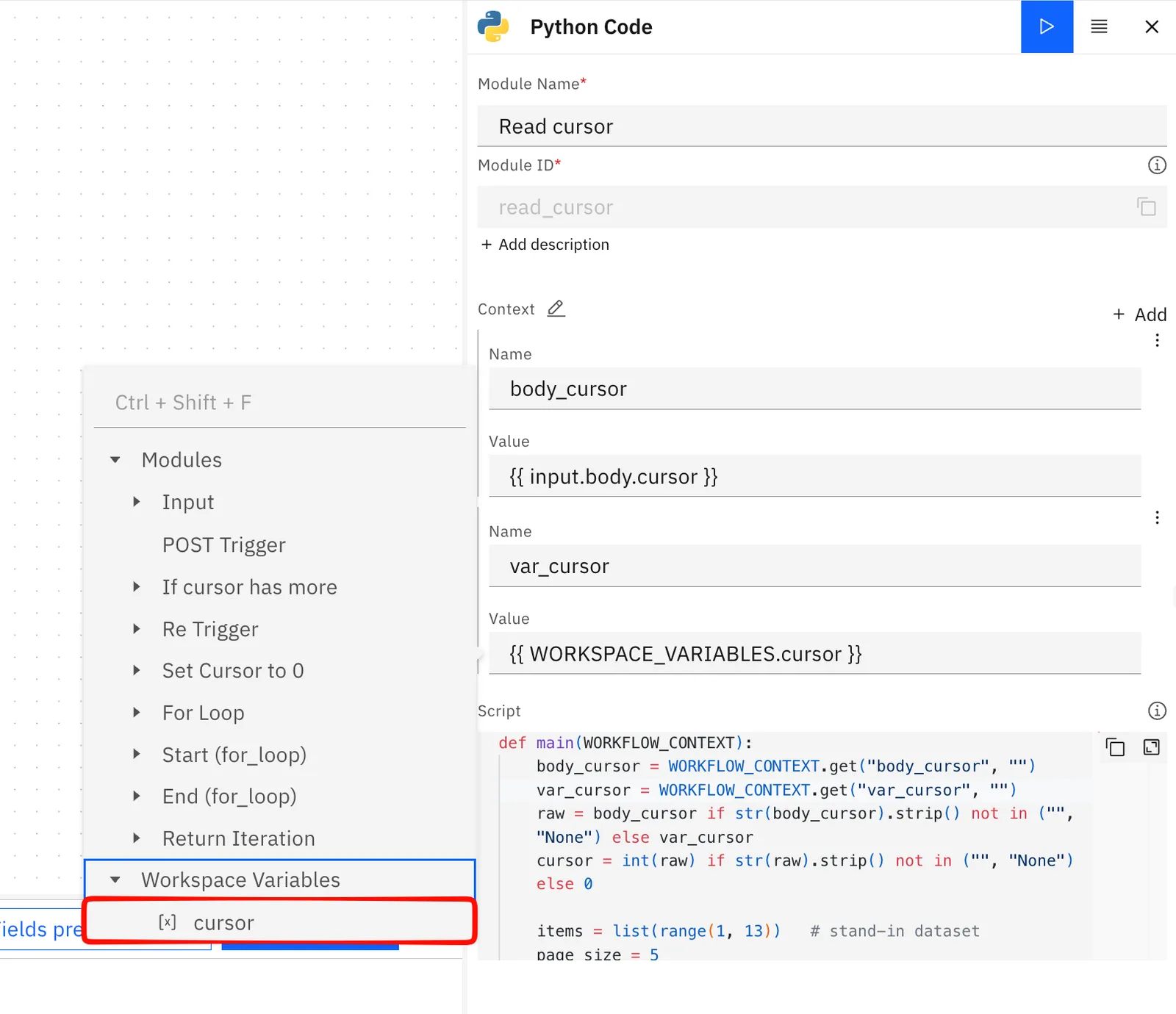
Create a workspace variable called `cursor` (Variables & secrets), type `number`, value `0`. Reference it as `{{ WORKSPACE_VARIABLES.cursor }}` in the workflows.

<figure><img src="/files/70myeKpTwpsANCgF9UPv" alt="" width="375"><figcaption></figcaption></figure>

<figure><img src="/files/v4c9j2Cm3cZ0whUOsM35" alt=""><figcaption></figcaption></figure>

### The workflow

<figure><img src="/files/mkSCBbJhjZOJAo8YDxXM" alt=""><figcaption></figcaption></figure>

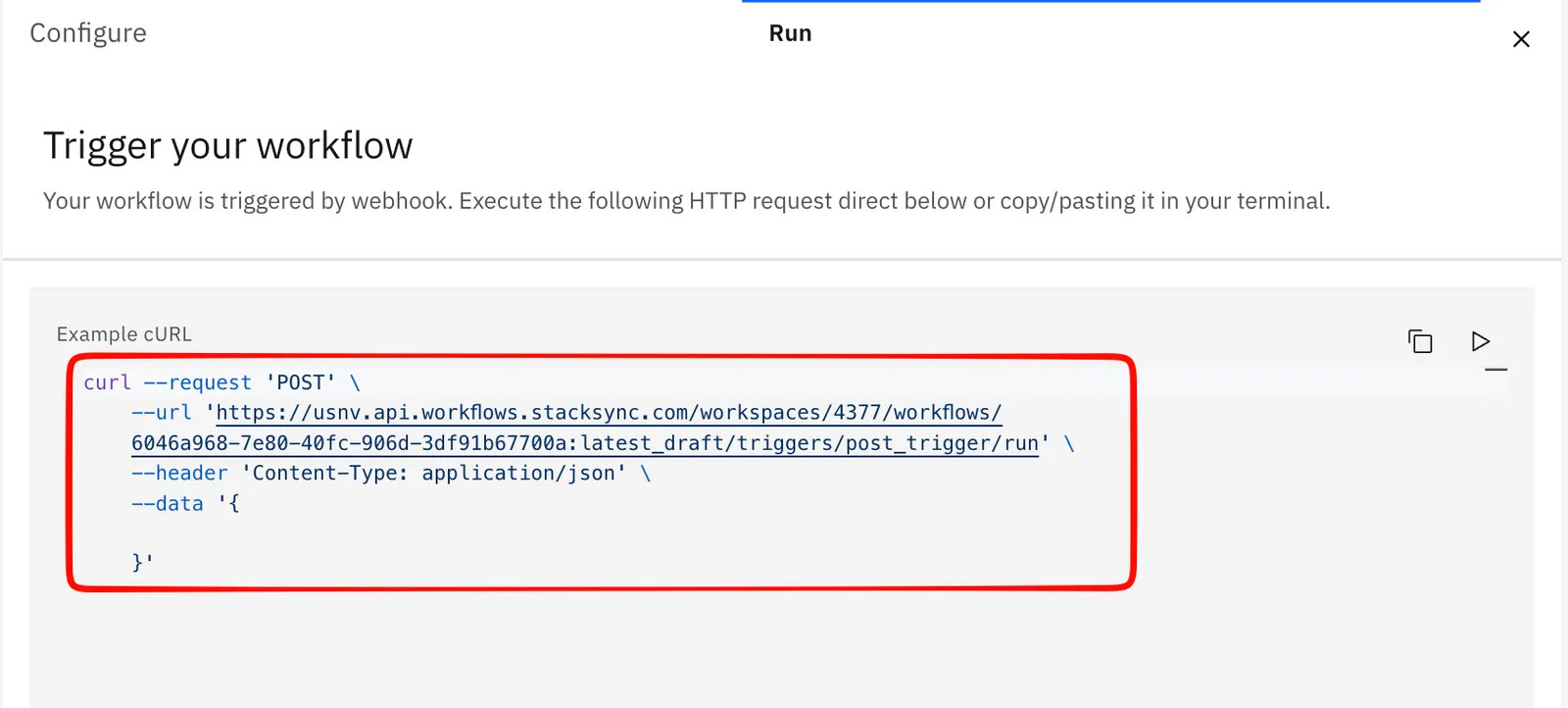
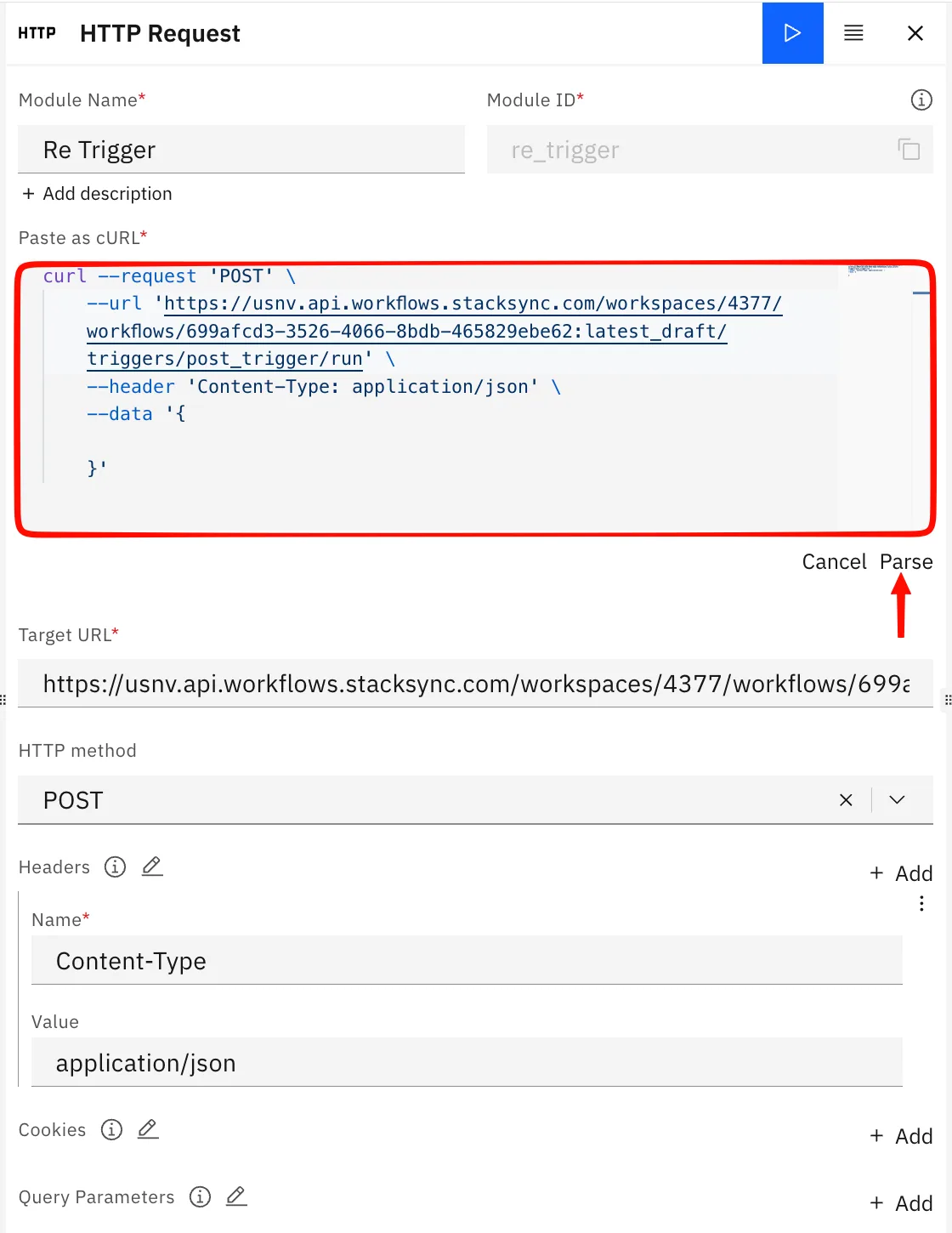
1. **Trigger** - Choose the default trigger available when you open a new workflow. Copy the curl command as we will be using it to re-fire itself for each page.
<figure><img src="/files/0x96B0sWffzkquFtXBS5" alt=""><figcaption></figcaption></figure>

1. **Input** - wire the trigger in.
2. **Read cursor** (Code) - get the cursor, fetch one page, output the next cursor and whether more pages exist. Bind `body_cursor` → `{{ input.body.cursor }}` and `var_cursor` → `{{ WORKSPACE_VARIABLES.cursor }}.`
3. &#x20;

   ```python
      def main(WORKFLOW_CONTEXT):
          raw = WORKFLOW_CONTEXT.get("cursor", "")
          cursor = int(raw) if str(raw).strip() not in ("", "None") else 0

          items = list(range(1, 13))   # replace with your real source
          page_size = 5
          page = items[cursor:cursor + page_size]

          return {
              "page": page,
              "next_cursor": cursor + page_size,
              "has_more": (cursor + page_size) < len(items),
          }
   ```

   <figure><img src="/files/dxzl7TcVwO92pstb2uxo" alt=""><figcaption></figcaption></figure>
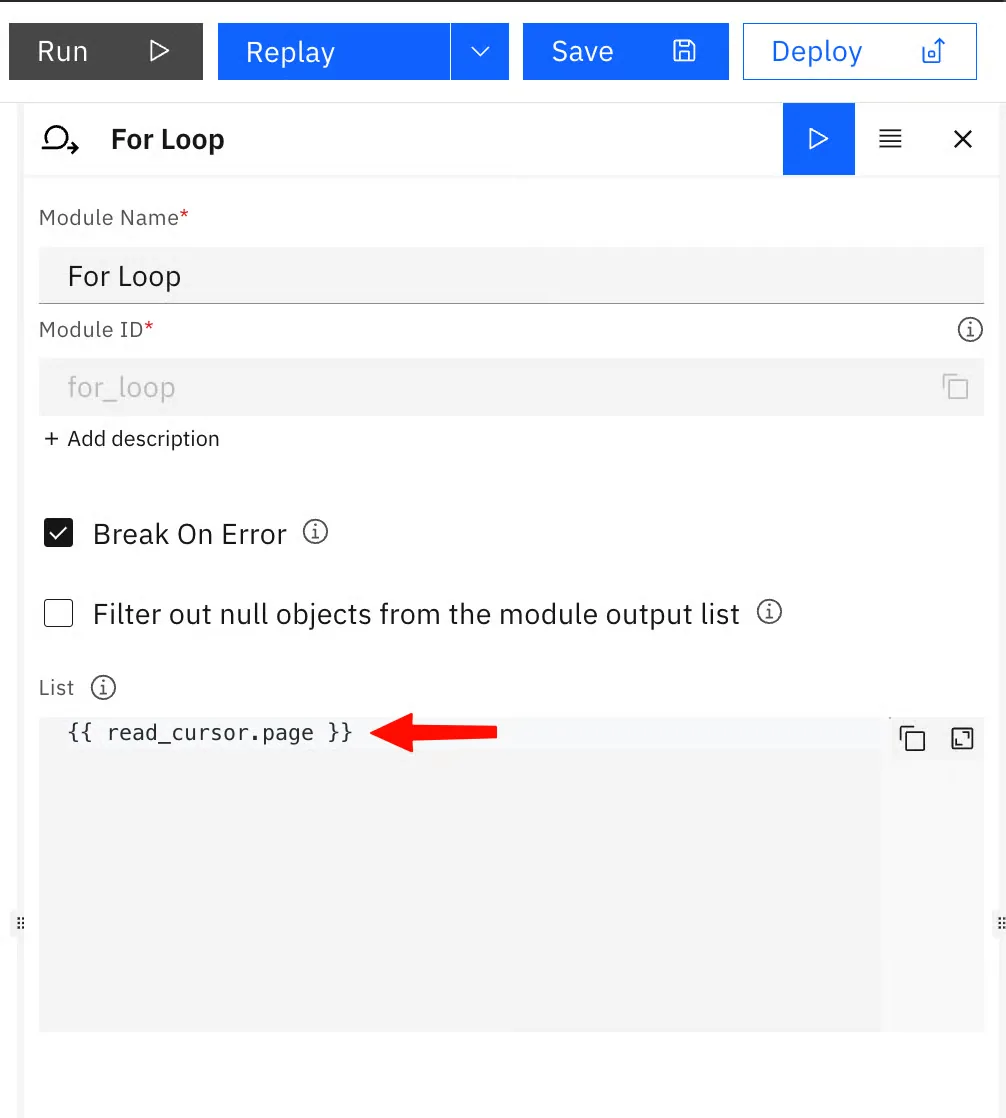
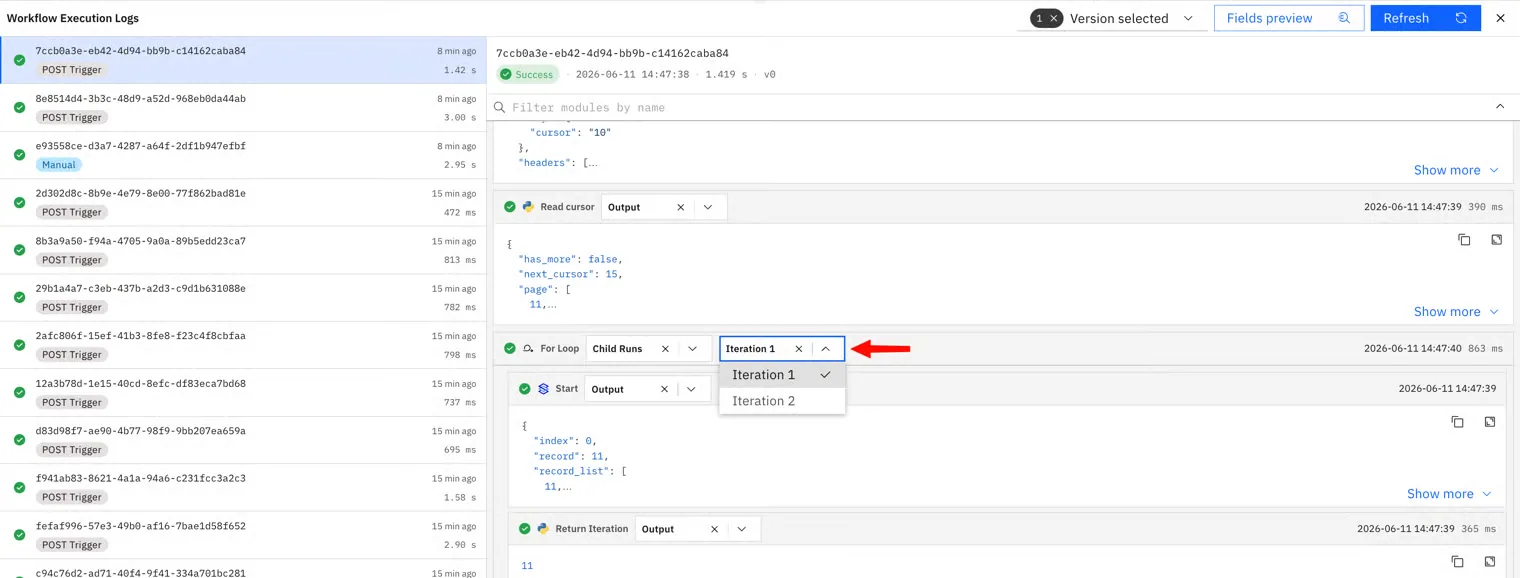
4. **For loop** over `{{ read_cursor.page }}` — your per-record work. This loops through each index for the page and you can check each run in the child iterations of the execution logs
   <figure><img src="/files/AUlRwudiv6dyrBuhFHaU" alt="" width="375"><figcaption></figcaption></figure>

   <figure><img src="/files/D53nz4TgLoUyg6FMbRmf" alt=""><figcaption></figcaption></figure>
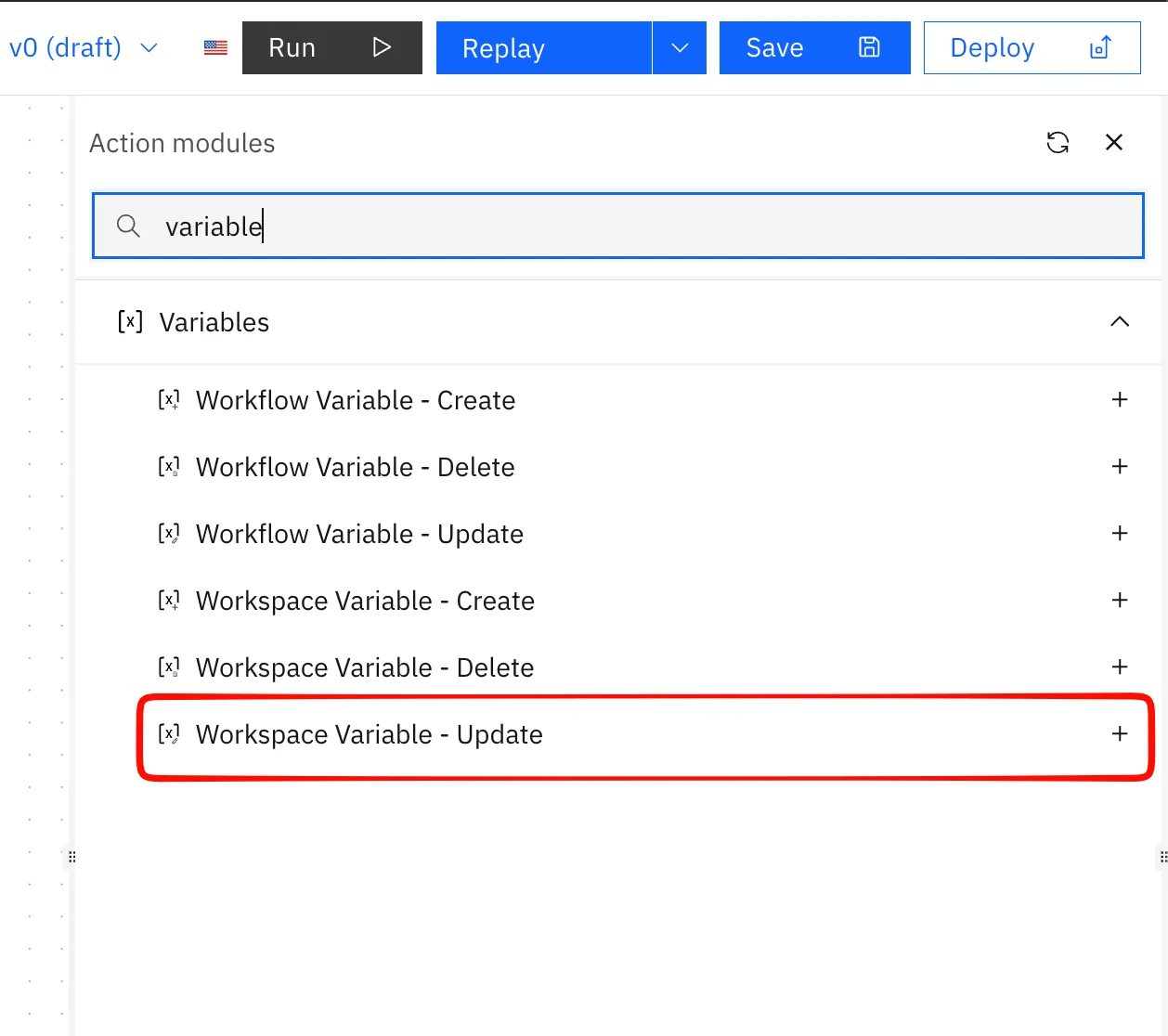
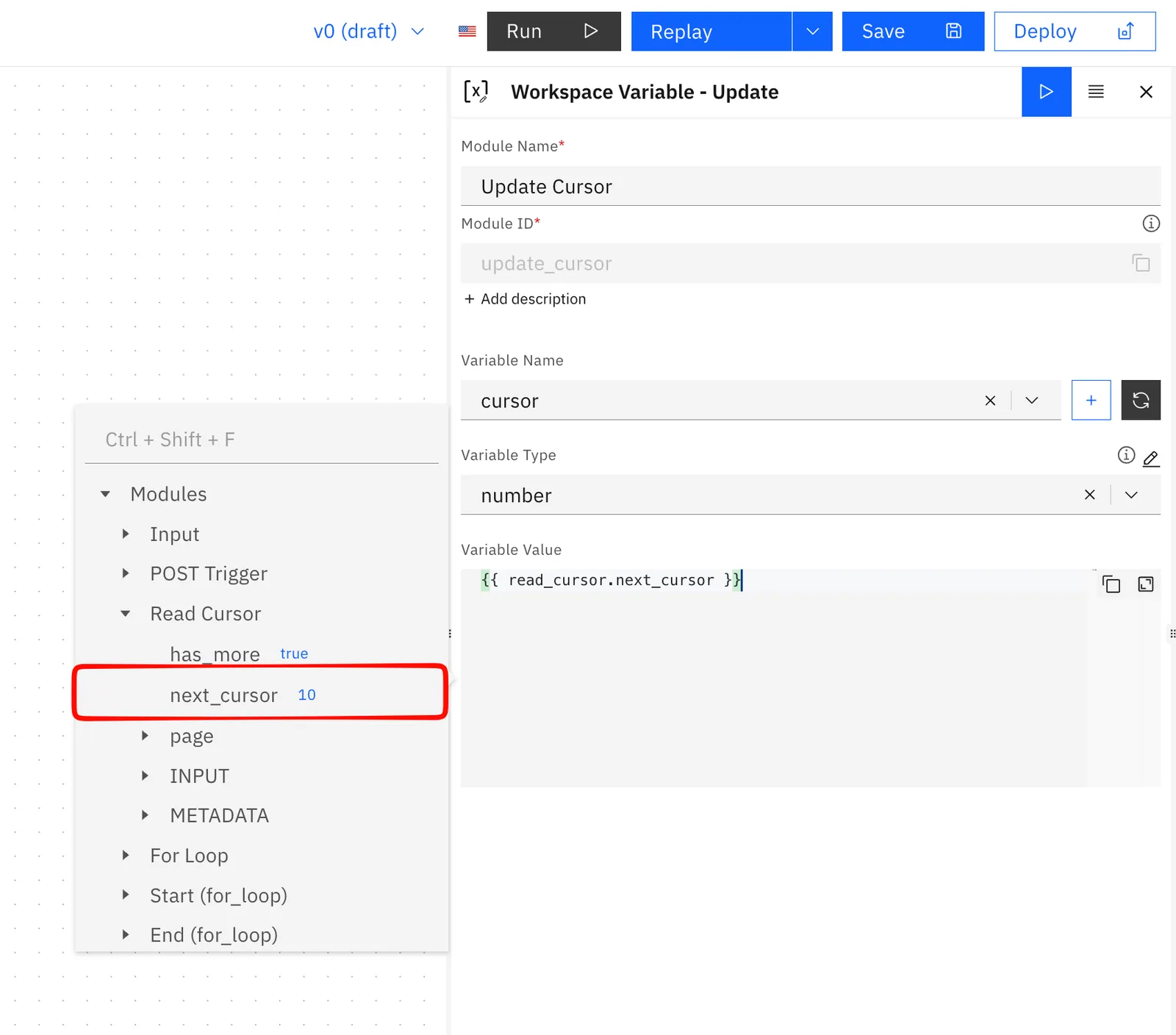
5. **Update Workspace Variable** - set `cursor` to `{{ read_cursor.next_cursor }}`. This advances the saved cursor so the next run reads the new value.
   <figure><img src="/files/DkxT9x3uvtYjWuSsoNTU" alt=""><figcaption></figcaption></figure>

   <figure><img src="/files/aa9vXetpwlhyOZ9Maskd" alt=""><figcaption></figcaption></figure>
6. **If/Else** on `{{ read_cursor.has_more }} == true`:

   * **true** → **HTTP Request**, POST to the trigger's webhook CURL and parse it
   <figure><img src="/files/EHXZ6zIJ2L3RGUhx3js2" alt=""><figcaption></figcaption></figure>

   * **false** → **Update Workspace Variable** set `cursor` back to 0, then stop.

#### Swap in a real source

Replace the stand-in list in step 3. Only the cursor and the "more pages" check change:

| Source                | next cursor         | more pages?          |
| --------------------- | ------------------- | -------------------- |
| GraphQL (Shopify)     | `endCursor`         | `hasNextPage`        |
| Cursor REST (HubSpot) | `paging.next.after` | `paging.next` exists |
| Database              | last row's `id`     | full page returned   |

### Watch out for

* **Use the Update Workspace Variable node,** not "Update Workflow Variable." They look identical but write to different stores; mixing them up means your cursor never actually moves and the workflow loops forever on the same page.
* **Timeout:** keep the page size small so each run finishes well under 300 seconds.


---

# Agent Instructions
This documentation is published with GitBook. GitBook is the documentation platform designed so that both humans and AI agents can read, navigate, and reason over technical content effectively. Learn more at gitbook.com.

## Querying This Documentation
If you need additional information that is not directly available in this page, you can query the documentation dynamically by asking a question.

Perform an HTTP GET request on the current page URL with the `ask` query parameter:

```
GET https://docs.stacksync.com/agentic-workflows/guides/paginating-with-a-workspace-variable.md?ask=<question>
```

The question should be specific, self-contained, and written in natural language.
The response will contain a direct answer to the question and relevant excerpts and sources from the documentation.

Use this mechanism when the answer is not explicitly present in the current page, you need clarification or additional context, or you want to retrieve related documentation sections.