# Governance and security
> Workspace settings and limits that control what AI assistants can do through the Stacksync MCP
Source: https://docs.stacksync.com/mcp/governance
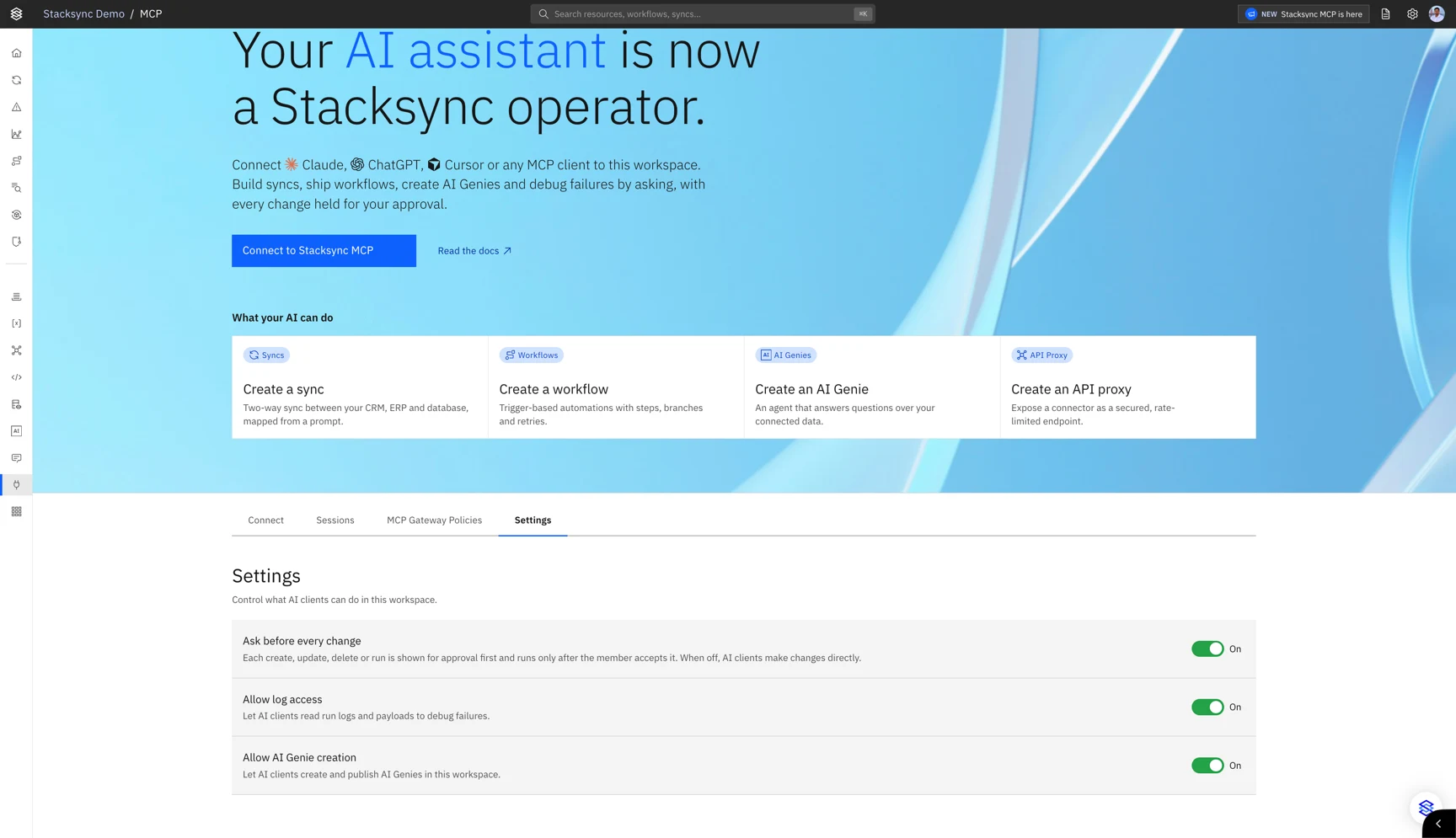
Workspace owners control what AI assistants can do in their workspace from the **Settings** tab of the **MCP** page in the Stacksync app. Other members can see the settings but not change them.
## Workspace settings
| Setting | What it does | Default |
| --------------------------- | -------------------------------------------------------------------------------------------------------------------------------------------------------------------------------------------------------------------------------------------------------------------------------------- | ------- |
| **Ask before every change** | Every create, update, delete or run shows a preview of the change and runs only after the member selects **Accept**. Assistants that support [MCP Apps](https://modelcontextprotocol.io/extensions/apps/overview) display a review card; others ask the member to confirm in the chat. | Off |
| **Allow log access** | Lets assistants read run logs and payloads to troubleshoot failures. | On |
| **Allow AI Genie creation** | Lets assistants create and publish Genies in the workspace. | On |
An AI assistant can follow instructions it finds in the data it reads. For workspaces with production data, turn on **Ask before every change** and review each proposed change before you accept it.
## MCP Gateway Policies
MCP Gateway Policies limit which apps, and which actions of each app, the assistants of selected users and groups can use directly. Workspace owners manage them in the **MCP Gateway Policies** tab. [Learn more about MCP Gateway Policies](/mcp/gateway-policies).
## Rate limits
Each user and each workspace API key can make up to 120 tool calls per minute.