# Applications
> Turn application code into a live business tool with managed deployment, version history, and access control.
Source: https://docs.stacksync.com/enterprise-os/applications
Give every team a place to run the applications it builds. EOS packages your application, builds it, deploys it, and provides a URL your users can open. You can deploy internal tools, portals, web applications, and APIs from the same CLI workflow.
A working prototype creates value when colleagues can use it reliably in their daily process. EOS gives that prototype a shared URL, managed access, and a repeatable deployment path. Teams can improve a workflow without setting up a separate build and hosting stack for every application.
## Find and open an application
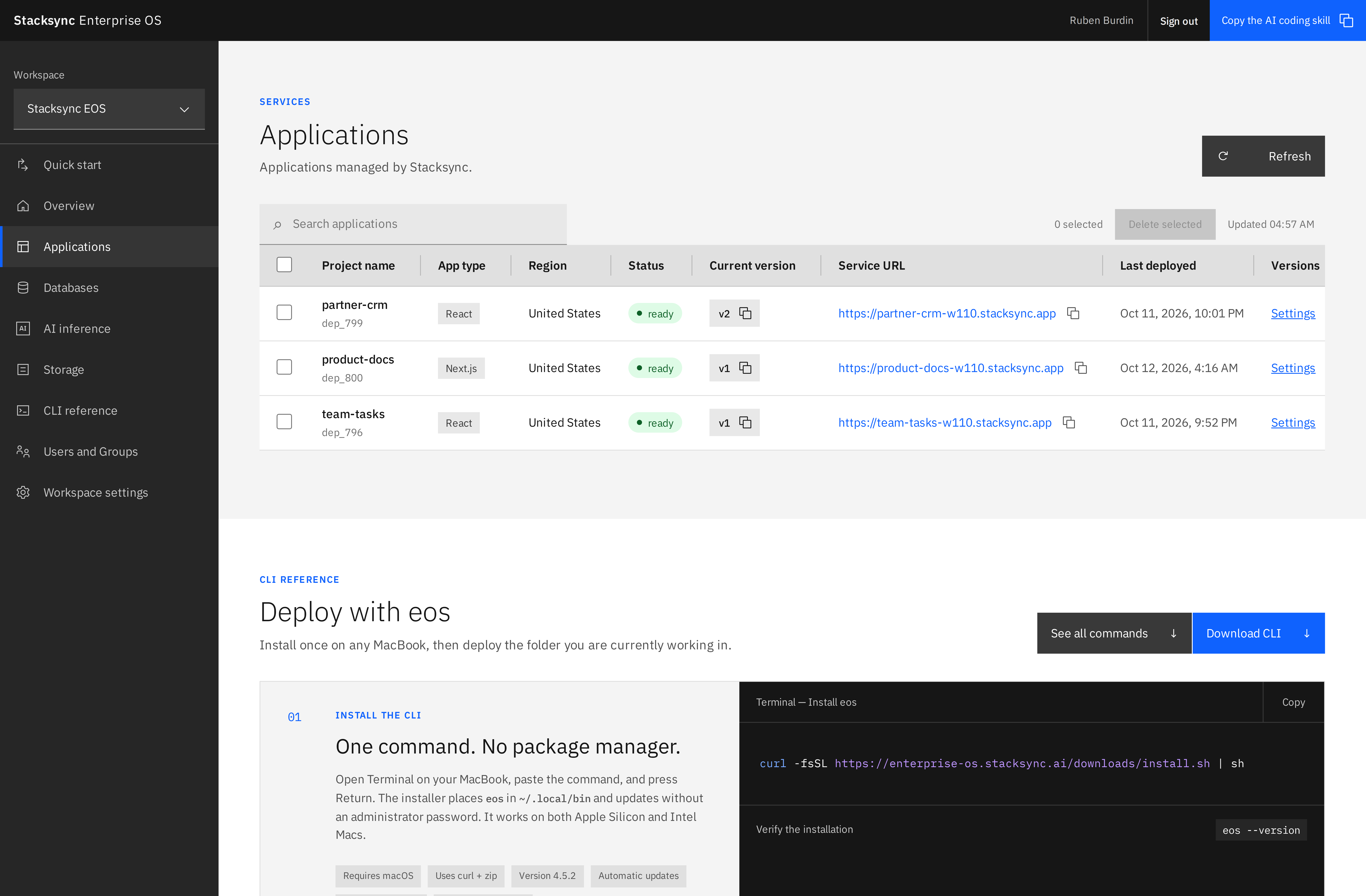
Select **Applications** in your workspace. The table shows each app's name, detected app type, region, deployment status, current version, and service URL. Search to locate an app, then open its **Settings** link or its project name.
Applications in the Stacksync EOS workspace, with status, version, and service URL for each project.
The app detail view brings together:
| Tab | Use it to |
| -------------------- | ----------------------------------------------------------------------------------------------------------------------------------------------- |
| **Deployments** | Review versions, build output, environment variables, container memory, and maximum autoscaling containers. Browse or download retained source. |
| **Logs** | Inspect application runtime logs when diagnosing behavior after deployment. |
| **Settings** | Add a resource description and manage the application's lifecycle. |
| **Users and Access** | Share management access and choose who may use the application. |
## Deploy from your terminal
```sh
eos deploy --dry-run --project=partner-portal
eos deploy --project=partner-portal --variable=NODE_ENV=production
```
Run deployment commands from the application root. Use a stable URL-safe name containing lowercase letters, numbers, and hyphens. The application name is fixed after creation. Reuse the same project name in the same workspace to deploy a new version.
For a new app, `--region` selects a supported deployment region. An existing app keeps its region when redeployed. Changing region requires recreating the application; use the region choices exposed by the current product rather than guessing an identifier.
## Operate the application as a team
Give builders **Editor** access when they need to deploy and configure the app. Give a business user **Operator** access when they only need to use it under a policy that requires explicit grants. Owners manage sharing and deletion.
For apps created in account workspaces, the default runtime policy admits workspace Admins and Members. Guest apps are public; claiming a workspace preserves that policy. Choose **Specific members** when only a particular team should be able to use it. See [managed authentication](/enterprise-os/applications/managed-authentication) for all policies.
## Delete an application
An Owner can use **Settings → Delete application** or `eos app delete PROJECT`. The CLI requires the exact application name. Deletion removes the running app, deployment history, and retained source archives. Separately provisioned databases and other resources have their own lifecycle.