# Stacksync Enterprise OS
> Turn employee ideas into secure, shared business applications with managed deployment, authentication, data, AI, and storage.
Source: https://docs.stacksync.com/enterprise-os
**Everyone can build. Getting that software into everyday use is the harder part.** AI coding tools have made it easier for employees to create useful applications. Deployment, infrastructure, authentication, and access controls still stand between a promising prototype and a process the company can rely on.
**Stacksync Enterprise OS (EOS) gives teams a managed path from an idea to a secure, shared business application.** The people closest to the work can build software around their real workflows, deploy it, and share it with colleagues. Leaders can turn local improvements into wider operational value, while IT teams establish access and resource controls in a common workspace.
EOS brings application deployment, PostgreSQL databases, AI inference, file storage, and managed authentication together. Teams can move from experimentation to everyday use without assembling a separate deployment stack for every initiative.
## Software built around the way your team works
The people handling customer requests, reconciling invoices, or coordinating partners see friction that a generic tool may miss. Give them a practical way to test an improvement, put it in colleagues' hands, and refine it with real feedback.
| For your team | The business advantage |
| -------------------------------- | --------------------------------------------------------------------------------------------------------------------------- |
| **Company leaders** | Turn employee initiative into shared processes. Give successful experiments a path to adoption across a team or department. |
| **Operators and business teams** | Build tools around the steps, exceptions, and decisions in your actual work, then share the improvement with colleagues. |
| **IT and platform teams** | Provide a common deployment path with managed authentication, user and group access, and workspace policies. |
| **Developers and AI agents** | Deploy applications and connect their data, AI, and storage through a repeatable CLI workflow. |
## Less deployment friction, more operational value
EOS handles application packaging, builds, and deployment, reducing the CI/CD and infrastructure setup required to put each tool into use. Managed authentication removes the need to build a separate sign-in system for every internal application. Microsoft Entra ID and Okta connections are available through enterprise setup, so application access can fit into your company's identity environment.
Resource permissions, workspace model policies, inference budgets, and application runtime settings give teams controls they can apply as an experiment grows. These capabilities support your organization's security and compliance requirements; application design, data handling, and internal approval policies remain part of deploying responsibly.
Read [From idea to business impact](/enterprise-os/business-value) for a practical adoption approach, or follow the [Quick start](/enterprise-os/quick-start) to deploy your first application.
## From idea to a working business application
Consider a partner portal: your sales team needs a place to manage partners, store documents, and draft follow-ups with AI. With EOS, the team can deploy the portal, provision its PostgreSQL database, create an inference key with a spending limit, and give the application a private storage bucket. Managed authentication controls who can open it.
An individual improvement can become a shared workflow: colleagues use the same application, work from the same business data, and benefit from each iteration. The same building blocks support operations dashboards, finance tools, customer-facing services, and departmental AI assistants.
| Building block | What your team can accomplish |
| ------------------------ | -------------------------------------------------------------------------------------------------------------------- |
| **Applications** | Publish web applications and APIs, inspect deployments, configure memory and autoscaling, and control app access. |
| **Databases** | Provision managed PostgreSQL, explore tables, run SQL, and connect applications with dedicated database credentials. |
| **AI inference** | Use one API key across the available model catalog, with per-key spending limits and request visibility. |
| **Storage** | Create private buckets, organize and preview files, and give applications scoped API access. |
| **Workspace governance** | Organize people into groups, share individual resources, and choose which AI models teams may use. |
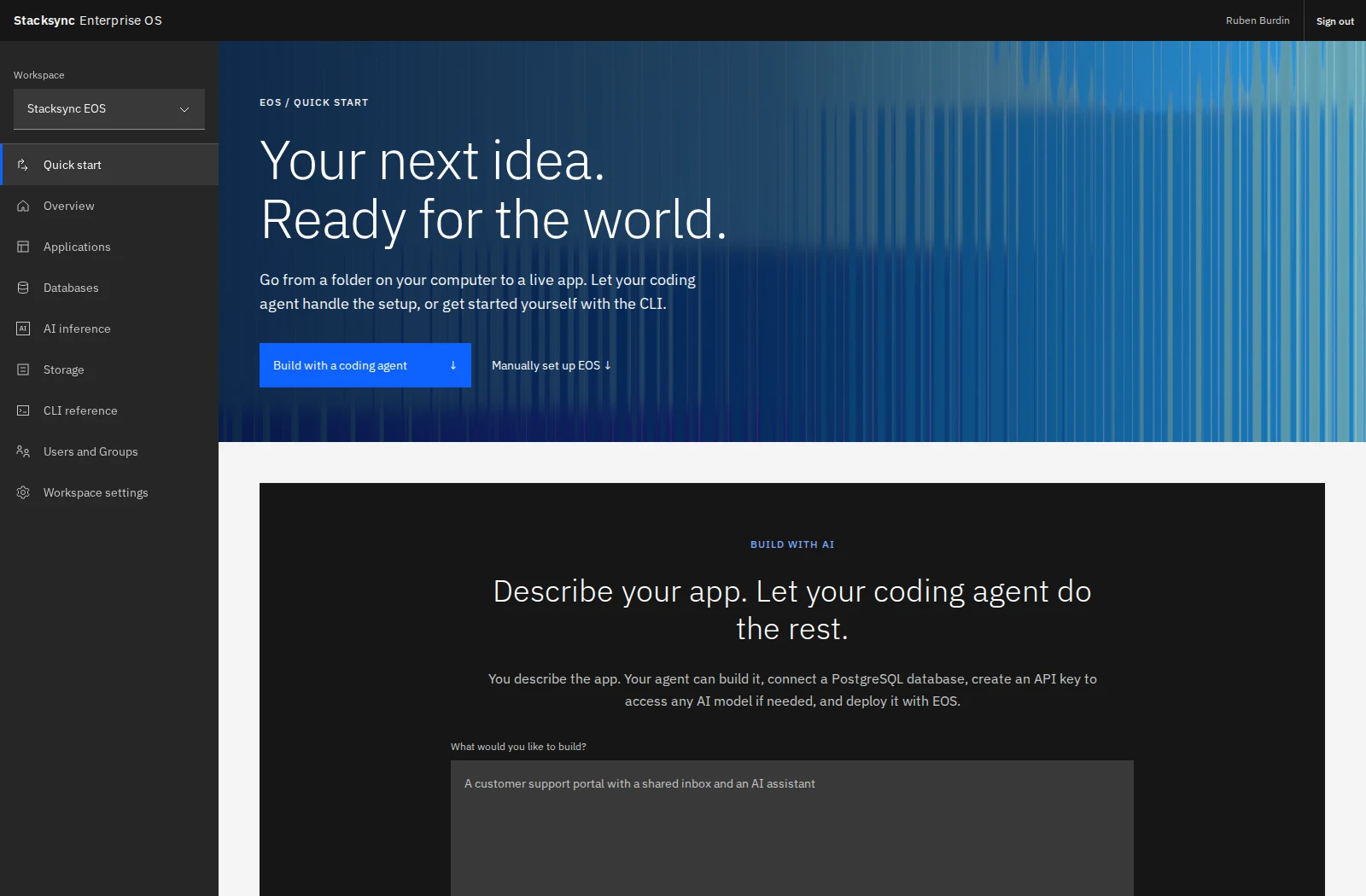
The Quick start page in the Stacksync EOS workspace: start with a coding agent or set up the CLI.
## Built for teams, ready for automation
Business teams can describe what they need to a coding agent. Developers can work from their terminal. Both use the same EOS platform and permissions. The CLI covers deployment, databases, inference, storage, workspace selection, and resource sharing; the dashboard adds visual resource management and administration.
Security follows the resource. Joining a workspace does not automatically let someone read database credentials or change an application. Grant resource roles to individuals or groups, and choose the separate authentication policy for people using an app.
Screenshots throughout these guides were captured in the **Stacksync EOS** workspace. Resource names, usage, and available models are examples; your workspace will reflect its own resources and current catalog.